What is A Little Box of Goodies-1
A Little Box of Goodies-1 is a digital care package builder that lets you create a personalized package filled with notes, photos, songs, voice messages, drawings, and more. Once created, you can share it with someone special via a private link.
How to use A Little Box of Goodies-1
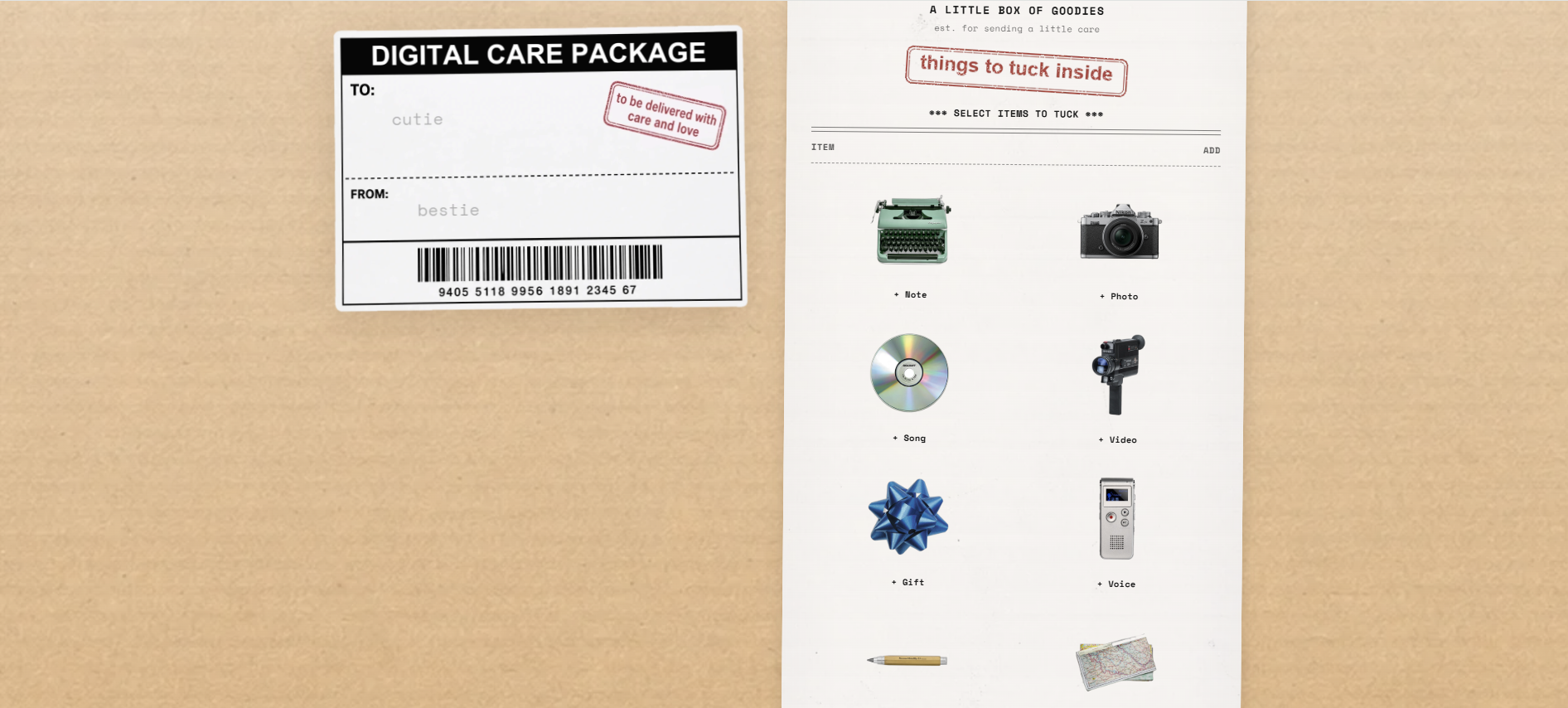
- Personalize the parcel label: Enter a title (e.g., "cutie") and your name (e.g., "bestie") in the "to / title" and "from / your name" fields.
- Select items to tuck: Choose from various goodies to include in your digital care package. The interface shows a receipt-style list where you can add items and adjust quantities.
- Pay and generate link: Click the "Pay & Generate Link" button to complete the process. A private link will be generated for your package.
- Share the link: Copy the generated link and send it to your recipient via text, email, or any other method. The recipient can open the link to view and interact with the digital care package.
Features of A Little Box of Goodies-1
- Digital care package creation: Build a personalized package with multiple types of content.
- Private link sharing: Each package is shared via a unique, private link.
- Receipt-style builder interface: The builder mimics a receipt with item selection and quantity tracking.
- Preview option: Preview your package before finalizing.
- Copy link functionality: Easily copy the generated link to share.
- Recipient view: Recipients see a box that they can tap to open, revealing the contents.
- Edit package option: After viewing, recipients can choose to edit the package.
- Email delivery: The link is also sent via email after payment.
Use Cases of A Little Box of Goodies-1
- Sending a thoughtful digital care package to a friend or loved one.
- Sharing personalized messages, photos, songs, and voice notes for special occasions like birthdays, anniversaries, or just to show you care.
- Creating a unique and interactive gift that can be delivered instantly online.
Pricing
After selecting items, you click "Pay & Generate Link" to complete the purchase. The exact pricing structure is not detailed on the page.
FAQ
Q: How do I share my digital care package?
A: After payment, you'll receive a private link that you can copy and send to your recipient via text, email, or any other method.
Q: Can I preview my package before sharing?
A: Yes, there is a "Preview" button available before generating the final link.
Q: What can I include in my digital care package?
A: You can add notes, photos, songs, voice messages, drawings, and more.
Q: What does the recipient see?
A: The recipient sees a digital box with a label showing the title and your name. They can tap to open it and view the contents.
Q: Can the recipient edit the package?
A: Yes, there is an "Edit package" button in the recipient view.