What is A Little Box of Goodies-2
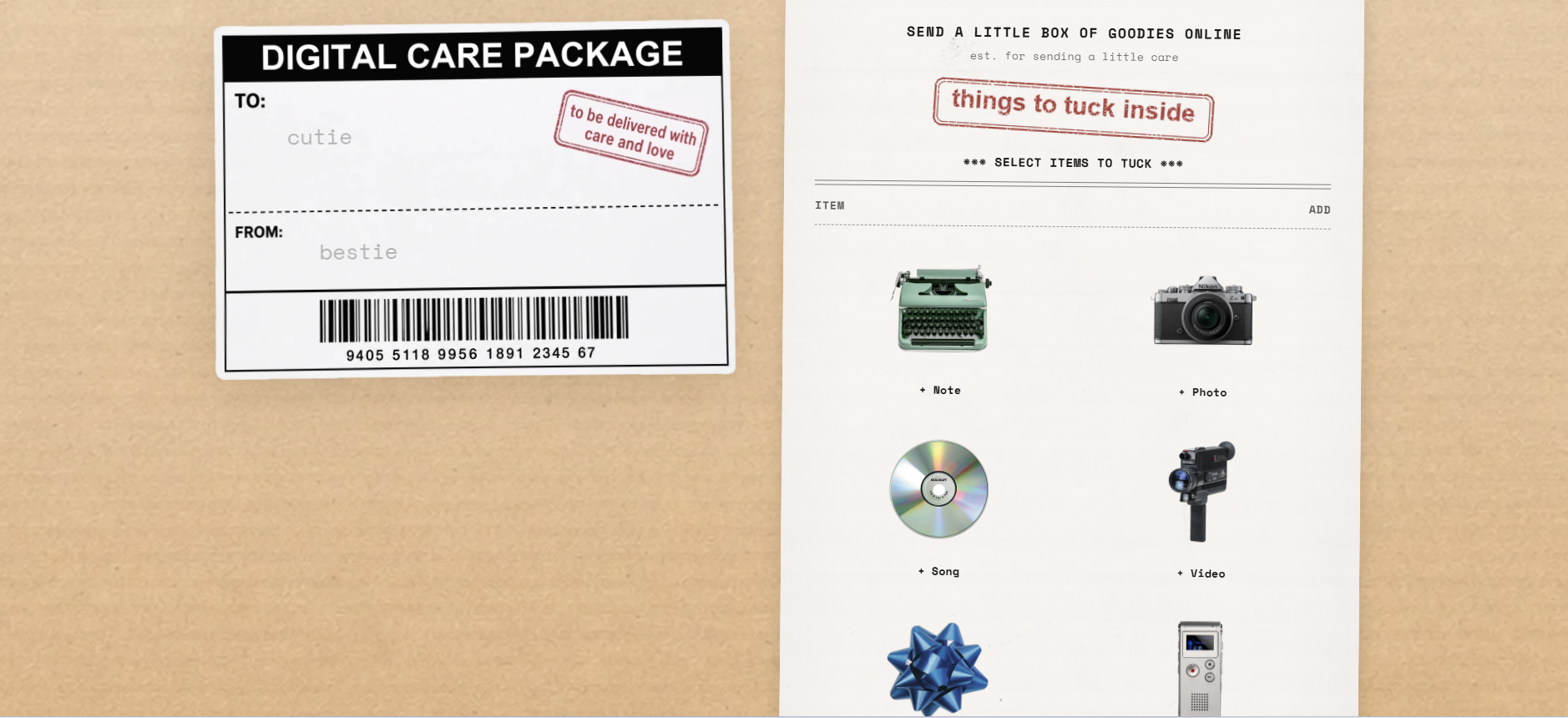
A Little Box of Goodies-2 is a web-based tool for creating and sharing personalized digital care packages. Users can assemble a virtual box filled with messages, photos, voice notes, drawings, songs, locations, gifts, and coupons, then send it to someone special via a private link.
How to use A Little Box of Goodies-2
- Personalize the label: Enter the recipient's name or a title in the "to / title" field and your name in the "from / your name" field.
- Select items to tuck: Choose from various item types (e.g., messages, photos, voice notes, drawings, songs, locations, gifts, coupons) by clicking on them in the "SELECT ITEMS TO TUCK" section.
- Add details: For each selected item, provide the required content (e.g., write a message, upload a photo, record a voice note).
- Review your box: The selected items appear in the "IN CART" list with quantities.
- Pay and generate link: Click "Pay & Generate Link" to complete payment and create a unique private link for your care package.
- Share the link: Copy the generated link and send it to your recipient via text, email, or any messaging platform.
- Recipient experience: The recipient opens the link, sees a virtual box with the personalized label, taps to open it, and explores the contents.
Features of A Little Box of Goodies-2
- Digital care package builder: Assemble a virtual box with multiple item types.
- Item types: Messages, photos, voice notes, drawings, songs, locations, gifts, and coupons.
- Personalized label: Customize the "to" and "from" fields on a shipping label graphic.
- Private link sharing: Generate a unique link after payment to share the package.
- Preview option: Preview the package before generating the final link.
- Recipient view: A dedicated view where the recipient sees a box, taps to open it, and interacts with the contents.
- Edit package: Recipients can edit the package (likely to add their own items or modify).
- Responsive design: Works on various devices with a mobile-friendly layout.
- Payment integration: Payment is required to generate the shareable link.
- Email delivery: The link is also sent via email after payment.
Use Cases of A Little Box of Goodies-2
- Long-distance relationships: Send a digital care package with messages, photos, and voice notes to a partner.
- Birthdays and anniversaries: Create a personalized box with songs, drawings, and coupons for a special occasion.
- Friendship gestures: Surprise a friend with a collection of memories and gifts.
- Holidays: Send festive greetings with digital gifts and coupons.
- Support and encouragement: Send a box of goodies to someone going through a tough time.
- Just because: Share a little joy with someone special for no particular reason.
FAQ
Q: How does the recipient receive the care package?
A: After payment, you receive a private link that you can share via text, email, or any messaging platform. The recipient clicks the link to view and interact with the package.
Q: Can I preview the package before sending?
A: Yes, there is a "Preview" button that allows you to see how the package will look before generating the final link.
Q: What types of items can I include?
A: You can include messages, photos, voice notes, drawings, songs, locations, gifts, and coupons.
Q: Is the link private?
A: Yes, the link is unique and private, intended only for the recipient.
Q: Can the recipient edit the package?
A: Yes, the recipient view includes an "Edit package" button, allowing them to modify the package.
Q: How is payment handled?
A: Payment is required to generate the link. The specific payment methods are not detailed on the webpage.