LogoTopAIHubs
icon of AdWorker

AdWorker

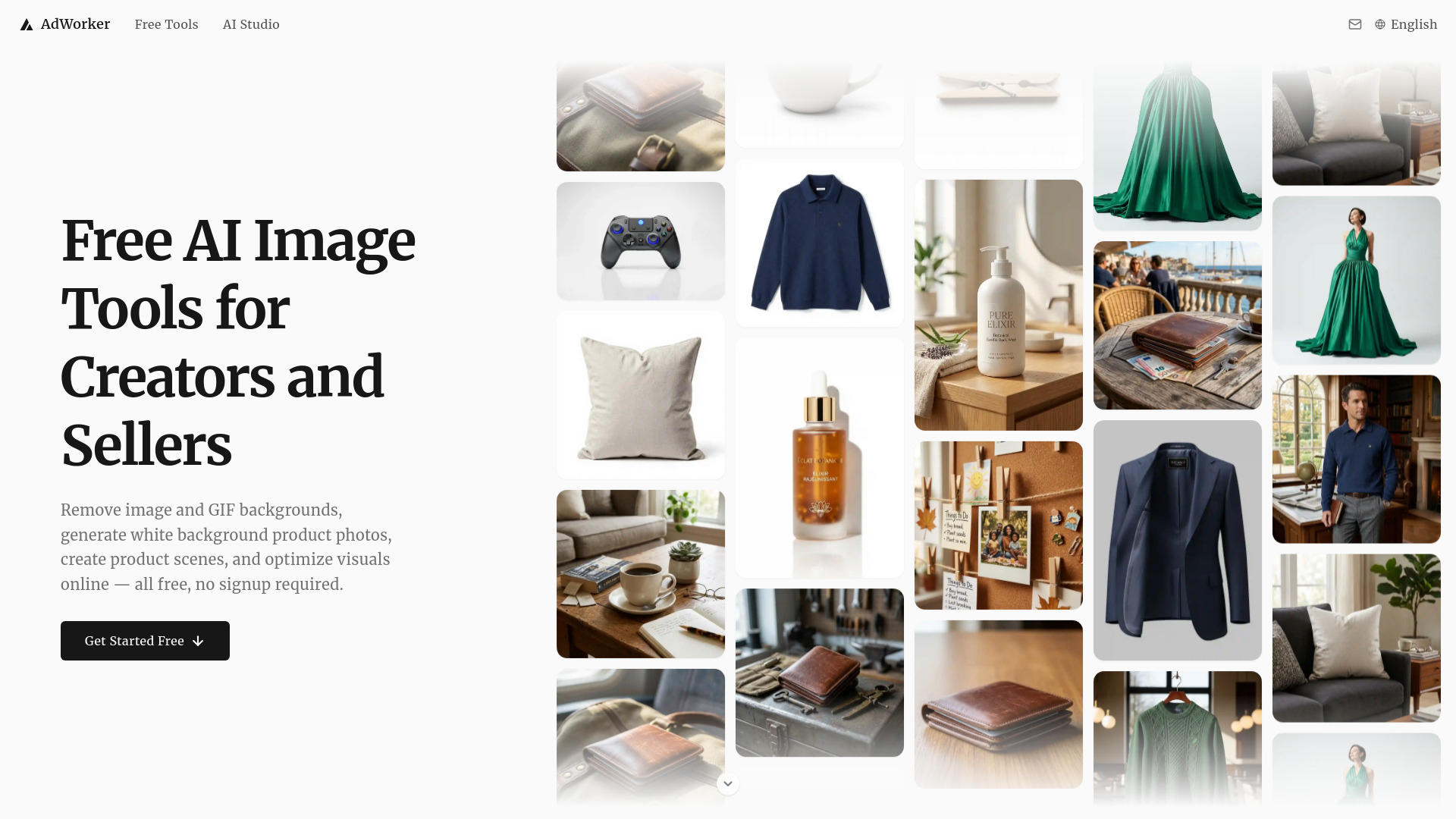
All-in-one AI image toolkit for Creators and Sellers — background removal, AI product photos, ghost mannequin, and more. 100% free.

Introduction

What is AdWorker

AdWorker is an all-in-one AI image toolkit designed for creators and sellers. It offers a suite of tools to enhance and optimize images for various purposes, including e-commerce and content creation.

How to use AdWorker
  1. Upload your image or GIF.
  2. Select the desired tool (e.g., background removal, AI product photo generation, ghost mannequin).
  3. Process the image.
  4. Download the result.
Features of AdWorker
  • Background Removal: Remove backgrounds from images and GIFs, creating transparent PNGs or animated GIFs.
  • AI Product Photos: Generate AI product photos from a single image, creating realistic scenes for online stores, ads, and social media.
  • Ghost Mannequin: Transform clothing photos into clean AI ghost mannequin images for e-commerce.
  • White Background: Create clean white background images for product photos, suitable for marketplaces and online stores.
  • Image Compressor: Reduce image file sizes for JPEG, PNG, and WebP formats.
  • Format Converter: Convert images between JPEG, PNG, and WebP formats.
  • Image Cropper: Crop images with presets for various e-commerce platforms.
  • Batch Processing: Process multiple images at once for compression or conversion (up to 50 files).
  • No Signup Required: Start editing immediately without creating an account.
  • Free to Use: Core tools are free, with many AI tools offering free daily usage.
Use Cases of AdWorker
  • E-commerce Sellers: Create professional product photos with white backgrounds, ghost mannequins, or AI-generated scenes to improve listings.
  • Content Creators: Quickly remove backgrounds from images and GIFs for social media, blogs, or marketing materials.
  • Designers: Optimize image file sizes and convert formats for web or print use.
  • Online Retailers: Generate consistent product imagery for catalogs and online stores.
Pricing

AdWorker's core tools are free to use. Many AI-powered tools include free daily usage. No account or credit card is required to start.

FAQ

Is AdWorker really free to use? Yes. Core tools are free to use, and many AI-powered tools include free daily usage. You can start editing images without creating an account or adding a credit card.

What image formats does AdWorker support? AdWorker supports common image formats such as JPG, PNG, and WebP. GIF files are supported by the GIF background remover, and format conversion is available for everyday image workflows.

What can I do with AdWorker? You can remove image backgrounds, remove GIF backgrounds, compress images, convert formats, crop pictures, create white backgrounds, and generate AI product photos from one simple online workspace.

Do I need to install software or learn Photoshop? No. AdWorker runs in your browser. Upload an image, choose the tool you need, and download the result after processing. No design skills or complicated setup required.

Are my uploaded images stored? Your images are processed over a secure connection and automatically deleted after processing is complete. We do not use uploaded images for any other purpose.
Newsletter

Join the Community

Subscribe to our newsletter for the latest news and updates