Newsletter
Join the Community
Subscribe to our newsletter for the latest news and updates

Create AI dance videos from photos using templates or motion references.
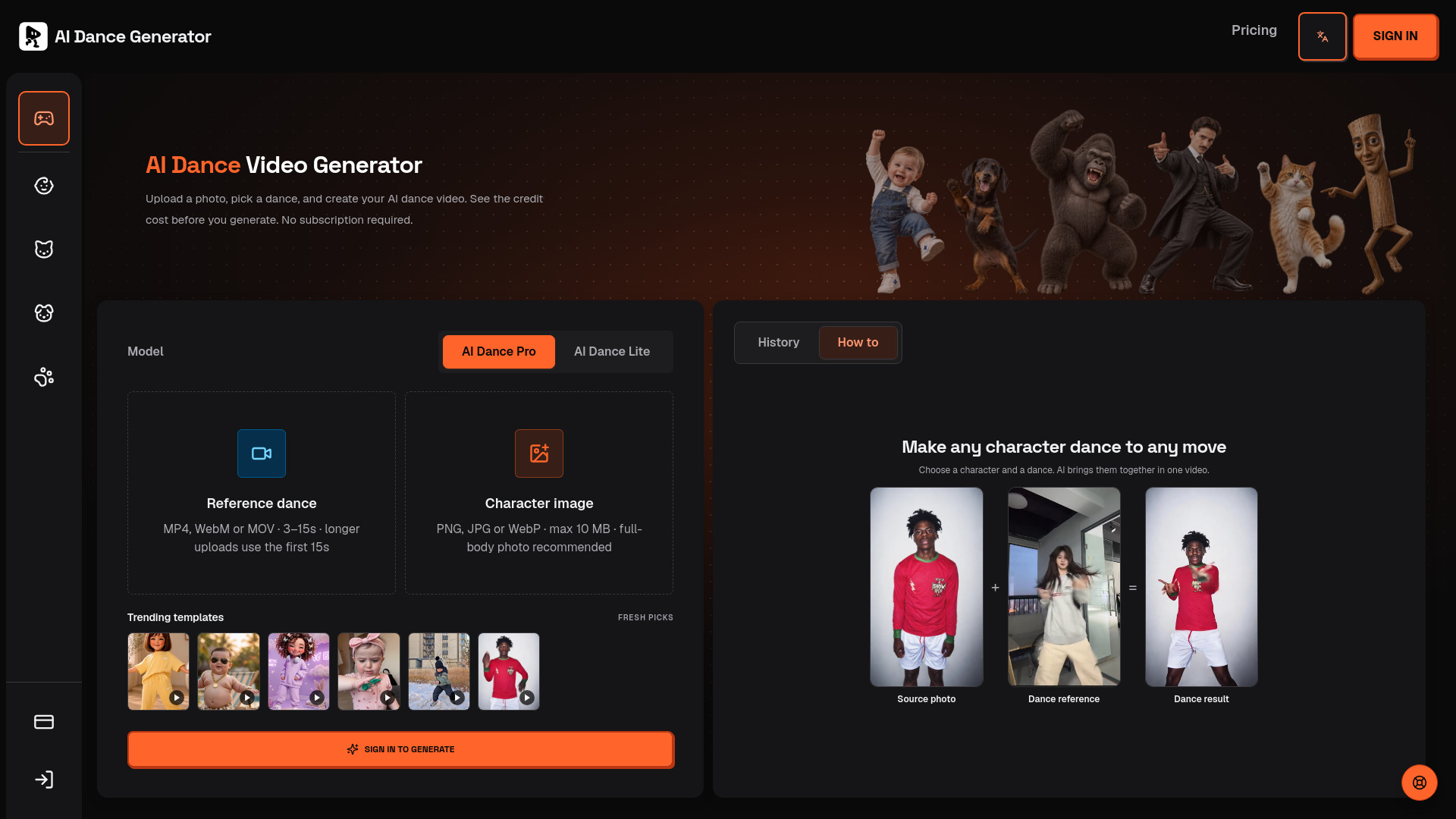
AI Dance Generator is a web-based tool that creates AI dance videos from a single photo. It combines a subject image with a dance reference video to generate a new MP4 featuring the person, pet, character, or mascot from the image performing the dance. The tool uses the reference movement as guidance and can animate people, pets, illustrations, anime-style characters, avatars, and mascots.
AI Dance Generator uses a credit-based system with one-time purchases and no subscription or automatic renewal.
Credit costs: AI Dance Pro uses 10 credits per started second (10 seconds = 100 credits). AI Dance Lite uses 35 credits per video. The same model rates apply to templates and uploads. New purchased credits never expire. Technical failures return credits automatically.
What is an AI dance generator?
An AI dance generator combines a subject image with a dance reference video. It uses the reference movement as guidance to create a new MP4 featuring the person, pet, character, or mascot in your image.
Can I use my own reference video in the AI dance generator?
Yes. Upload a short MP4, WebM, or MOV that you own or have permission to use. A single visible dancer, a steady shot, and limited occlusion usually make the motion easier to reproduce.
Can I make a pet, anime character, or mascot dance?
You can try people, pets, illustrations, anime-style characters, avatars, and mascots. Results vary with anatomy and pose; subjects with visible limbs and human-like or upright proportions usually follow dance motion more clearly.
What kind of photo works best?
Use a sharp, evenly lit image with one subject and the body parts needed for the dance visible. Leave room around the arms and legs. Avoid tightly cropped faces, crossed limbs, and heavy occlusion. For pets or illustrated characters, an upright pose can be easier to match to a human dance reference.
Will the dance preserve the face, clothes and background?
The AI dance generator uses your photo for appearance and your video for motion, but it can reinterpret the face, clothing, limbs, and background. Exact identity preservation and frame-for-frame motion are not guaranteed. Use a clear source photo and a simple reference, and review the result before sharing it.
Which image and video formats are supported?
Upload a PNG, JPG, or WebP image up to 10 MB and an MP4, WebM, or MOV dance reference up to 50 MB. Completed generations are provided as MP4 video.
Does the generated video include music?
AI Dance Pro keeps the reference video's original sound. Audio can vary by model and input; preview your result and use properly licensed music before publishing.
Can I publish or use my AI dance video commercially?
Only if you have the necessary rights to every person, character, image, dance reference, and audio track involved. Generating a video does not grant rights to third-party material; check the applicable provider and platform terms before commercial use.
How do viral dance templates work?
Preview a clip in Discover viral dances to remake, then click Make This Dance to load its motion into the generator. Add your own character image and review the credit cost before generating. You can also select a clip from Trending templates. Templates are movement references; they do not guarantee identical results or viral reach.
How much does one AI dance video cost?
AI Dance Pro uses 10 credits per started second (10 seconds = 100 credits). AI Dance Lite uses 35 credits per video. The same model rates apply to templates and uploads. Technical failures return credits automatically.