What is AI Rap Video
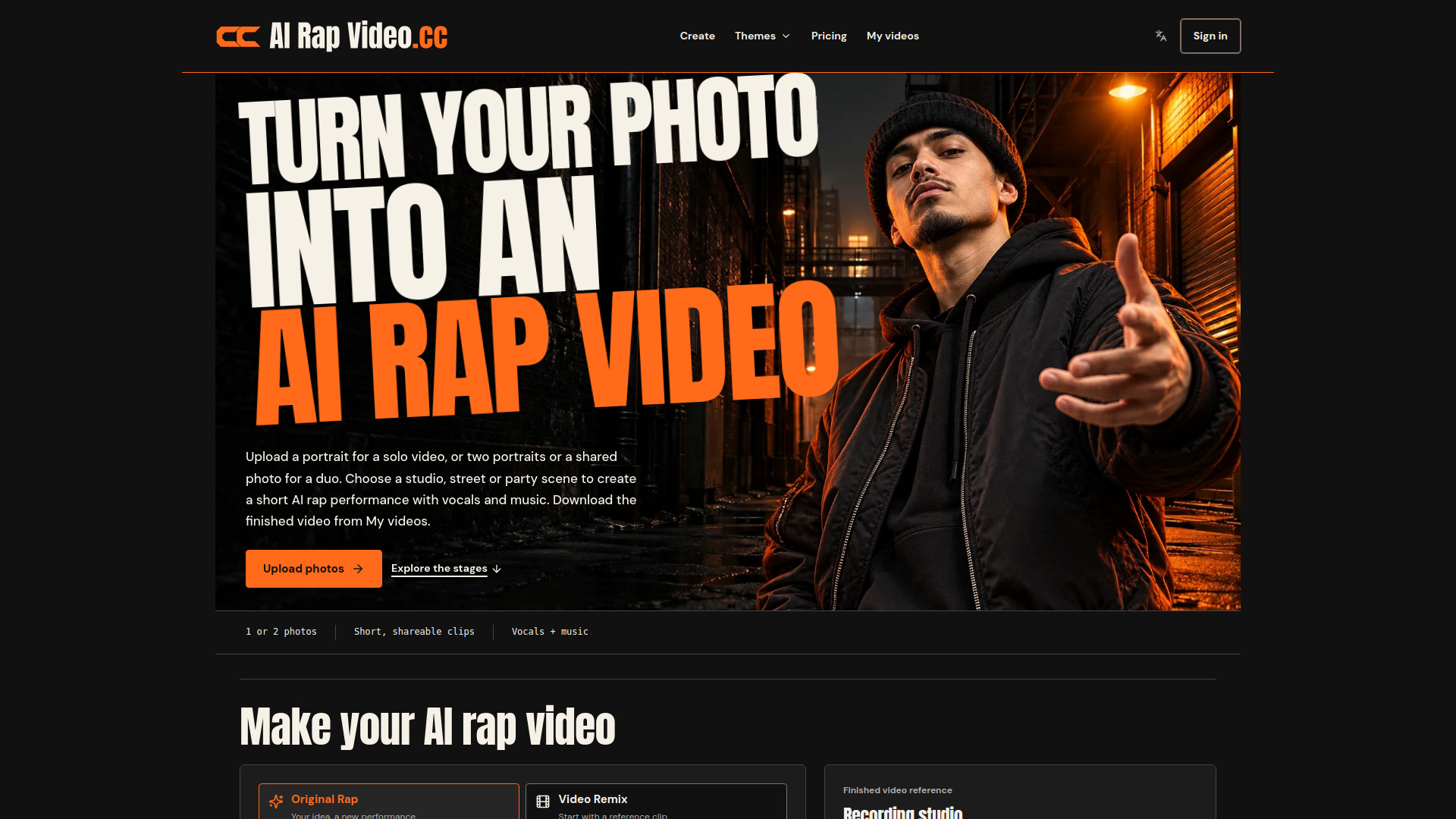
AI Rap Video is a photo-to-rap video generator that turns your photos into short AI rap performances. It supports solo and duo performances, with two creation modes: Original Rap, which creates a new performance from your photos, scene, and topic, and Video Remix, which uses a reference clip to change the performers. The tool generates vocals and music, and outputs short, shareable clips.
How to use AI Rap Video
- Add your photos: Upload one portrait for a solo performance, or two portraits (or one shared photo) for a duo. Photos should be clear, front-facing, and well-lit.
- Choose your stage: Select from Recording studio, Street cypher, or Party entrance for Original Rap. For Video Remix, choose a reference clip (Hotel Lobby, Bulin 47 Freestyle, Burning Bridges Party) or upload your own.
- Set your topic and sound: For Original Rap, optionally enter a topic (up to 120 characters) or leave blank for a freestyle. Choose to generate an original rap or use your audio as inspiration.
- Adjust video settings: Pick a video model (Seedance 2 Mini, Fast, 2.0, 2.5, Wan 3.0), length (5, 8, 10, 12, or 15 seconds), format (9:16, 16:9, 1:1, 3:4, 4:3, 21:9), and resolution (480p or 720p). The credit cost updates before you submit.
- Generate and download: After confirming consent, generate the video. Track progress and download the finished video from My videos within 7 days.
Features of AI Rap Video
- Two creation modes: Original Rap for new performances, Video Remix for character replacement in reference clips.
- Solo or duo performances: Use one or two photos, or a shared photo for duos.
- Multiple stages: Recording studio, Street cypher, Party entrance.
- Customizable topic: Guide the rap lyrics with your idea or choose from inspiration chips like Birthday, Best friends, Friendly roast.
- Audio options: Generate original vocals and music, or use an audio reference to guide the performance.
- Video settings: Choose from multiple models, lengths (5–15 seconds), formats, and resolutions (480p or 720p).
- Credit-based pricing: Transparent credit costs shown before generation; failed jobs return credits.
- Browser-based: Works on desktop and mobile without app installation.
- My videos: Track progress and download finished videos.
Use Cases of AI Rap Video
- Birthday shout-out: Put the birthday person on the mic and share the clip with friends.
- Best-friend duo: Turn an inside joke into a short rap performance with two photos.
- Couple verses: Create an anniversary or long-distance surprise with both partners on stage.
- Team hype clip: Celebrate a launch or win with a quick freestyle for your team.
- Trend remixes: Recreate popular formats like Hotel Lobby duets, Bulin 47 Freestyle, or Burning Bridges Party entrances with your own photos.
Pricing
AI Rap Video uses a credit system. You can buy one-time credit packs or subscribe to monthly/yearly plans. Credits are used across all scenes.
Credit Packs (one-time purchase, credits never expire):
- Single: $9.99 for 60 credits (about 1 video at 12s, 480p)
- Duo: $29.00 for 220 credits (about 4 videos)
- Party: $59.00 for 500 credits (about 11 videos)
- Crew: $99.00 for 1,000 credits (about 22 videos)
- Studio: $199.00 for 2,200 credits (about 48 videos)
Monthly Plans (credits refresh monthly, expire at month end):
- Basic: $19.90/month for 180 credits (about 4 videos)
- Pro: $49.90/month for 500 credits (about 11 videos)
- Studio: $99.90/month for 1,100 credits (about 24 videos)
Yearly Plans (billed upfront, credits expire at year end):
- Basic: $199.00/year for 2,160 credits (about 48 videos)
- Pro: $499.00/year for 6,000 credits (about 133 videos)
- Studio: $999.00/year for 13,200 credits (about 293 videos)
Estimates use Seedance 2 Fast, 12 seconds, 480p, with no video reference (45 credits each). Exact credit cost appears before generation. Confirmed failed jobs return credits automatically.
FAQ
What is AI Rap Video? AI Rap Video is a photo-to-rap video generator for solo and duo performances. Original Rap creates a new performance from your photos, scene, and topic. Video Remix uses a selected or uploaded reference clip to change the performers.
Can I make a video today? Yes. Sign in, choose a scene and upload your photos, then review the settings and credit cost before generating. Buy a credit pack or subscribe if you need more credits. Track progress and download the finished video in My videos.
Whose photos can I use? Your own, or adults who agreed. Photos of public figures and minors are not allowed.
How do I contact you? Email support@airapvideo.cc. We usually reply within two business days.
How long is an AI rap video? Choose 5, 8, 10, 12, or 15 seconds, 480p or 720p, and a vertical, square, or landscape format in video settings. The credit cost updates before you submit.
Will my video include sound? Original Rap creates vocals and music from your topic or audio reference. Video Remix uses the reference clip to guide the performance and sound.
How do original creation and character replacement differ? Original Rap creates a new scene, performance, and sound. Video Remix starts from a selected or uploaded clip and uses your photos to change the performers. Choose your reference, add photos, review the credit cost, and submit.
Can I make an AI rap video on my phone? Yes. AI Rap Video runs in the browser, so you can pick photos from your camera roll, generate the clip, and download it straight to your phone. No app install is needed.
What happens if a video fails? If a generation is confirmed as failed, the credits it used go back to your balance automatically. If the status is unclear, we check it before refunding so you are never charged twice.
Which popular video themes can I explore? Explore Hotel Lobby for a shared-microphone rap duo, Bulin 47 Freestyle for a solo street performance, and Burning Bridges Party for a party entrance. Each theme has its own guide and creation entry. You can also create an original rap with your own topic and scene.
Can I make a Hotel Lobby rap duo from one photo of both people? Yes. For a two-person performance, upload two individual portraits or one shared photo with both faces clearly visible. The Hotel Lobby theme page explains the shared-microphone setup and photo tips.