What is AI Shorts
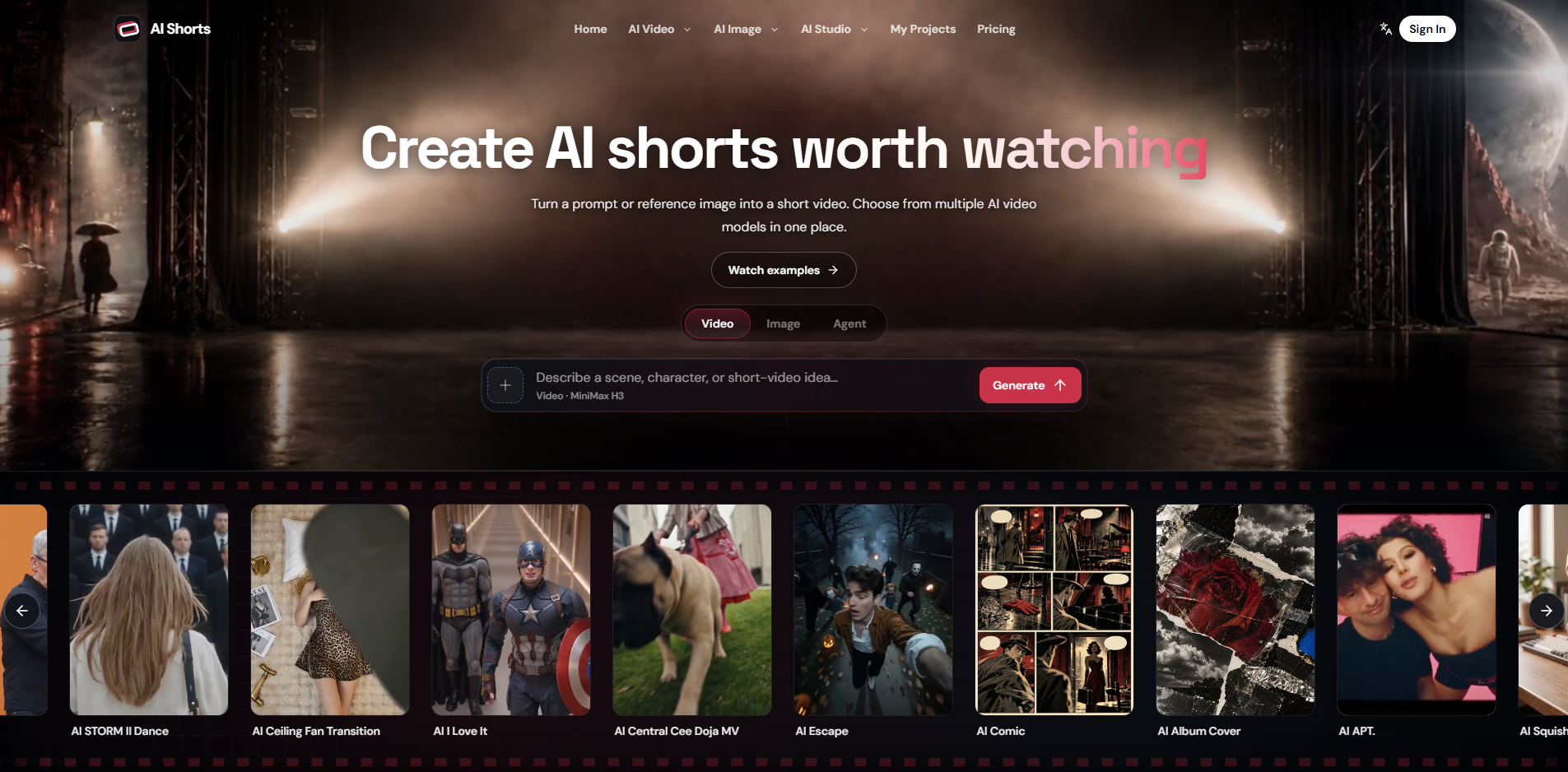
AI Shorts is an AI-powered short video generator and storyboard studio that creates editable storyboards and AI short videos from scripts, reference videos, or images. It brings multiple video and image models into one platform, allowing users to generate short videos for short drama, ads, animation, and creator workflows.
How to use AI Shorts
- Enter a prompt or upload a reference image in the generation composer.
- Choose a video model (e.g., MiniMax H3) or an image model.
- Adjust generation settings such as resolution (e.g., 768P), duration (e.g., 4s), and aspect ratio (e.g., 16:9).
- Click Generate to create a video or image.
- For multi-shot projects, use the canvas to add story text, analyze it into characters, scenes, and shots, review shot details and references, and then generate storyboard images or video clips.
- Revise generated content by changing the prompt, reference images, model, or supported settings to generate another version.
Features of AI Shorts
- Multiple AI video and image models in one generator.
- Editable storyboards from scripts, reference videos, or images.
- Canvas for organizing scripts, characters, scenes, reference images, and generated assets.
- Story analysis to break text into characters, scenes, and shots.
- Support for reference image input with compatible video models.
- Adjustable generation settings including resolution, duration, and aspect ratio.
- Ability to revise generated content by changing prompts, references, models, and settings.
- Reuse of project assets in the canvas.
Use Cases of AI Shorts
- Short drama production.
- Product ads.
- Animation creation.
- Social video drafts.
- Single clip generation.
- Multi-shot project organization with asset and shot management.
FAQ
How is AI Shorts different from a regular AI video generator? AI Shorts brings multiple video and image models into one generator. For projects with several shots, the canvas also lets you organize scripts, characters, scenes, reference images, and generated assets.
Can AI Shorts turn a script into a storyboard? Yes. In the canvas, add story text and use story analysis to break it into characters, scenes, and shots. Review the shot details and references before generating storyboard images or video clips.
Can I start from a reference image? Yes. Add a reference image and choose a video model that supports image input. The available settings depend on the model. You can also use an image model to create a reference frame first.
Who is AI Shorts for? AI Shorts is for creators working on short dramas, product ads, animation, and social video drafts. Use the generator for a single clip or the canvas to organize assets and shots across a project.
Can I revise generated content? You can change the prompt, reference images, model, and supported settings to generate another version. In the canvas, you can also update shot details and reuse project assets. A new generation creates a new result.
Which model should I choose? Choose a video model to create motion from a prompt or supported references. Choose an image model to make or revise characters, scenes, and reference frames. Check the selected model’s settings before generating; options and credit costs vary.