What is AISignature
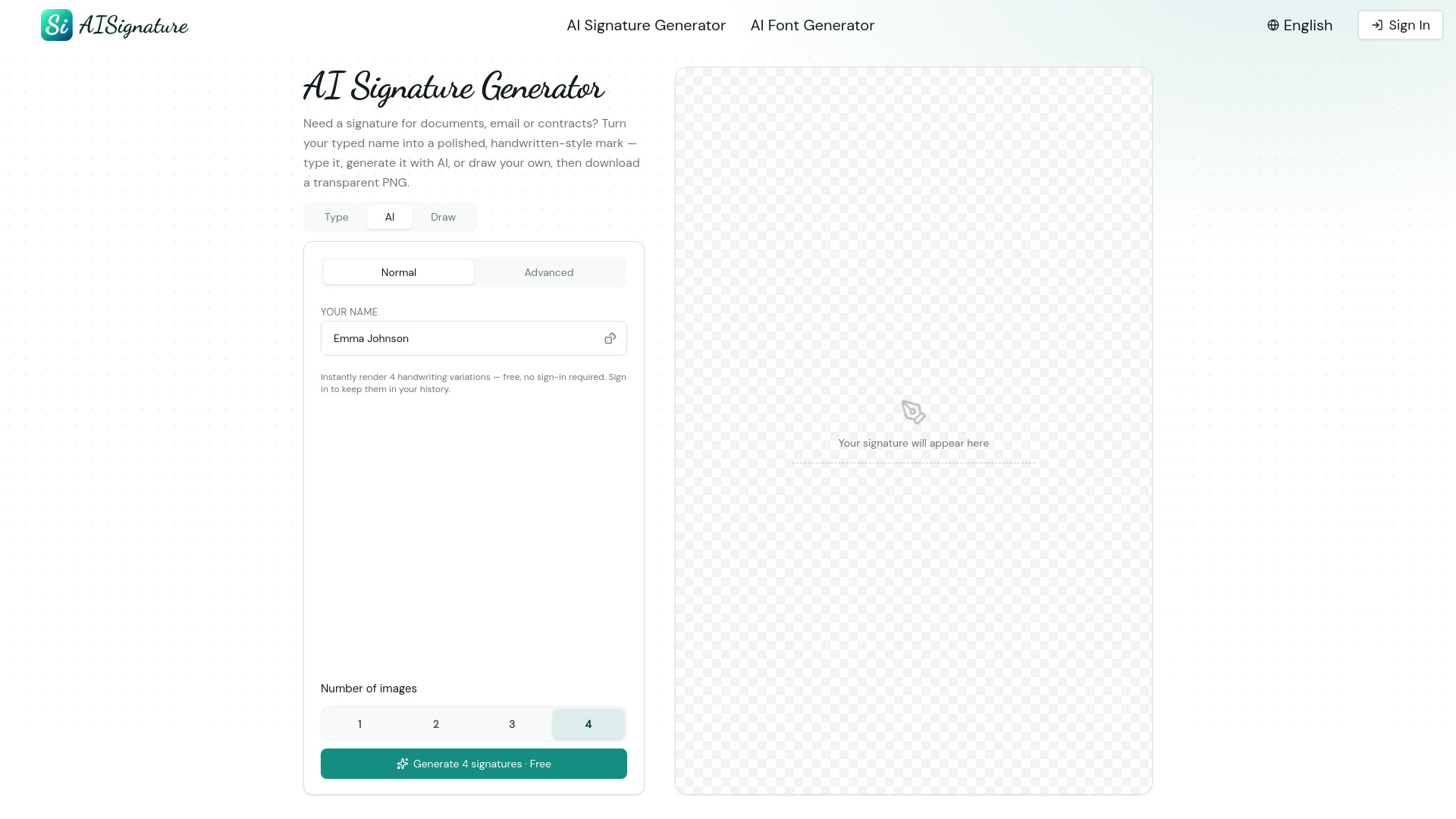
AISignature is an online AI-powered signature generator that creates handwritten-style digital signatures from a typed name. It offers three modes: Type, AI, and Draw. Users can generate multiple variations of their signature and download them as transparent PNGs. The service is free and requires no sign-up.
How to use AISignature
- Enter your name: Type your name in the input field (up to 60 characters). You can also click the dice icon to generate a random name.
- Choose a mode: Select from Type, AI, or Draw tabs to customize how your signature is created.
- Select number of images: Choose how many signature variations to generate (1 to 4).
- Generate: Click the "Generate" button to create your signatures instantly.
- Download: Once generated, download your chosen signature as a transparent PNG.
Features of AISignature
- AI-powered generation: Creates polished, handwritten-style signatures from typed text.
- Multiple modes: Type, AI, and Draw options for different creation methods.
- Variety of styles: Generates multiple handwriting variations (e.g., Classic Cursive, Artistic, Bold, Calligraphy, Creative).
- Transparent PNG download: Clean, ready-to-use signatures with transparent backgrounds.
- Free to use: No cost and no sign-up required.
- Multi-language support: Available in 18+ languages including English, Chinese, Spanish, French, German, Japanese, Korean, Arabic, Hindi, and more.
- Responsive design: Works on desktop and mobile devices.
Use Cases of AISignature
- Digital documents: Add a handwritten-style signature to PDFs, contracts, and forms.
- Email signatures: Create a personal signature for email footers.
- Business contracts: Generate a professional signature for official agreements.
- Creative projects: Use signatures in artwork, branding, or social media.
- Personal use: Design a unique signature for everyday signing needs.
Pricing
AISignature is free to use with no sign-up required. Users can generate and download signatures without any cost. Signing in allows you to keep your signatures in your history.
FAQ
Do I need to create an account? No, you can generate and download signatures for free without signing up. Signing in is optional and lets you save your signature history.
What file format can I download? Signatures are available as transparent PNG files.
How many signature variations can I generate? You can generate up to 4 variations at once.
Is there a limit on how many signatures I can create? The webpage does not specify a limit; it appears to be free and unlimited.
Can I use the signatures for commercial purposes? The webpage does not explicitly state usage rights, but signatures are intended for documents, email, and contracts.