What is Aisma
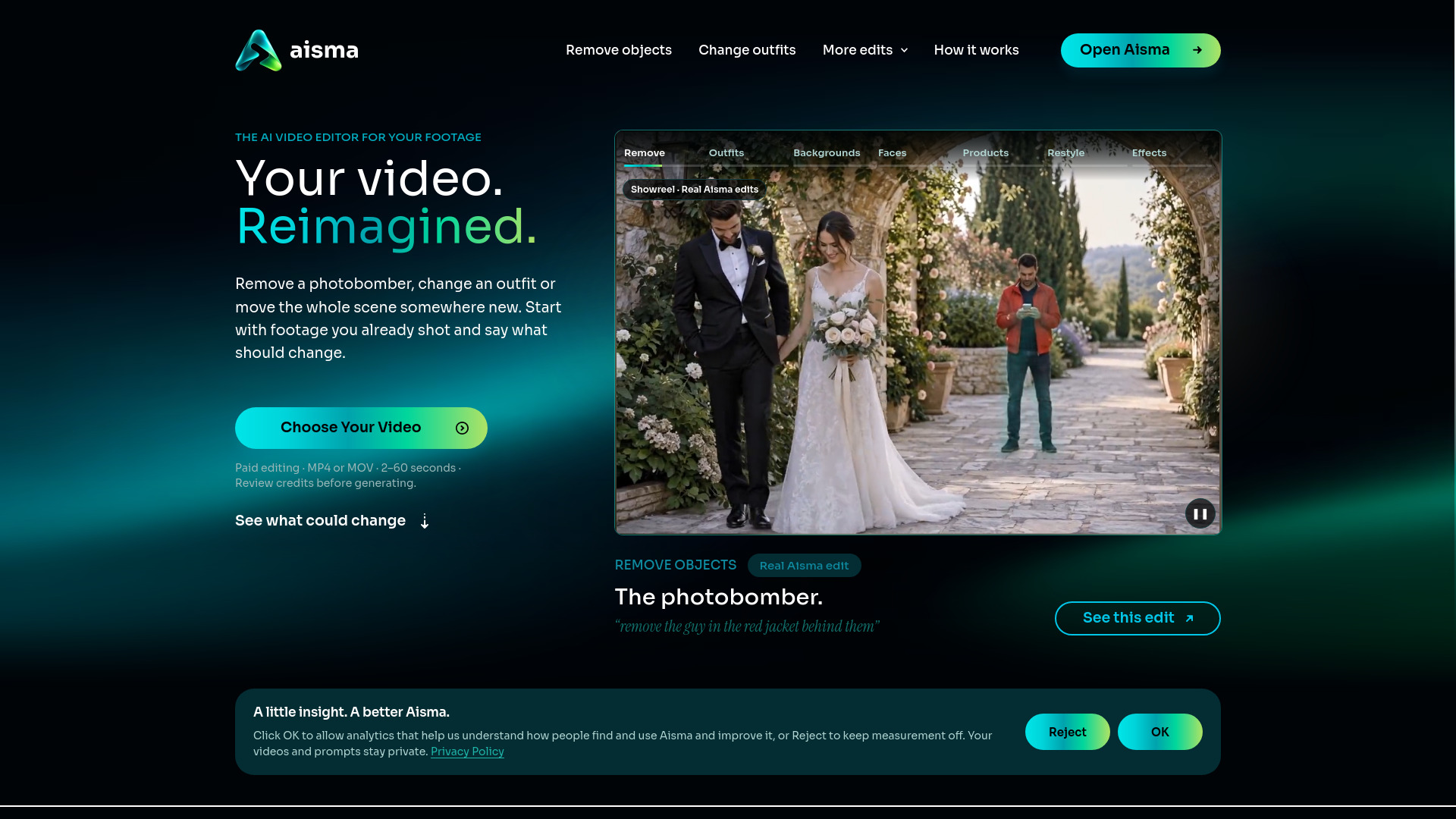
Aisma is an AI video editor that changes what’s in a video you’ve already filmed. Bring a clip between 2 and 60 seconds long, say what should change in plain words, and add up to 10 photos for a specific face, garment or product. Your framing and original audio stay, and you see the credit price before anything renders.
How to use Aisma
- Upload a clip – Pick a video from your phone or computer: 2–60 seconds, up to 500 MB, in MP4 or MOV.
- Describe the change – One clear sentence usually does it. Add photos of the exact jacket or bottle you mean, and call them Photo 1 and Photo 2 when there are several.
- See the price, then generate – Choose 720p or 1080p, and the exact credits appear before you press Generate. Edits take minutes and land in your private Library, ready to save or share.
Features of Aisma
- Edits videos you’ve already shot (2–60 seconds, up to 500 MB, MP4 or MOV).
- Accepts up to 10 reference photos per edit (JPEG, PNG or WebP, 20 MB max each).
- Keeps your original framing, length, and audio.
- Results in 720p or 1080p, saved as MP4.
- Credit price shown before you generate.
- Private Library in the browser and the apps.
- No masks or keyframes needed – just plain words.
Use Cases of Aisma
- Remove objects and people – Name what should go by what it looks like and where it is. Aisma fills the space from the scene around it.
- Change clothes – Swap a whole outfit or just one garment. A garment photo pins down an exact piece, and words work too.
- Change the background – Keep the person and move the place, no green screen involved.
- Swap a face – Add two clear portraits and Aisma puts that person in your clip with the same gestures and camera.
- Swap a product – Same shot, new product. One photo of the item does it.
- Restyle a video – Name a material or an art style and keep the motion.
- Add effects – Describe a physical event rather than a filter.
- Edit with your own request – Write changes the way you’d text a friend, like “make it winter,” and add a second sentence for anything that must stay.
Pricing
- 10 credits a second at 720p and 20 at 1080p. A single 10-second take comes to 100 credits at 720p.
- Each shot between cuts counts in whole seconds, with a 2-second minimum.
- The exact credit price sits on the Generate button, and Aisma reserves it when you press it. Unused credits come back, and a part that fails or doesn’t pass the automatic safety check isn’t charged.
- Credits come in one-time packs that never expire or in weekly plans, and you see every price before you buy.
FAQ
Can an AI video editor change a video I already shot?
Yes. That’s what Aisma is built for. You upload your own clip, describe the change, and Aisma edits inside the shot. Your clip keeps its length and framing.
Which videos and photos can I use?
Any clip of 2 to 60 seconds and up to 500 MB in MP4 or MOV, filmed vertical, square or horizontal. You can add up to 10 photos per edit: JPEG, PNG or WebP, 20 MB at most.
How much does an edit cost?
It depends on length and quality: 10 credits for every second of video at 720p, 20 at 1080p. A 15-second clip filmed in one take comes to 150 credits at 720p, and the editor shows that number before you generate.
Is Aisma free?
No. Every rendered edit is paid with credits, and its price appears before you generate. Downloading the iPhone or Android app costs nothing. On the web, a new account that has never bought credits can prepare its first three edits.
How long does an edit take?
Minutes, depending on the clip: a single 10-second take finishes sooner than a 60-second video with several shots. The task page shows progress.
Does Aisma keep my original audio and framing?
Yes. Edits change what you see, not what you hear, so the sound you recorded plays as it was. The result runs as long as your clip, keeps its framing and comes back as an MP4 in 720p or 1080p.
What if the result isn’t what I wanted?
Redo just the part you don’t like: open the result, choose Edit a clip and add a clarification, and you’ll see that part’s price before it runs. You can also recreate the whole task from your Library with new wording and pay nothing until you press Generate.
Can Aisma generate a video from text or an image?
Aisma edits videos you’ve already shot, so every edit starts from your clip. Starting from a text prompt or a single photo is on the roadmap.
Is Aisma safe to use? Are my videos private?
Your uploads and results are private to your account. We don’t sell your videos, and the product carries no third-party ads. You can delete your account from Settings whenever you like.
How long do you keep my videos?
Without an active weekly plan, each edit stays in your private Library for 72 hours after it finishes. With an active plan, your Library stays while the plan is active and for 72 hours after it ends.
Is there an Aisma app for iPhone and Android?
Yes. Search the App Store or Google Play for Aisma: AI Video Editor; on iPhone and iPad it needs iOS 16.4 or later. Aisma also runs in the browser.
Are these real results?
Yes. The seven showreel chapters and every gallery card are real Aisma edits of the originals shown with them. Examples marked Previous version were recorded with a previous version of Aisma.