What is ArchVizr
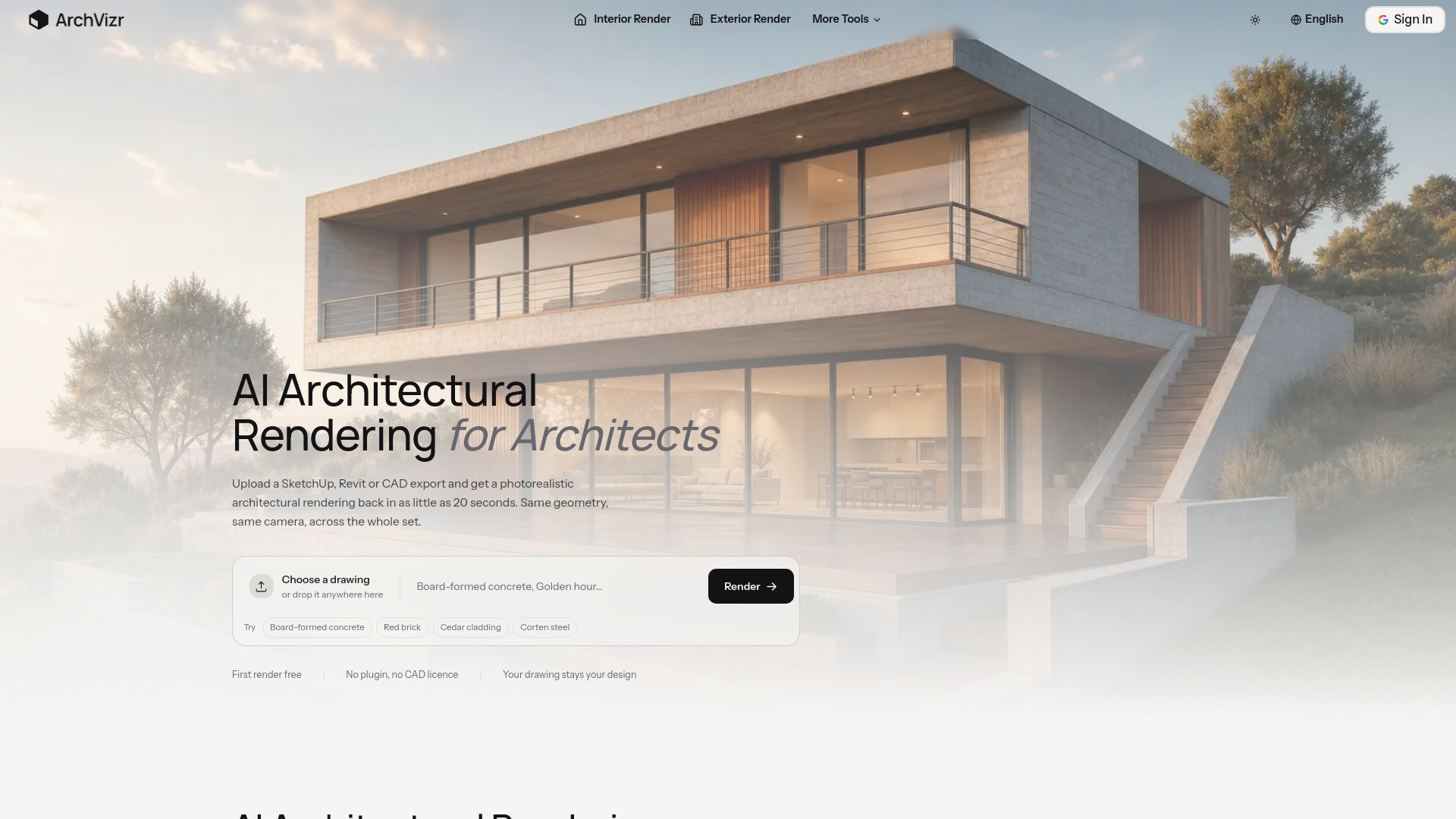
ArchVizr is an AI-powered tool that generates photorealistic architectural renderings from drawings. It accepts uploads from SketchUp, Revit, or CAD exports and returns high-quality renders in as little as 20 seconds. The tool is designed to maintain consistency across a set of images, ensuring the same geometry and camera angles are preserved.
How to use ArchVizr
- Upload a drawing: Choose a SketchUp, Revit, or CAD export, or drop it directly onto the upload area.
- Specify materials and lighting: Optionally enter a description of materials and lighting (e.g., "Board-formed concrete, Golden hour") or select from suggested options like "Red brick" or "Cedar cladding."
- Generate the render: Click the "Render" button to process the image. The tool returns a photorealistic rendering in as little as 20 seconds.
Features of ArchVizr
- Photorealistic rendering: Converts line drawings, sketches, or CAD exports into realistic images.
- Consistency across images: Maintains the same geometry and camera across multiple renderings, ensuring a cohesive set.
- Multiple rendering types: Supports sketch rendering, exterior rendering, interior rendering, landscape rendering, and photorealistic rendering.
- Material and lighting control: Users can specify materials and lighting conditions to customize the output.
- No plugin or CAD license required: Works directly from uploaded drawings.
- First render free: New users can try the tool without cost.
Use Cases of ArchVizr
- Architectural presentations: Generate client-ready renderings for proposals and decks.
- Planning submissions: Create overcast or neutral renderings for planning applications.
- Material exploration: Test different materials (e.g., brick, corten steel, cedar) on the same facade.
- Interior design: Visualize lobbies, atria, and show units with matching exterior palettes.
- Landscape design: Render planting, paving, and boundary treatments to show the building in context.
Pricing
ArchVizr offers a free first render. Specific pricing plans are not detailed on the page, but the service is positioned as a cost-effective alternative to traditional rendering.
FAQ
What file formats can I upload? ArchVizr accepts SketchUp, Revit, and CAD exports, as well as image files.
How long does it take to get a render? Renders are typically generated in as little as 20 seconds.
Do I need a CAD license or plugin? No, ArchVizr works directly from your uploaded drawings without requiring additional software.
Can I control the materials and lighting? Yes, you can specify materials and lighting conditions, or choose from suggested options.