What is BabyGenerator
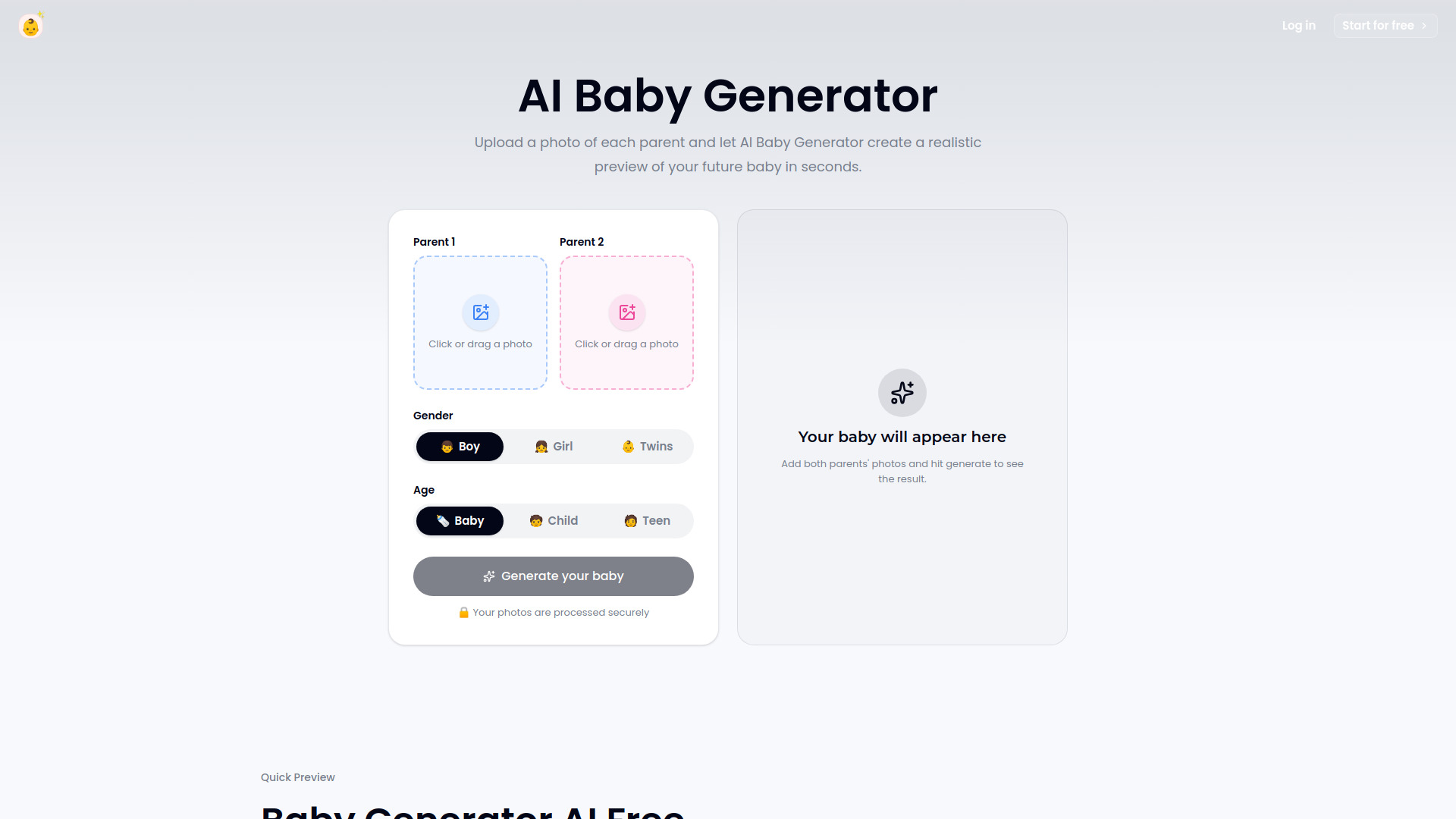
BabyGenerator is an AI-powered tool that creates realistic previews of a future baby from two parent photos. It allows couples to upload a photo of each parent and generate a baby portrait in seconds, with options to choose the gender (boy, girl, or twins) and age (baby, child, or teen). The tool is designed to be simple and fast, providing a downloadable result that can be shared privately.
How to use BabyGenerator
- Upload Two Photos: Add one clear image for each parent. Ensure the photos are front-facing with one visible face per image, and avoid sunglasses, heavy filters, or cropped faces.
- Choose Gender: Select whether you want a boy, girl, or twins.
- Select Age: Choose the age range for the preview: baby, child, or teen.
- Generate: Click the "Generate your baby" button to create the preview. The result will appear in the designated area.
- Compare and Retake: If you want a different result, you can upload a different photo pair or adjust the options and generate again.
- Download: Save your favorite preview to keep, share, or revisit later.
Features of BabyGenerator
- Parent-photo blend: Uses both parent photos to create a realistic blend.
- Gender selection: Choose between boy, girl, or twins.
- Age options: Preview as a baby, child, or teen.
- Fast generation: Most previews are ready in about 30 seconds.
- Browser-based: Runs entirely in the browser, no software needed.
- Downloadable results: Save the generated portrait for personal use.
- Secure processing: Photos are processed securely.
Use Cases of BabyGenerator
- Curiosity: See a visual answer to what your baby might look like.
- Pregnancy announcements: Create a preview to share with family and friends.
- Relationship moments: Use it as a fun activity for couples.
- Family conversations: Spark playful discussions about future children.
- Name ideas: Use the generated image as a visual prompt when comparing baby names.
FAQ
Do both partners need to upload a photo?
Yes, the tool requires a photo from each parent to create the blend.
What photos make the best result?
Use front-facing photos with one visible face per image. Avoid sunglasses, heavy filters, and cropped faces for clearer results.
How long does it take to generate a preview?
Most previews are ready in about 30 seconds.
Can I download the result?
Yes, the generated portrait is downloadable.
Is my data secure?
The webpage states that photos are processed securely.