Newsletter
Join the Community
Subscribe to our newsletter for the latest news and updates

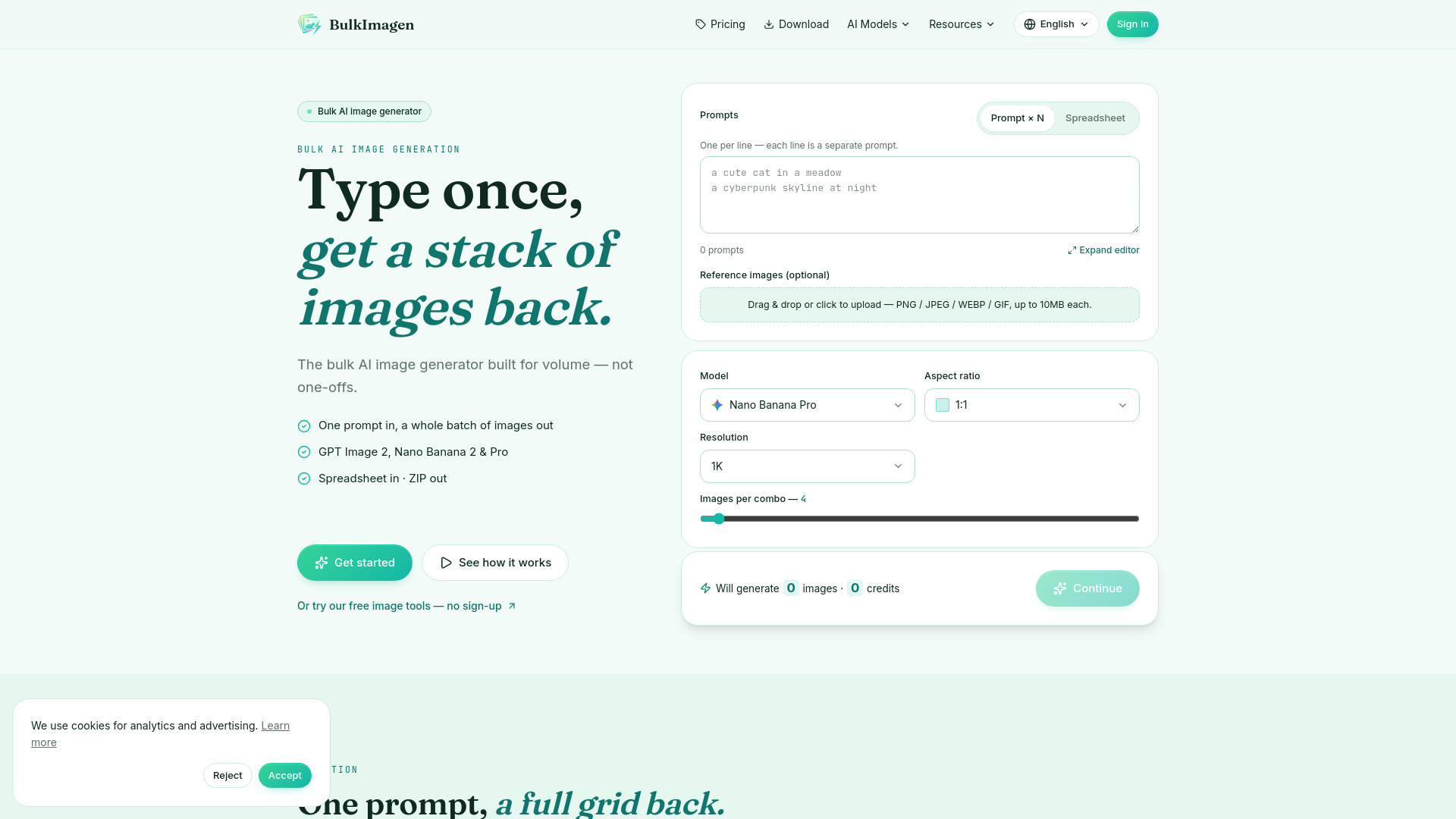
Generate hundreds of AI images from prompts or CSV files in bulk
BulkImagen is a bulk AI image generator designed for volume production. It allows users to generate hundreds of images from a single prompt or a CSV file, using models like GPT Image 2, Nano Banana 2, and Nano Banana Pro. The tool runs batches in parallel and packages results into a single ZIP file for easy download.
BulkImagen uses a prepaid credit system. Each render costs a few credits depending on the model and resolution. The exact cost for a batch is shown before generation. New accounts receive free starter credits. There is no subscription; users top up credits as needed. Pricing starts at $5.00 (USD).
Which AI models does the bulk AI image generator support? BulkImagen supports GPT Image 2, Nano Banana 2, and Nano Banana Pro. You choose the model for each batch; there is no auto-switching.
What's the CSV format for a bulk AI image generator run? One row per render, or per group if you add a count column. The only required column is 'prompt'; 'ratio' and 'count' are optional. Save as UTF-8, comma-separated, and quote any prompt containing a comma.
How does the AI image generator run in parallel? The entire batch runs in parallel, so a large run finishes faster than sequential tools. When all images are ready, they are packaged into a single ZIP.
How do credits work? Prepaid credits, no subscription. Each render costs a few credits depending on model and resolution. The exact cost is shown before generating.
Who owns what I generate? You own the generated images, subject to each model provider's terms and BulkImagen's Terms of Service.
Is there a free way to try the bulk AI image generator? Yes, new accounts start with free starter credits to run a small batch before paying.
What aspect ratios and resolutions does the bulk AI image generator support? Each model offers several aspect ratios (square, portrait, landscape) and resolution tiers from 1K up to 4K on supported models.
Can I use a reference image with the bulk AI image generator? Yes, you can attach one or more reference images to steer the look of every render in the batch.
How do I download what the AI image generator produces? When the batch finishes, all results are packed into one ZIP file for a single-click download. You can also download individual images from the gallery.
Do I need to install anything to use the bulk AI image generator? No, it runs entirely in your browser. Sign in with Google and start a batch.
What is the bulk AI image generator best used for? Any job needing many images: product catalogs, social ad sets, print-on-demand designs, avatars, and game art.
How fast is a bulk AI image generator batch? Because batches run in parallel, large runs finish much faster than one-at-a-time tools. Exact time depends on model and number of images.
Can the bulk AI image generator handle a large CSV? Yes, it is built for that. Drop in a CSV where each row is a prompt, and it turns the whole sheet into one batch, giving every row its own image and packing the lot into a single ZIP.