LogoTopAIHubs
icon of Deep Search Name

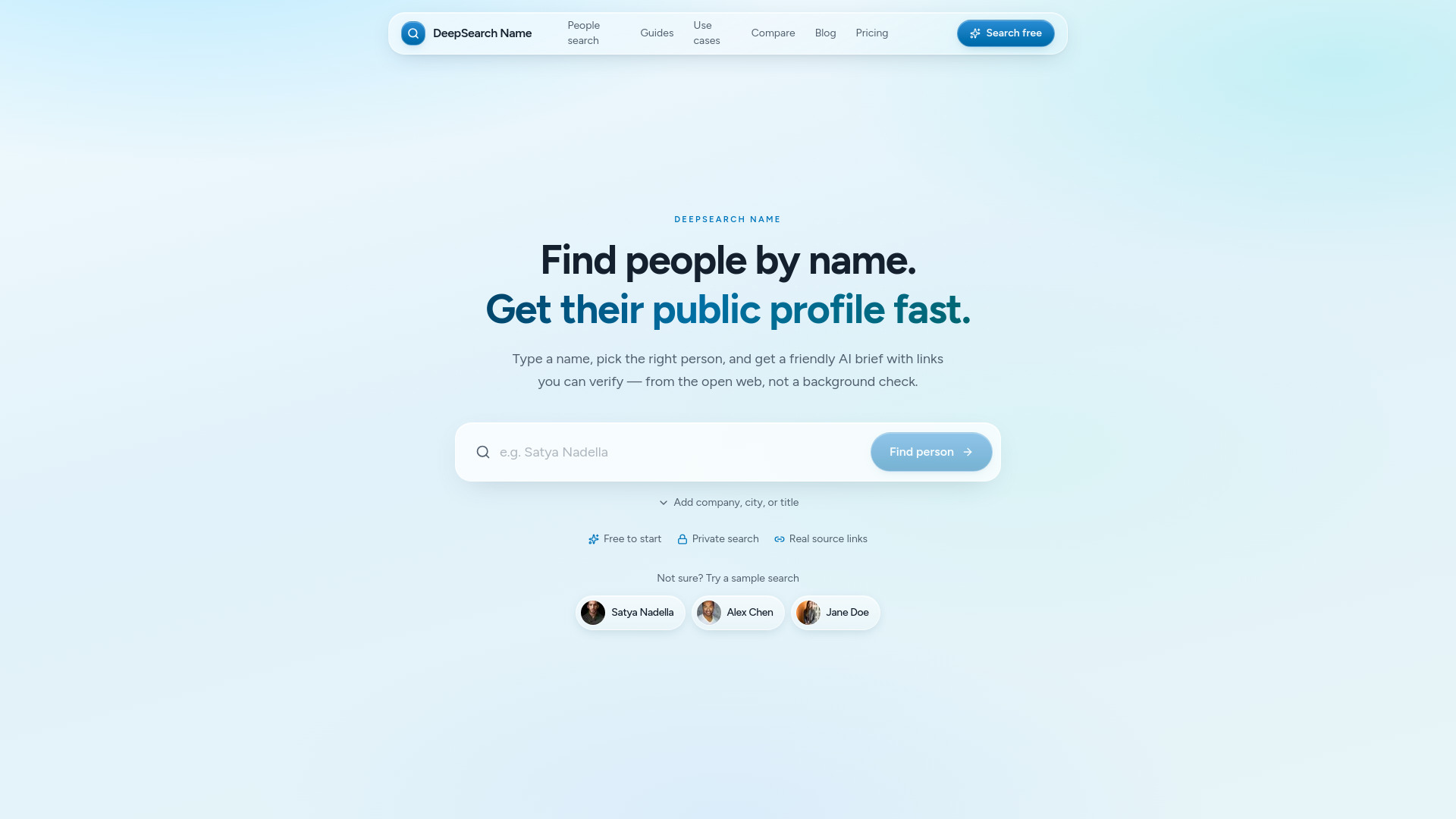
Deep Search Name

Public-web people search with sourced profiles and verification links

Introduction

How to use Deep Search Name
  1. Enter a full name in the search bar (e.g., "Satya Nadella").
  2. Optionally, add filters like company, city, job title, education, or industry to narrow results.
  3. Review the list of candidates and select the correct person.
  4. Receive a structured public-web profile with links to sources you can verify.
  5. Use the chat feature to ask follow-up questions for more detail.
Features of Deep Search Name
  • Name-first search: Start with a name and get a sourced profile.
  • Candidate matching: Confirm the right person among possible matches.
  • Sourced AI profiles: Profiles include links to public sources for verification.
  • Private search: Lookups are private; the tool does not notify the people you research.
  • Filters: Add company, city, job title, education, or industry to refine results.
  • Follow-up chat: Ask additional questions after receiving the profile.
  • Free to start: Basic searches are available at no cost.
Use Cases of Deep Search Name
  • Recruiters: Quickly learn about candidates before interviews.
  • Founders: Research potential partners, investors, or hires.
  • Sales: Get background on prospects before outreach.
  • Investors: Vet founders or executives.
  • Journalists: Gather public information about sources or subjects.
FAQ

What is DeepSearch Name? DeepSearch Name turns a person's name into a sourced brief from the public web — candidates to confirm, then a profile you can verify and chat with.

How does it work? Enter a name (add company or location if you want), confirm the right match, and get a structured public-web profile with links. Ask follow-ups in chat when you need more detail.

Is it safe and legal to use? DeepSearch Name only uses publicly available information. It is a research tool — not a background check or FCRA consumer report.

Can people know I searched for them? No. Lookups stay private. DeepSearch Name does not notify the people you research.

What if I can't find anything? Add filters like company, city, or title. Some people simply have little public footprint — we'll say so rather than invent details.
Information

Newsletter

Join the Community

Subscribe to our newsletter for the latest news and updates