What is Demoly
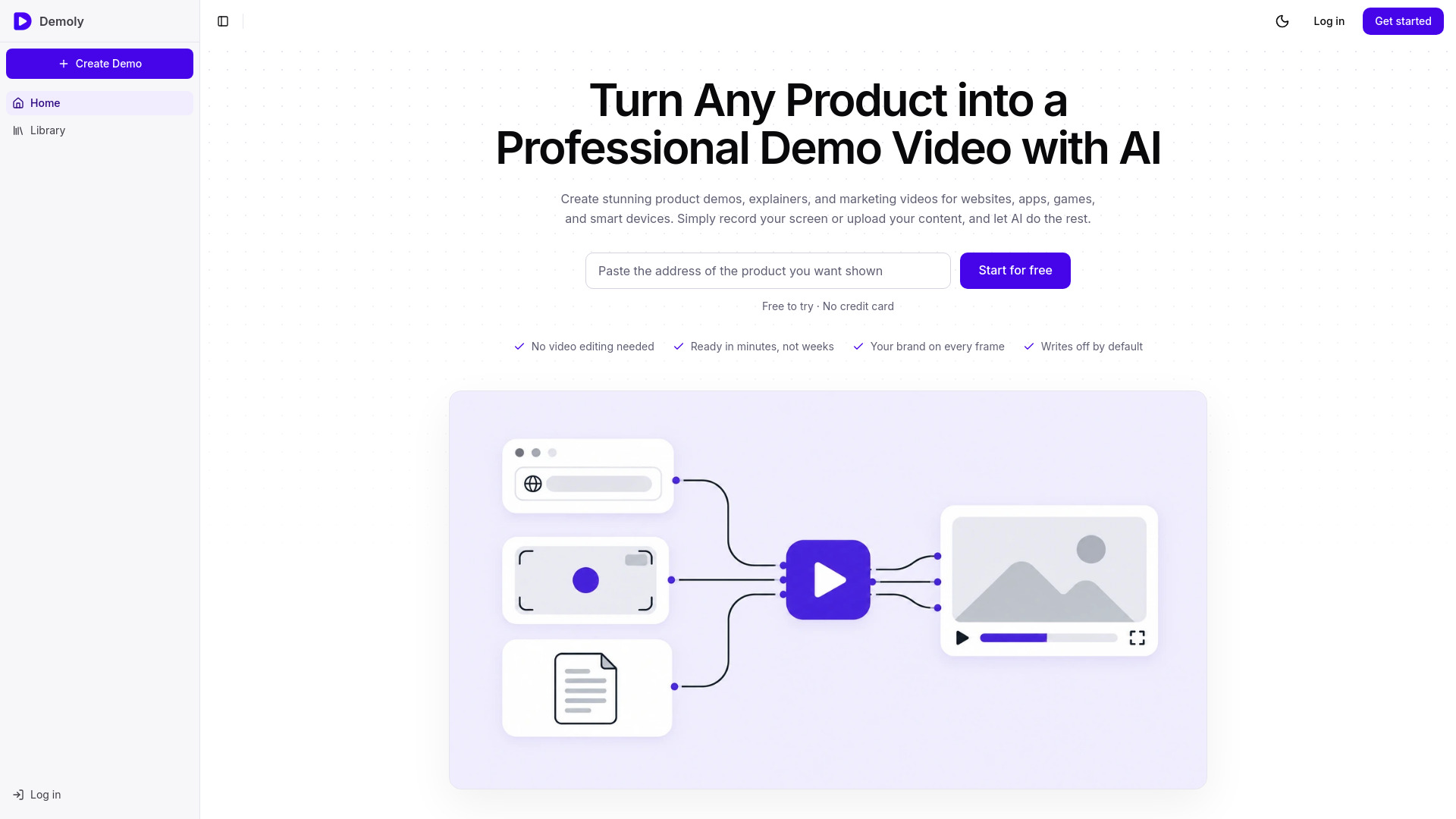
Demoly is an AI-powered product demo video maker that turns any product into a professional demo video, tutorial, and written guide. It can start from a product URL, a screen recording, images, or a document, and uses AI to write the script, generate narration, edit the footage, and produce finished videos. The same walkthrough also yields a written help guide and social clips, serving marketing, onboarding, support, and social media needs.
How to use Demoly
- Provide your product source: Paste your product URL, upload a screen recording, a set of images, or a document.
- Let AI generate the first cut: Demoly explores the interface (if URL) or uses your provided materials to write a script, add narration, and edit the video automatically.
- Review and refine: Rewrite any line of narration, adjust the timing or camera movements, and customize branding elements.
- Export and share: Download the demo video, tutorial, help guide, and social clips in formats suitable for landing pages, onboarding, documentation, and social feeds.
Features of Demoly
- Start from multiple sources: URL, screen recording, images, or document.
- AI script and narration: Automatically writes and speaks the script in a natural voice; rewrite any line and narration updates.
- Automatic editing and camera work: Removes dead air, focuses on the active control, and paces the video to the screen.
- Multilingual support: Generates narration and captions in multiple languages.
- Brand customization: Applies your logo, colors, typeface, and opening/closing frames.
- Multiple output formats: Produces demo videos, tutorial videos, written help guides, and social clips (vertical and square) from one pass.
- Easy modifications: Change one line or scene without redoing the entire recording.
Use Cases of Demoly
- SaaS: Show workflows on landing pages, create help guides, and update demos when the interface changes.
- Mobile apps: Build app walkthroughs for store listings and social feeds, with narration in users' languages.
- Games: Create gameplay videos from existing captures, feature showcases for new builds, and social clips.
- AI tools: Demonstrate real tasks end-to-end, showing the output on screen rather than making claims.
- Hardware: Explain devices using renders, photos, and documents, with technology explainers for customers.
FAQ
What sources can I use to create a demo?
You can start from a product URL, a screen recording, a set of images, or a document.
Do I need video editing skills?
No, Demoly handles scripting, narration, and editing automatically. You can still fine-tune any aspect if desired.
Can I customize the video after it's generated?
Yes, you can rewrite lines, adjust timing, and change branding elements. The AI produces a first cut that you can modify.
What deliverables do I get from one pass?
A demo video, a tutorial video, a written help guide, and social clips—all from the same walkthrough.
Is multilingual support available?
Yes, narration and captions can be generated in multiple languages.