Newsletter
Join the Community
Subscribe to our newsletter for the latest news and updates

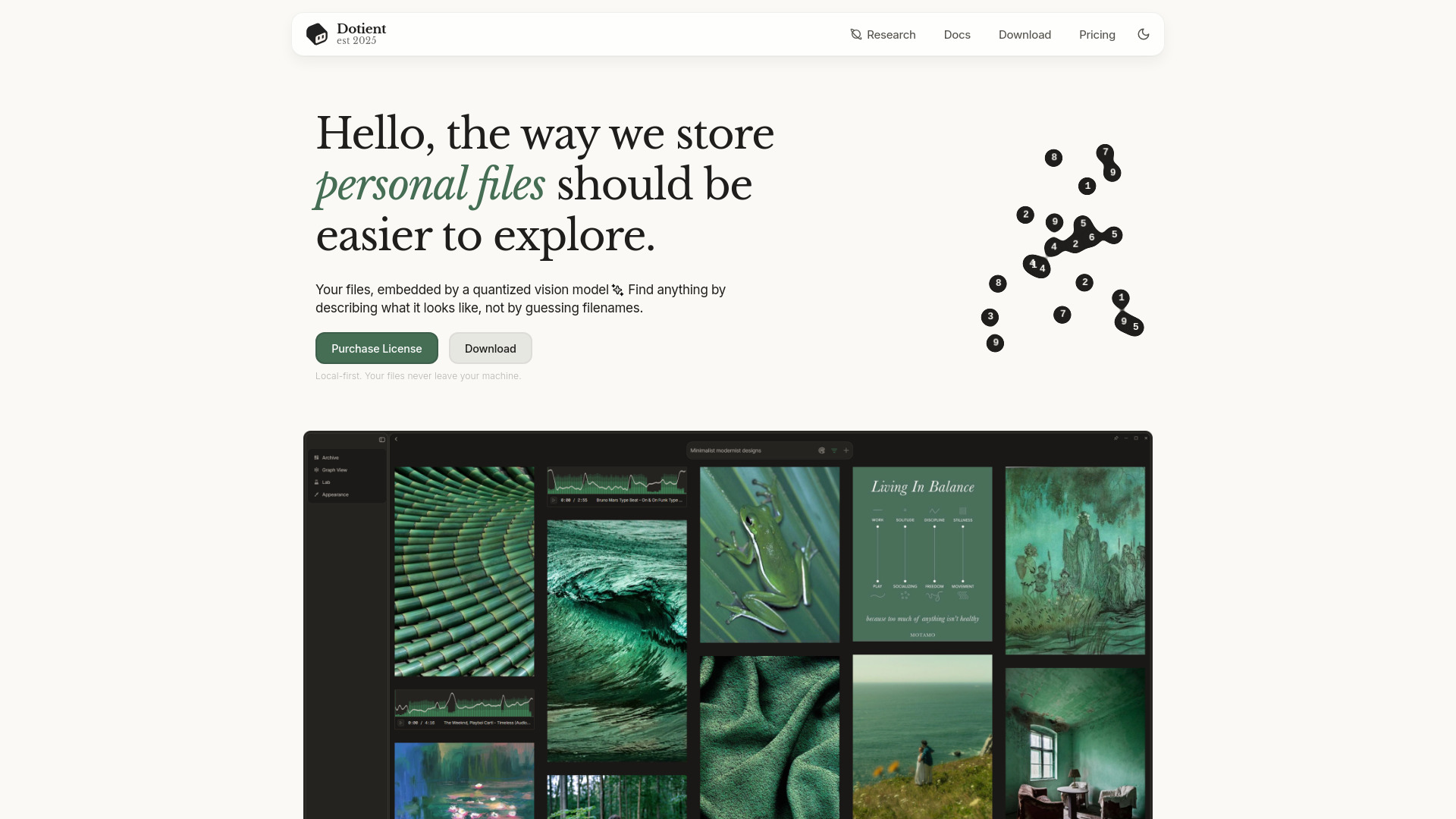
Local-first desktop application for ML-powered file visual search
Dotient is a local-first desktop application that uses AI-powered visual and text search to help you organize and find files on your computer. It runs entirely offline, with no cloud uploads or subscriptions. A quantized vision and text model indexes your files locally, allowing you to search by describing what a file looks like rather than guessing filenames.
Dotient offers a one-time purchase of $5 with no subscription. This includes:
Can I search files based on what they look like? Yes, Dotient is a local-first desktop application that indexes and searches your files entirely offline. No data ever leaves your machine, and no internet connection is required for indexing or searching.
What is local AI file search? Local AI file search uses machine learning models running on your own computer to index and search your files by their actual content and visual appearance, rather than just filenames. Dotient runs a quantized vision and text model entirely on your device.
How do I search for files without an internet connection? Dotient works fully offline. After installing, the app indexes your files locally using on-device AI embeddings. You can then search by describing what you're looking for using natural language. All without any internet connection.
Is there a free local file search tool with AI? Dotient offers a one-time $5 purchase with no subscription. All AI features including visual search, text search, signal tuning, and graph visualization are included. There are no recurring fees or hidden costs.
How does AI file search work on my own computer? Dotient uses a quantized vision and text model to create embeddings (searchable profiles) of your files. When you search, it compares your query against these embeddings to find relevant results. All processed locally on your machine without any cloud upload.
Can I use visual search to find images on my computer? Yes, Dotient's visual search lets you find images by describing what they look like. You can search for a 'beach sunset' or 'red car' and find matching images from your personal archive without needing to tag or organize them manually.