How to use EvoForge — Personal AGI on your computer
- Download and install: Download EvoForge from the official site and install it on your Windows or macOS machine.
- Choose a model: Connect any frontier model, either local (e.g., via Ollama) or cloud (e.g., Claude, OpenAI, Gemini, DeepSeek, Qwen, Kimi, OpenRouter).
- Start a task: Give EvoForge a goal or brief. It plans and acts across your computer, browser, desktop apps, shell, and even remote servers.
- Direct and review: For media projects, use the director's console to lock the script, fill placeholders, generate and replace shots, review, and export.
- Let it evolve: EvoForge remembers by scope, compares improvements, and promotes successful skills automatically.
Features of EvoForge — Personal AGI on your computer
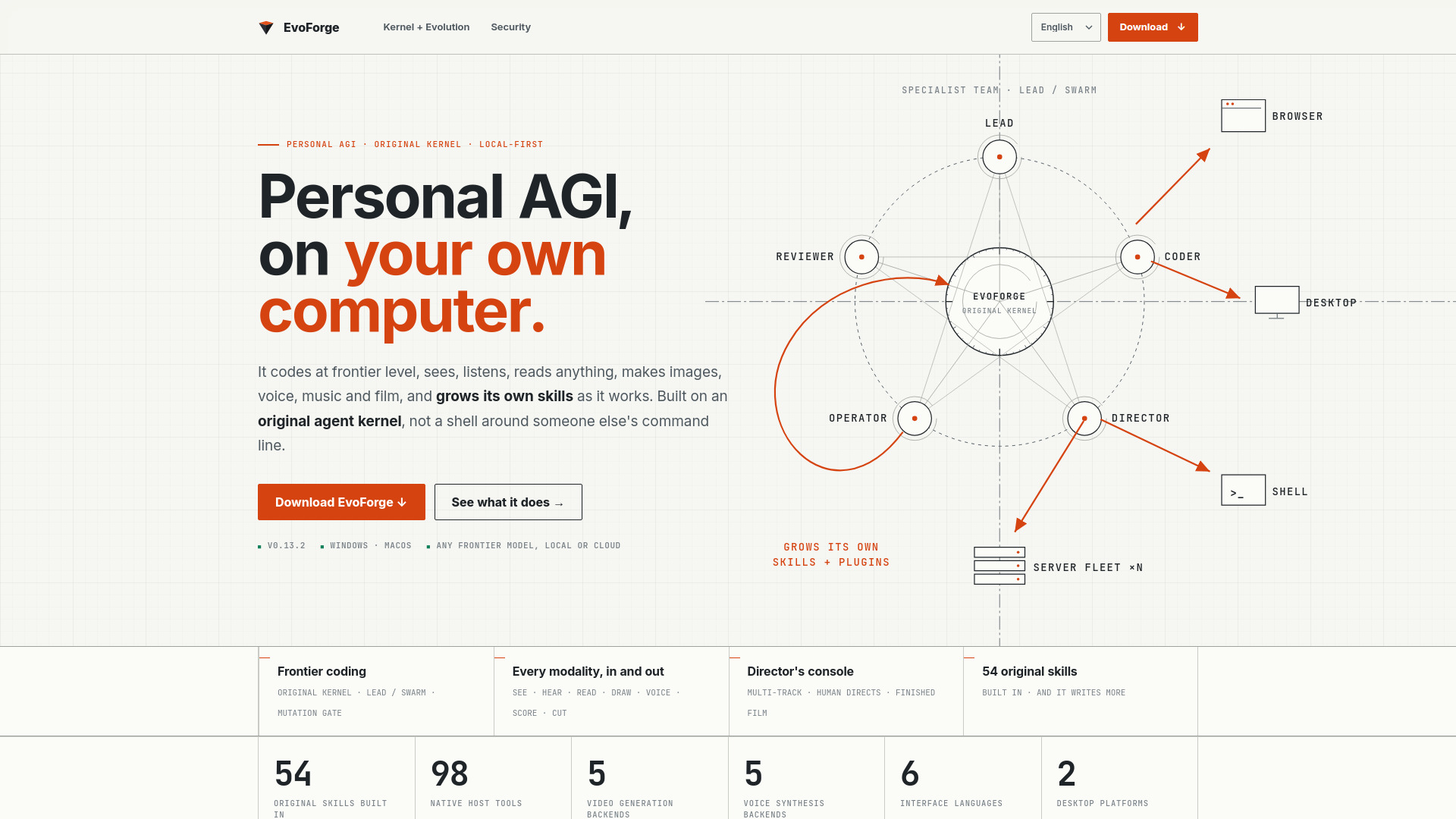
- Original agent kernel: Built from scratch in Rust, not a shell around another CLI.
- Frontier-level coding: 98 native host tools, lead/swarm orchestration, mutation gate for safe changes.
- Every modality in and out: Understands and produces text, images, audio, video, and documents.
- Director's console: Multi-track timeline for film creation with narration, shots, music, and export.
- 54 original skills: Built-in skills across finance, film, writing, systems design, web/visual, and engineering.
- Self-extension: Writes its own skills, promoted through comparison and regression gates.
- Memory: Scoped to user and project, with expiry and gated recall.
- Unattended operation: Long goals, scheduled work, mail in/out.
- Local-first: Keys never leave your machine.
- Model agnostic: Works with any frontier model, local or cloud.
Use Cases of EvoForge — Personal AGI on your computer
- Coding and software development: Write, review, and refactor code on real repositories with a team of specialist agents.
- Multimedia creation: Generate images, voice, music, and video; direct films from script to export.
- Automation: Drive the browser, desktop apps, shell, and server fleet to complete complex tasks.
- Research and analysis: Deep research, stock verdicts, competitor teardowns, and more.
- Content production: Write articles, create slides, produce podcasts and audiobooks.
- Personal assistant: Manage email, schedule tasks, and run long-term projects unattended.
FAQ
What platforms does EvoForge support?
Windows and macOS.
Can I use my own model?
Yes, EvoForge supports any frontier model, local or cloud, including Claude, OpenAI, Gemini, DeepSeek, Qwen, Kimi, OpenRouter, and Ollama.
Is my data private?
EvoForge is local-first, meaning keys and data stay on your machine.
Does EvoForge require an internet connection?
It can work with local models, but cloud models require an internet connection.
How does EvoForge improve over time?
It writes its own skills and promotes them through comparison and regression gates, making it stronger with each task.