What is EZAudioIO
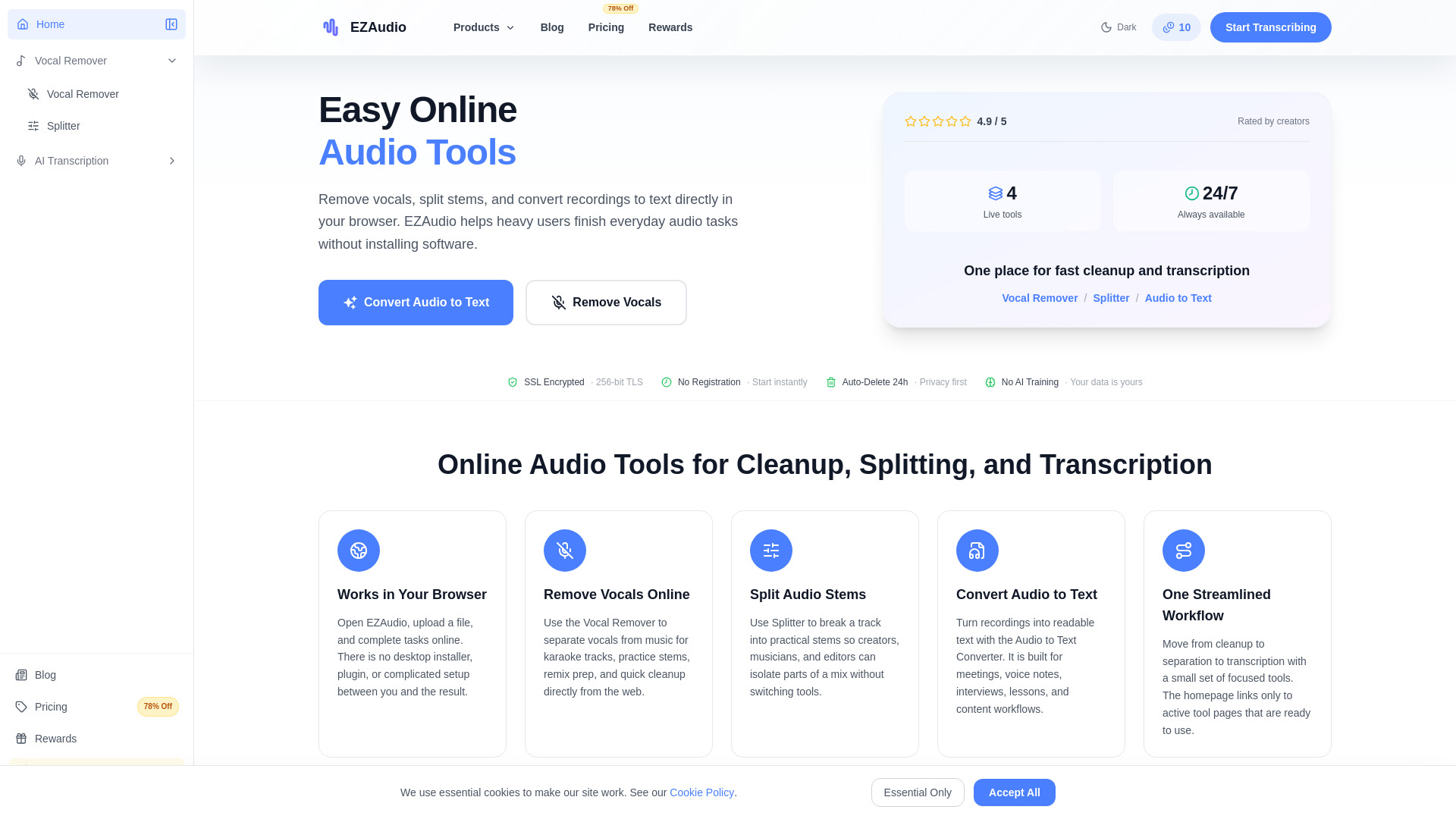
EZAudioIO is a free online platform that provides AI-powered audio tools directly in your browser. It offers vocal removal, music stem splitting, and audio-to-text transcription, allowing users to process audio files without installing any software.
How to use EZAudioIO
- Choose a Tool: Select from Vocal Remover, Splitter, or Audio to Text Converter on the homepage.
- Upload and Process Online: Upload your audio file and the tool processes it in the browser.
- Use the Result: Download the cleaned audio, separated stems, or transcribed text.
Features of EZAudioIO
- Works in Your Browser: No installation or setup required.
- Remove Vocals Online: Separate vocals from music for karaoke or practice tracks.
- Split Audio Stems: Break tracks into practical stems for remixing or editing.
- Convert Audio to Text: Turn recordings into readable text for meetings, notes, and more.
- One Streamlined Workflow: Move between tools seamlessly.
- Clear Tool Pages: Each tool has a dedicated, functional page.
- Privacy First: Files are auto-deleted within 24 hours and never used for AI training.
- No Registration Required: Start instantly without an account.
- Cross-Platform: Works on any device with a browser.
Use Cases of EZAudioIO
- Musicians & Karaoke Creators: Remove vocals from songs to create backing tracks.
- Producers & Remix Workflows: Split tracks into stems for remixing.
- Podcasters & Content Creators: Transcribe recordings for show notes and articles.
- Students & Meeting Notes: Convert lessons and meetings into readable text.
- Editors & Cleanup: Clean up music and prepare separated assets.
FAQ
What is EZAudio? EZAudio is a browser-based workspace for vocal removal, stem splitting, and audio-to-text conversion.
Which EZAudio tools are available now? Vocal Remover, Splitter, and Audio to Text Converter are currently available.
Do I need to install software? No, all tools work directly in your browser.
Which tool should I choose? Use Vocal Remover for instrumental versions, Splitter for stems, and Audio to Text Converter for transcription.
Will homepage links lead to real pages? Yes, all links point to live tool pages.
Can I use EZAudio on mobile? Yes, it works on any device with a browser.