What is Free AI Video Transcriber - FliFlik
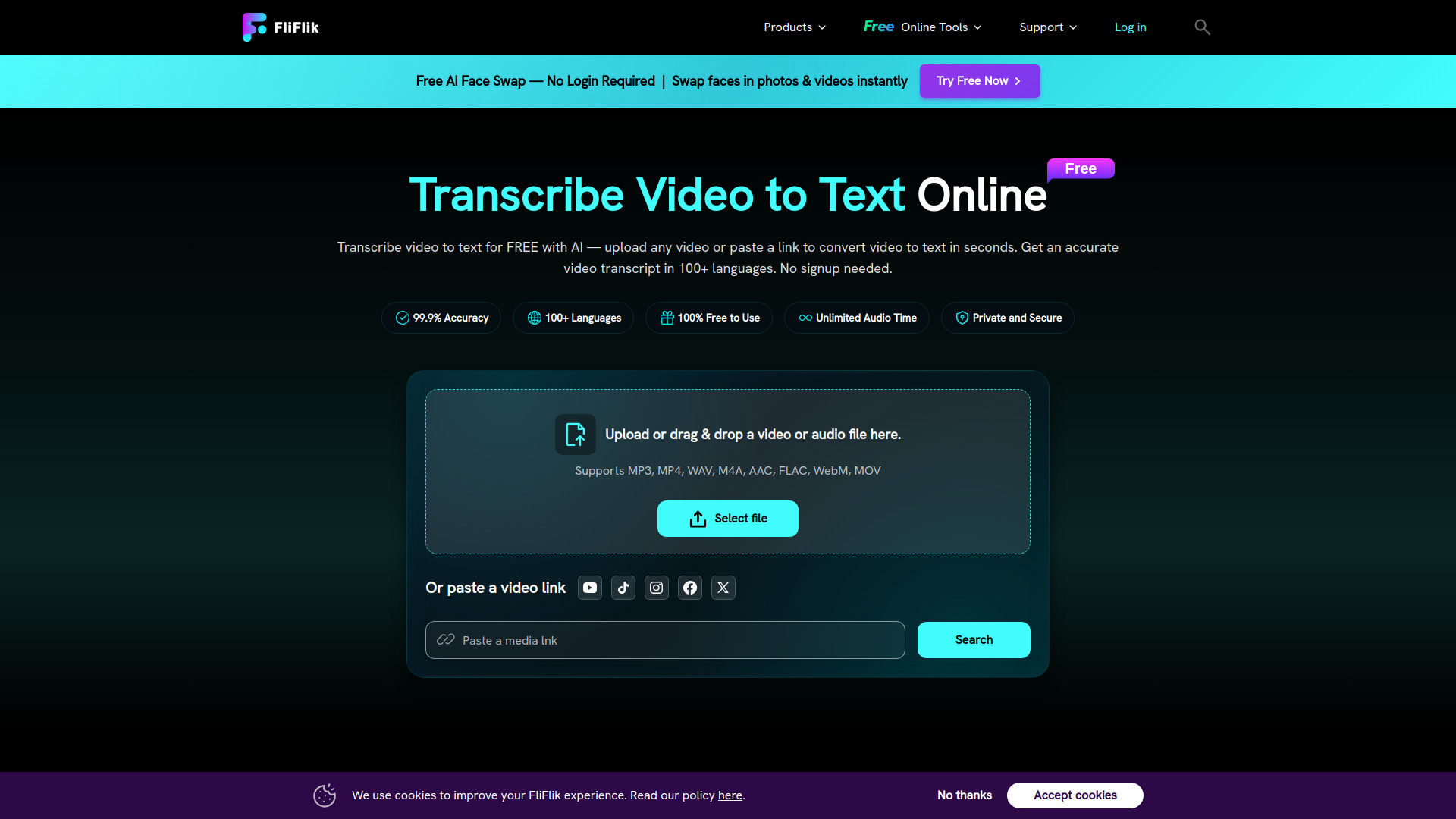
FliFlik's Free AI Video Transcriber is an online tool that converts video and audio content into text using artificial intelligence. It supports transcription in over 100 languages and can process both uploaded files and links from platforms like YouTube, TikTok, Instagram, Facebook, and X. The tool is free to use, requires no signup, and offers high accuracy (99.9%) with features like speaker recognition and export options.
How to use Free AI Video Transcriber - FliFlik
- Upload or Paste: Choose a file from your computer, drag and drop it into the upload box, or paste a video link. The tool supports MP4, MOV, MP3, WAV, M4A, AAC, FLAC, and WebM formats.
- Transcribe to Text: The AI automatically processes your file, converting spoken words into accurate text. You can select your preferred language and enable speaker recognition.
- Export or Share: Once transcription is complete, copy the text, download it as TXT, SRT, VTT, DOCX, PDF, or CSV, or share a view-only link. Click any line in the transcript to jump to that part of the video.
Features of Free AI Video Transcriber - FliFlik
- High-accuracy transcription powered by advanced speech recognition, handling fast speakers, background noise, and accents.
- Supports 100+ languages with one-click translation.
- Paste links from YouTube, TikTok, Vimeo, X, and Facebook to transcribe without downloading.
- Built-in editor to fix misspellings, adjust timestamps, and label speakers.
- Export transcripts in multiple formats: TXT, DOCX, PDF, SRT, VTT, CSV.
- Share transcripts via view-only links.
- AI-powered insights: generate summaries, mind maps, and key questions from recordings.
- Speaker recognition to identify different speakers.
- Unlimited audio time and 100% free to use.
- Private and secure processing.
Use Cases of Free AI Video Transcriber - FliFlik
- Students and Self-Learners: Transcribe lectures and online courses to search for key concepts and review material efficiently.
- Writers, Bloggers, and Content Creators: Repurpose video content into articles, social posts, or SEO copy.
- Video Editors and Short-Form Creators: Locate quotable moments quickly without scrubbing through timelines.
- Professionals & Teams: Capture meetings, Zoom calls, and webinars with speaker labels for clear action items.
- Teachers & Trainers: Create lesson plans, handouts, and captions for accessible learning materials.
- Researchers & Journalists: Convert interviews and recorded talks into accurate text for analysis.
Pricing
FliFlik's Free AI Video Transcriber is 100% free to use with no signup required. It offers unlimited audio transcription time at no cost.
FAQ
Is the video transcriber really free?
Yes, it is completely free to use with no hidden costs.
Do I need to create an account?
No signup is needed; you can start transcribing immediately.
What file formats are supported?
It supports MP3, MP4, WAV, M4A, AAC, FLAC, WebM, and MOV.
Can I transcribe videos from social media?
Yes, you can paste links from YouTube, TikTok, Instagram, Facebook, and X.
How accurate is the transcription?
The tool boasts 99.9% accuracy, even with challenging audio conditions.
Can I edit the transcript?
Yes, a built-in editor allows you to fix errors, adjust timestamps, and label speakers.
What export formats are available?
You can export as TXT, DOCX, PDF, SRT, VTT, or CSV.
Is there a limit on audio length?
No, you can transcribe audio of any length for free.