Newsletter
Join the Community
Subscribe to our newsletter for the latest news and updates

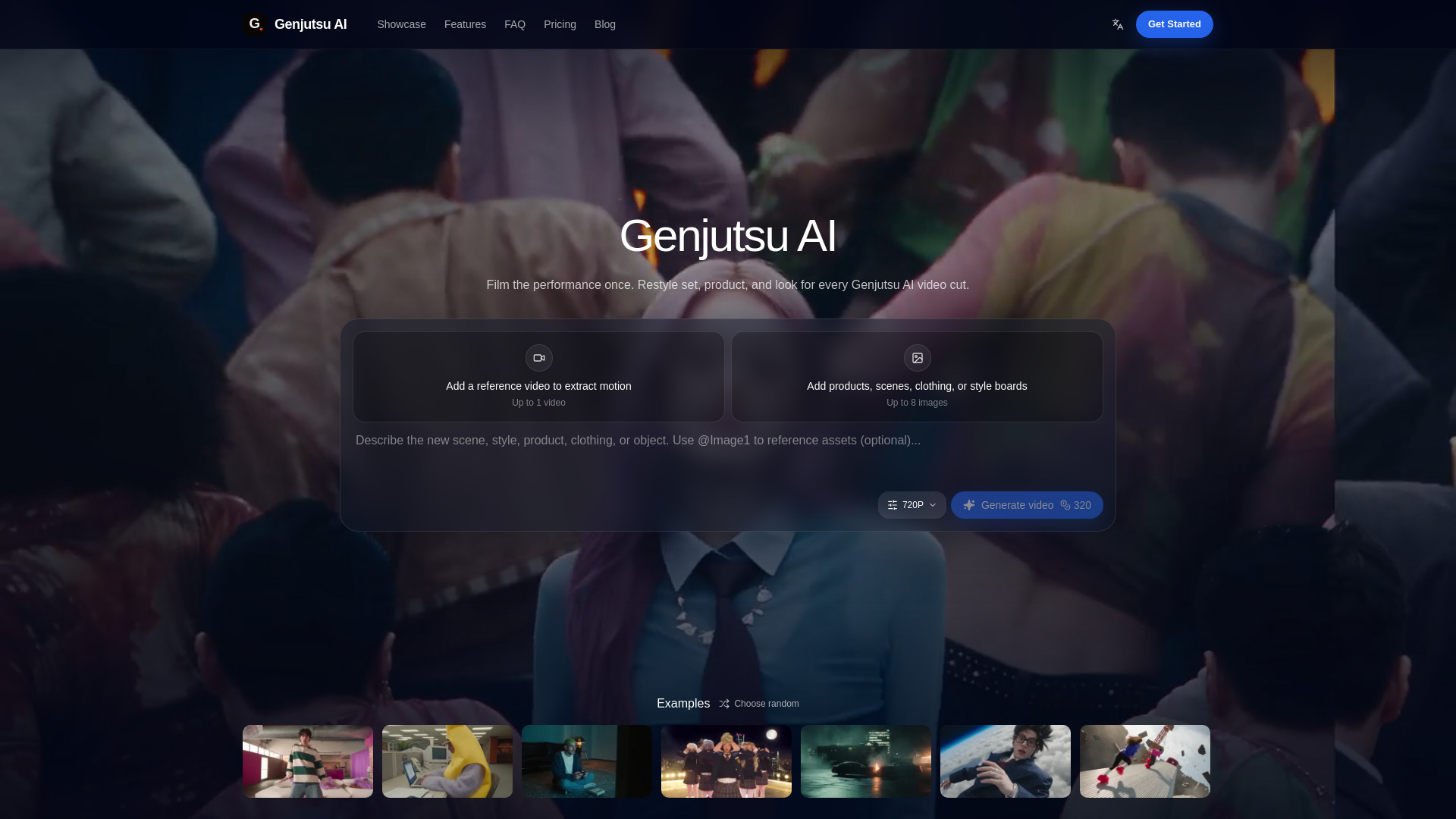
AI video studio that keeps your original motion and restyles scene, product, clothing, or look—so you can ship more cuts without reshooting.
Genjutsu AI is an AI video studio that turns a short filmed clip into many publishable variants. It keeps the original motion, timing, and camera path intact while allowing changes to the set, product, clothing, or visual style. This enables creators and teams to ship more cuts without reshooting.
Generation is credit-based. Every render shows its cost before you run it, so there are no surprise batch charges after a long session. Failed generations return their credits automatically.
What is Genjutsu AI video?
It is a Genjutsu AI video studio for turning a short filmed clip into many publishable variants. The pacing of your original take stays intact while set, product, and visual style can change—so you ship channel cuts without treating every idea as a brand-new shoot.
How is this different from normal text-to-video tools?
Prompt-only generators invent motion from scratch. Genjutsu AI video starts from a plate you already filmed, so choreography, camera path, and timing remain the source of truth while look, set, and product change. That fits ads, music cuts, and creator posts that need continuity with an approved performance.
What do Performance Lock and Selective Rewrite mean?
Performance Lock treats your filmed timing as fixed and rebuilds the scene around it. Selective Rewrite changes only the pieces you mark—a SKU, prop, backdrop, or grade—while the rest of the plate stays as shot. Most projects use one pass as the primary path and the other for cleanup.
Who is this for?
Creators, growth marketers, and studio teams who need many channel cuts from one shoot day—music content, ads, Shorts, and localized creatives. If your bottleneck is calendar time rather than ideas, the workflow is built for that gap.
What clip length should I start with?
Short plates in the 4–30 second range usually hold choreography cleanly and stay easy to review. Longer stories work better when you split them into shot-sized passes, then assemble the winners in your normal editor.
What references should I upload?
Use clear stills for the product, location, or style board you want to introduce. Do not upload photos of real people to replace faces or identities. A short written brief helps too: say what must stay locked and what is allowed to change.
Do I need video editing experience?
No. If you can upload a clip and describe the change, you can run a pass. Taste and brief clarity help more than timeline software experience. You can still finish audio, captions, and final assembly in the tools you already use.
Can brands use the outputs in ads?
Yes, subject to our Terms. Confirm music rights, product permissions, and any talent likeness in your source footage before paid spend. Genjutsu AI video is not intended for replacing real people's faces or identities. Treat generated variants like any other production asset in your legal review.
How does pricing work?
Generation is credit-based. Every render shows its cost before you run it, so there are no surprise batch charges after a long session. Failed generations return their credits automatically.
How do I start generating?
Sign in, add credits if you need them, upload a plate or write a prompt, then generate. Performance Lock and Selective Rewrite workflows are live in the studio—keep the winners in your private film library.