What is GetStatus AI
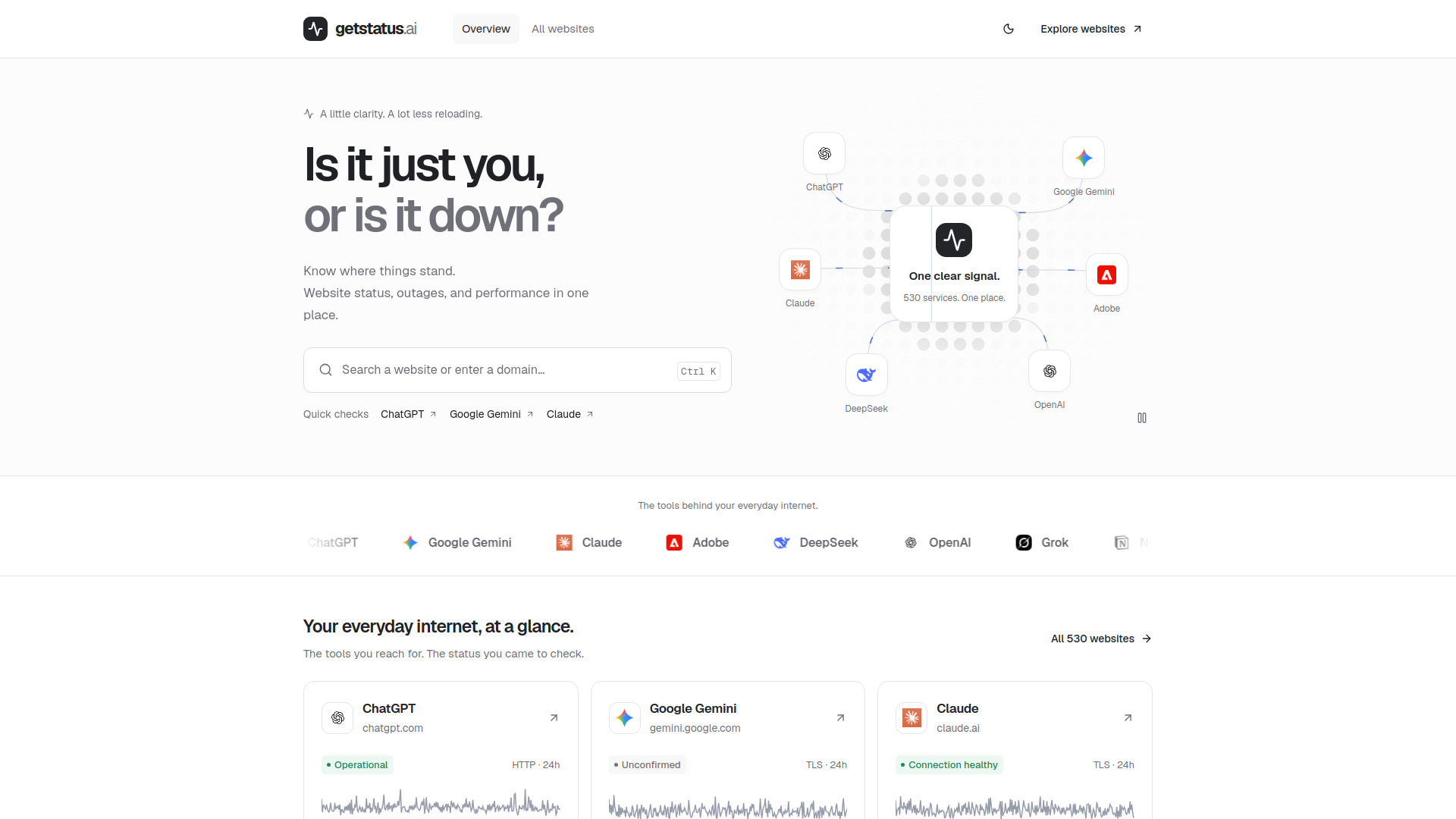
GetStatus AI is a website status monitoring service that helps you check if a website is down or if the issue is on your end. It tracks over 530 services, providing real-time status, uptime, response times, and incident history. The platform aims to give you clarity on website availability and performance, reducing unnecessary reloading.
How to use GetStatus AI
- Search for a website: Use the search bar to enter a website name or domain (e.g., ChatGPT, Google Gemini, Claude).
- View status overview: Click on a service to see its current status (e.g., Operational, Unconfirmed, Connection healthy), uptime percentage, and response time.
- Check performance trends: Review the 24-hour response time chart to see performance fluctuations.
- Explore incident history: Look at recent incidents to understand past outages.
- Compare with your connection: Use the provided signals to determine if the issue is widespread or local to you.
Features of GetStatus AI
- Real-time status monitoring for over 530 websites and services.
- Uptime and response time metrics with 24-hour historical data.
- Incident history to track past outages and performance issues.
- Quick checks for popular services like ChatGPT, Google Gemini, and Claude.
- Visual performance charts (sparklines) showing response time trends.
- Service directory with all monitored websites, including latest additions.
- Dark mode for comfortable viewing.
- Search functionality with keyboard shortcut (Ctrl K).
Use Cases of GetStatus AI
- Troubleshooting access issues: Determine if a website is down for everyone or just you.
- Monitoring critical services: Keep an eye on the status of tools you rely on for work or daily tasks.
- Checking performance degradation: Identify slow response times that might affect productivity.
- Verifying outage reports: Confirm if a service is experiencing an outage before contacting support.
- Exploring new services: Discover and monitor the status of newly added websites.
FAQ
How can I tell if a website is down?
Search by website name or domain, then check its status overview, response-time trend, and recent incidents. Compare those signals with your own connection and the provider’s announcements.
Why does a website work for others but not for me?
Regional routing, a browser extension, DNS caching, or an expired session can affect one person without affecting everyone. Try a private window or another connection to narrow down the cause.
What does response time tell me?
Response time indicates how quickly a website responds to requests. Consistently high response times may indicate performance issues or network problems.