What is GPT Image 2.6
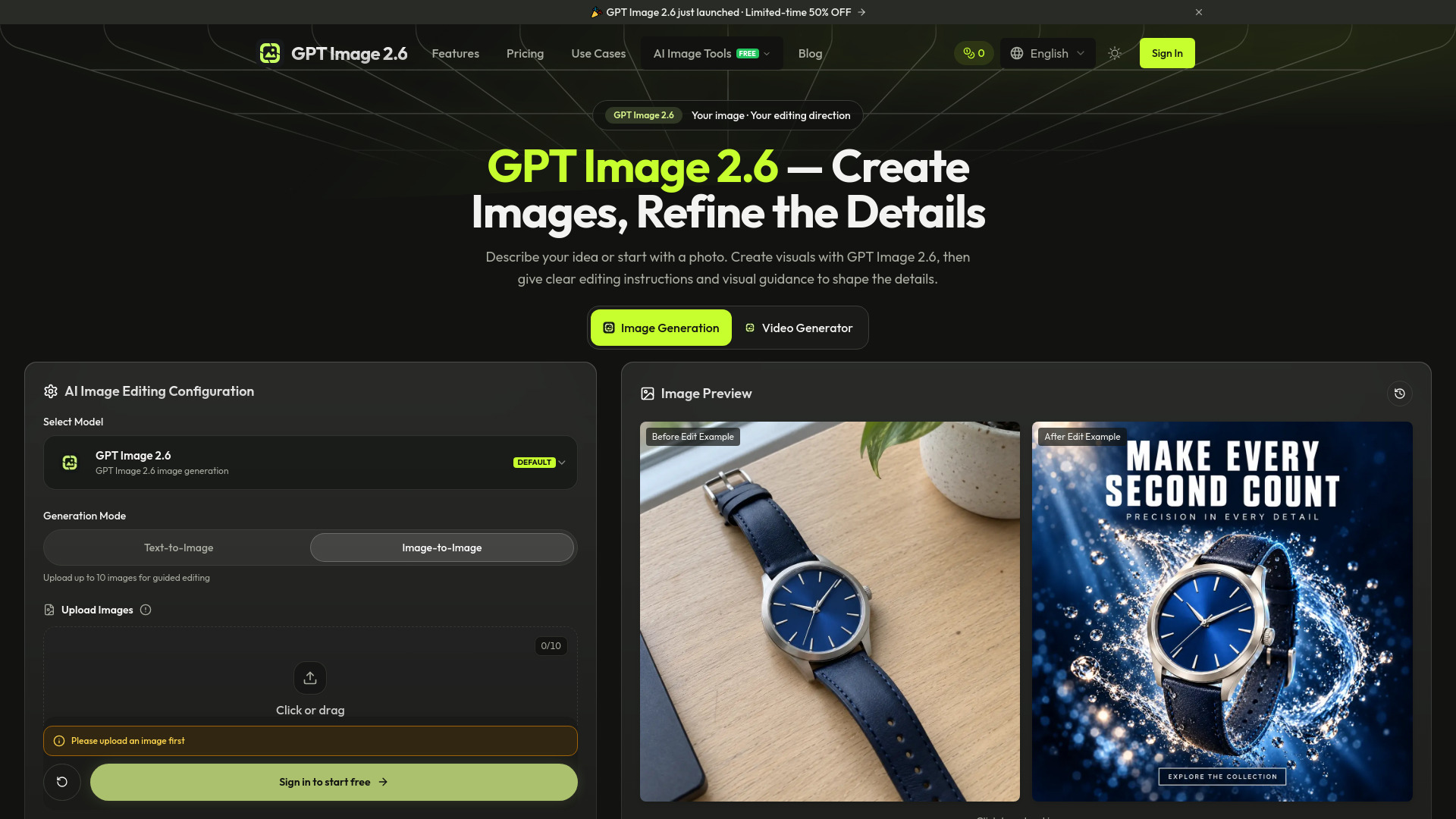
GPT Image 2.6 is an AI-powered image generation and editing tool that operates through a prompt-led workflow. It allows users to create visuals from text descriptions or edit existing images using clear instructions and visual guidance. The tool is designed to shape product images, portraits, and text-led designs, offering a range of features for both creation and refinement.
How to use GPT Image 2.6
- Sign in to the image workspace on the homepage.
- Choose the editing option (Image-to-Image) or start with text-to-image generation.
- Upload an image (up to 4 images, max 30MB each) or provide a photo via URL or from history.
- Describe the change you want in the edit description field. Be specific about the object, location, and details to preserve.
- Optionally add visual guidance using a transparent PNG overlay to mark the intended edit area.
- Select output settings: aspect ratio, resolution, and number of images per batch.
- Review the credit cost and submit the task.
- Wait for generation to complete, then compare the result with the original before downloading.
Features of GPT Image 2.6
- Text-to-Image and Image-to-Image modes for creating or editing visuals.
- Visual guidance via transparent PNG overlay to indicate edit locations.
- Prompt enhancement tools: generate prompt from image, optimize prompt, and clear prompt.
- Multiple aspect ratios (1:1, 16:9, 9:16, 3:4, 4:3, 3:2, 2:3, 21:9, etc.).
- Output resolution options and batch generation (up to 4 images per batch).
- Product templates for quick starts (e.g., Coffee Campaign, Automotive Poster, Oriental Tea, Mineral Water, Designer Lamp).
- History and media library for reusing previous uploads.
- Credit-based system with starter credits for new users.
Use Cases of GPT Image 2.6
- Product advertising: Transform casual product photos into professional ads with headlines, taglines, and visual effects.
- Portrait editing: Refine portraits with specific instructions while preserving key features.
- Text-led designs: Modify or add text in images with precise placement and style.
- Poster and campaign creation: Use templates to generate marketing materials quickly.
- Photo restoration and enhancement: Improve clarity, change backgrounds, or add/remove objects.
Pricing
GPT Image 2.6 operates on a credit-based system. New users receive 16 starter credits upon signing up. Each generation consumes credits at a cost displayed before submission, depending on selected settings. Paid plans and one-time credit packs are available for additional credits. Paid plans include commercial use rights as described in the Pricing section.