What is HappyHorse - 3
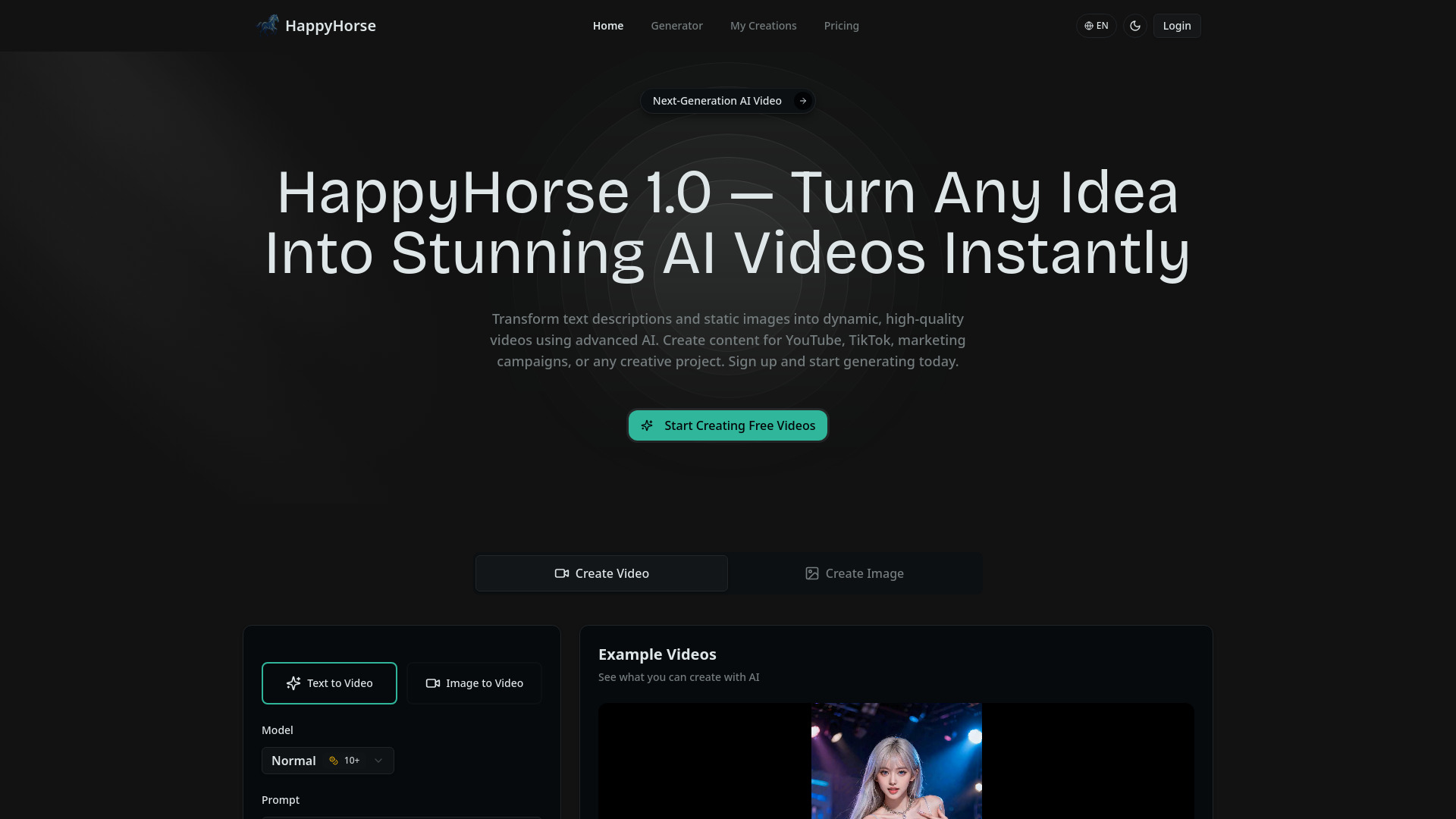
HappyHorse 1.0 is a next-generation AI platform that transforms text descriptions and static images into professional, cinematic videos instantly. It is designed to be accessible to everyone, requiring no video editing experience.
How to use HappyHorse - 3
- Describe your video: Enter a text prompt detailing the video you want to generate.
- Upload an image (optional): For image-to-video generation, upload a still image.
- Select parameters: Choose the desired duration, quality, and aspect ratio.
- Generate: The AI processes your input and creates the video.
- Refine (optional): Use simple text feedback to regenerate scenes, adjust pacing, or shift visual styles.
Features of HappyHorse - 3
- AI Video Generation: Transforms text prompts and images into professional AI videos.
- Text-to-Video: Creates videos from text descriptions.
- Image-to-Video: Animates uploaded still images.
- Free Credits: Start with 10 free credits upon signup, no subscription required.
- No Setup Required: Immediate use after signup with a clean interface.
- Broadcast-Quality Output: High-definition resolution with smooth, natural motion.
- Natural Language Direction: Refine videos using simple text feedback.
- Multiple Video Variants: Generate several interpretations from a single prompt.
- Platform-Ready Export: Download videos optimized for platforms like YouTube, TikTok, and Instagram.
- Bilingual Prompt Support: Supports prompts in English and Chinese.
- Full Commercial Rights: Users receive complete commercial rights to generated videos.
- Flexible Credit Pricing: Offers monthly subscriptions, annual plans, and one-time credit packs.
- Multiple Aspect Ratios: Supports vertical, horizontal, and square formats.
- Sound Effect Option: An option to include sound effects is available.
Use Cases of HappyHorse - 3
- Content for YouTube, TikTok, and marketing campaigns.
- Client work and advertising campaigns.
- Social media content creation.
- Resale of generated videos.
- Rapid prototyping for creative projects.
- Product video creation, including app store previews and demos.
- Generating b-roll and intros for creators.
- Creating concept videos for pitch decks.
- Packaging and selling written content with matching videos.
FAQ
- What makes HappyHorse 1.0 different from other AI video generators? HappyHorse 1.0 offers advanced AI video technology in an accessible platform, with no editing experience needed. It provides free credits to start, bilingual prompt support, and full commercial rights.
- How does HappyHorse 1.0 generate videos? It transforms text descriptions and static images into dynamic, high-quality videos using advanced AI. Users input a prompt or image, select parameters like duration and quality, and the AI generates the video.
- What advantages does this platform offer over competitors? Advantages include free credits to start, no subscription lock-in, advanced AI for cinematic quality, bilingual prompt support, full commercial rights, flexible credit pricing, and multiple aspect ratio options.
- Can I use HappyHorse 1.0 videos for commercial projects? Yes, users receive complete commercial rights to every video generated, allowing use for client work, advertising, social content, or resale without attribution or royalty fees.
- What types of videos does our AI create best? The AI is capable of creating promotional clips, narrative storytelling, b-roll, intros, concept videos, app store previews, product demos, and social media content.
- Does the platform support non-English prompts? Yes, the platform supports prompts in both English and Chinese, delivering regionally appropriate video content.
- How long does video generation take? The platform generates videos instantly or in seconds, with advanced AI handling complex production requirements automatically.
- How do I start using HappyHorse 1.0? Start generating videos immediately after signup. The interface requires no technical knowledge.