LogoTopAIHubs
icon of HappyHorse AI

HappyHorse AI

Browser-based AI platform for cinematic text-to-video and image-to-video generation.

Introduction

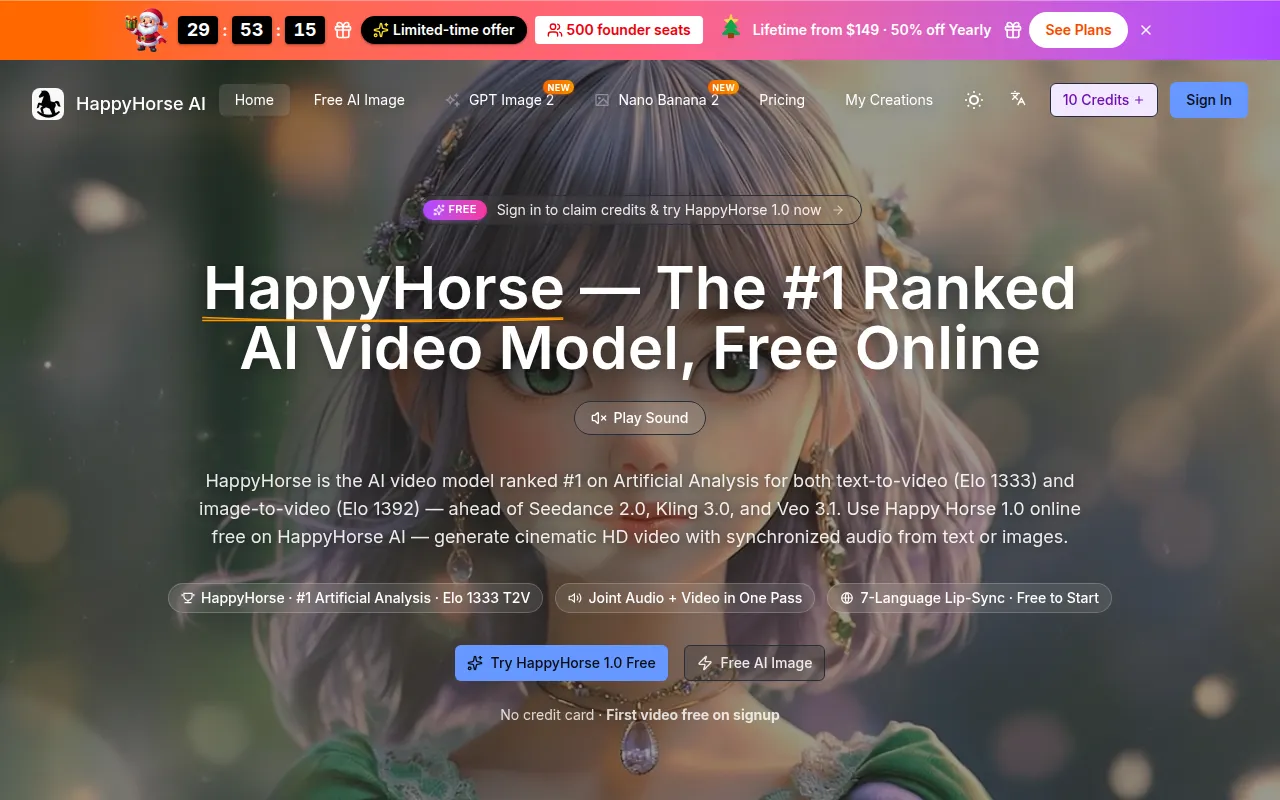
What is HappyHorse AI

HappyHorse AI is a browser-based AI platform for cinematic text-to-video and image-to-video generation. It allows users to create videos from text prompts and reference images, offering HD downloads and flexible credits.

How to use HappyHorse AI

  1. Enter a HappyHorse 1.0 AI prompt: Describe the video you want to create, and you can also upload an image or short video as a reference for your result.
  2. Choose video settings: Set video length, aspect ratio, and output quality to match your desired output.
  3. Generate and download: Click generate, wait for the preview to be ready, and then download your HD video.

Features of HappyHorse AI

  • Text-to-video generation
  • Image-to-video generation
  • HD downloads
  • Flexible browser credits
  • Browser-based platform
  • Natural motion and scene coherence
  • Strong reference-follow performance
  • Adjustable video length, aspect ratio, and output quality
  • Option to generate audio

Use Cases of HappyHorse AI

  • Creating cinematic ads with cleaner motion and mood.
  • Previewing camera language, pacing, and story beats for concept trailers.
  • Animating still illustrations, product shots, or portraits with readable composition.
  • Generating short loops for product packaging, devices, food, and lifestyle scenes.
  • Creating storyboards and pitches for clients to show mood, action, and scene rhythm.
  • Producing scroll-stopping snippets for social media campaigns, launches, and teasers.

Pricing

HappyHorse AI uses a credit system. Generating a video costs 35 credits, and the remaining credits are displayed to the user.

Newsletter

Join the Community

Subscribe to our newsletter for the latest news and updates