What is Image To Prompts - io
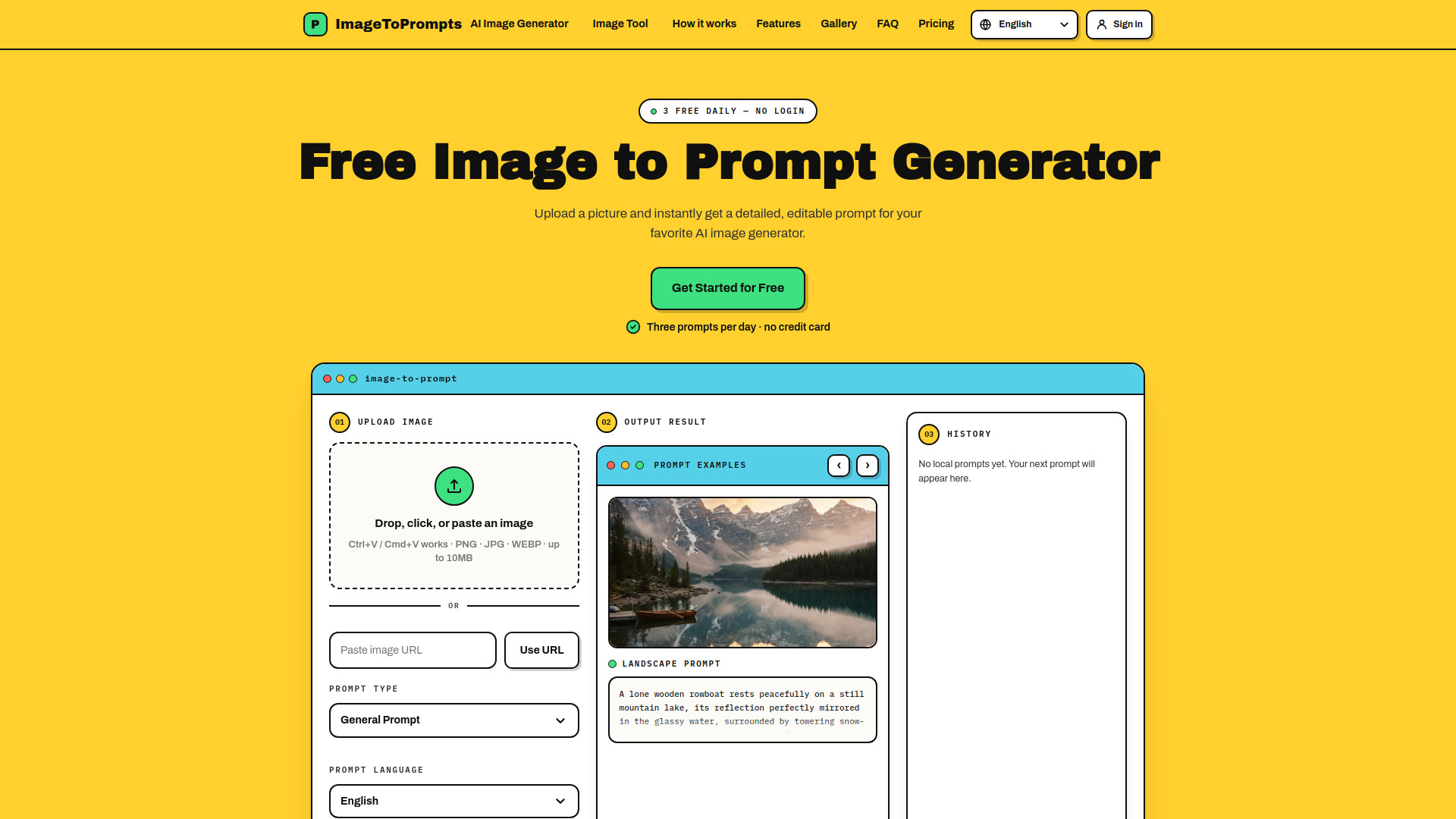
ImageToPrompts is a free online tool that converts images into detailed, editable prompts for AI image generators. It supports uploading images via drag-and-drop, file selection, paste, or URL, and offers multiple prompt formats including general, structured, and JSON. The tool also includes live AI image generation and AI pixel art generation tools for creating visuals from text and optional reference images.
How to use Image To Prompts - io
- Upload an image: Drag and drop an image, click to browse, paste from clipboard (Ctrl+V/Cmd+V), or enter a public image URL. Supported formats are PNG, JPG, and WEBP, up to 10MB.
- Select prompt type: Choose between General Prompt, Structured Prompt, or JSON Prompt.
- Choose prompt language: Select from 16 languages including English, Chinese, Japanese, Spanish, Korean, French, German, Portuguese, Italian, Russian, Arabic, Hindi, Vietnamese, Thai, and Indonesian.
- Generate: Click the "Generate" button to receive a detailed prompt. The tool provides three free generations per day without login.
- Copy and use: Copy the generated prompt and paste it into your favorite AI image generator to create your own version.
Features of Image To Prompts - io
- Free daily usage: Three free prompt generations per day, no login or credit card required.
- Multiple input methods: Upload via drag-and-drop, file picker, paste, or image URL.
- Prompt customization: Choose from general, structured, or JSON prompt formats.
- Multilingual support: Generate prompts in 16 different languages.
- Editable prompts: Generated prompts can be edited before use.
- Private processing: Images are sent to the vision service only for analysis and are not stored in usage databases or analytics.
- Detailed analysis: Prompts include style, camera and crop, composition, lighting, texture, and negative constraints.
- Additional tools: Includes AI image generator and AI pixel art generator for creating visuals from text and reference images.
- History: View and manage your prompt generation history.
Use Cases of Image To Prompts - io
- Artists and designers: Reverse-engineer images to understand composition, style, and lighting for inspiration or recreation.
- Prompt engineers: Generate detailed prompts for AI image generators like Midjourney, Stable Diffusion, or DALL-E.
- Content creators: Quickly create prompts for visual content without manual description.
- Educators and students: Learn about image analysis and prompt crafting.
- AI enthusiasts: Experiment with different prompt formats and languages.
FAQ
Q: Do I need an account to use ImageToPrompts? A: No, you can use the tool without an account. You get three free prompt generations per day without login.
Q: What image formats are supported? A: PNG, JPG, and WEBP formats are supported, with a maximum file size of 10MB.
Q: Can I use an image URL instead of uploading? A: Yes, you can paste a public image URL to generate a prompt.
Q: Is my image stored? A: No, your image is only sent to the vision service for analysis and is not stored in usage databases or analytics.
Q: Can I generate prompts in languages other than English? A: Yes, the tool supports 16 languages including Chinese, Japanese, Spanish, Korean, French, German, Portuguese, Italian, Russian, Arabic, Hindi, Vietnamese, Thai, and Indonesian.
Q: What prompt formats are available? A: You can choose between General Prompt, Structured Prompt, and JSON Prompt formats.