What is image-to-video-ai
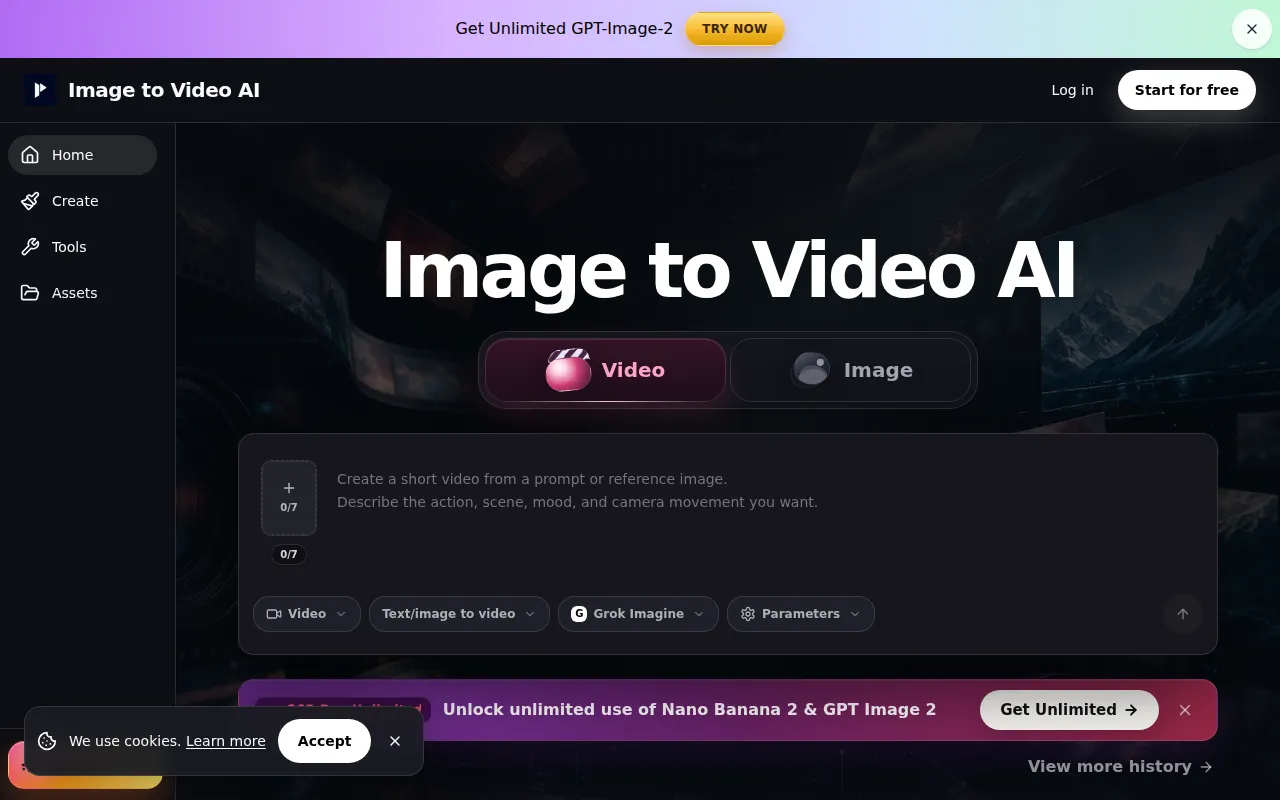
Image to Video AI is an online platform that transforms static images, such as product photos, portraits, and posters, into short AI-generated video clips. It allows users to add motion prompts to their images, preview the results, and generate videos quickly, with options for different workflows to control the output.
How to use image-to-video-ai
- Choose your input: Upload an existing image (photo, product image, poster, or AI-generated image).
- Describe the shot movement: Use a concise prompt (e.g., one sentence) to explain the desired action and camera movement, optionally adding style and lighting keywords.
- Preview before export: Review the generated clip to ensure it meets your requirements before downloading.
Features of image-to-video-ai
- Image to Video Generation: Converts static images into dynamic video clips.
- Motion Prompts: Allows users to describe desired movements and camera actions.
- Quick Previews: Enables users to see results before final export.
- Multiple Workflows: Offers "Text/Image to video," "Frames to video," and "Reference to video" options for different levels of control.
- Free Credits: Provides initial free credits upon signup.
- Support for Common Image Formats: Accepts JPG, PNG, JPEG, and WebP.
Use Cases of image-to-video-ai
- Product Demos: Turn product photos into short demonstration videos for product pages and ads.
- Portrait Animation: Add subtle motion (eye-line, hair, fabric, camera movement) to portraits and character concepts.
- Poster and Art Animation: Animate campaign visuals, posters, and AI-generated art for social media or landing pages.
- Social Media Clips: Create quick video hooks for platforms like Shorts and Reels.
- Creative Testing: Generate draft clips for rapid testing and review before final editing.
Pricing
- Free Tier: Start with free credits upon signup. Failed generations do not consume credits.
- Paid Plans: Offer benefits like watermark-free exports, privacy controls, and higher-volume usage.
FAQ
- What is Image to Video AI? An online platform for turning images into short AI videos using motion prompts and various workflows.
- Is it free? Users start with free credits; paid plans offer more features.
- Do I need to upload an image? Yes, for image-to-video generation. Text-to-video or image generation first are also options.
- Supported Image Formats: JPG, PNG, JPEG, and WebP are supported.
- Difference between Image to Video and Frames to Video: Image to video starts from one image; Frames to video uses a start and end frame for motion generation between them.
- Workflow Choice: Text/Image to video for single-image animation, Frames to video for defined start/end, Reference to video when uploaded assets guide the result.
- Product Videos: Yes, especially with clean source images and simple motion prompts.
- Consistency: AI video can help preserve source details, but perfect consistency isn't guaranteed. Clean references and simple motion improve results.
- Commercial Use: Paid plans are better suited for commercial use, including watermark-free exports. Review usage terms.
- Generation Time: Many jobs finish in minutes, but timing varies based on settings, load, and assets.
- Image to Video vs. Text to Video: Image to video provides a visual anchor for better consistency.
- Simple Prompts: Recommended for AI video models to handle clear, focused instructions better.
- Reducing Drift: Use sharp images, match aspect ratio, avoid fast turns, and consider Frames to Video.
- Longer Videos: Generate multiple short clips and edit them together.
- Product Page Prompts: Use one clean photo, one motion, and one format for easier review.
- When is Image to Video AI better than Text Prompt? When the product, face, or layout is important, as the image anchors the clip.