Newsletter
Join the Community
Subscribe to our newsletter for the latest news and updates

Free browser tool for extracting color codes and palettes from images
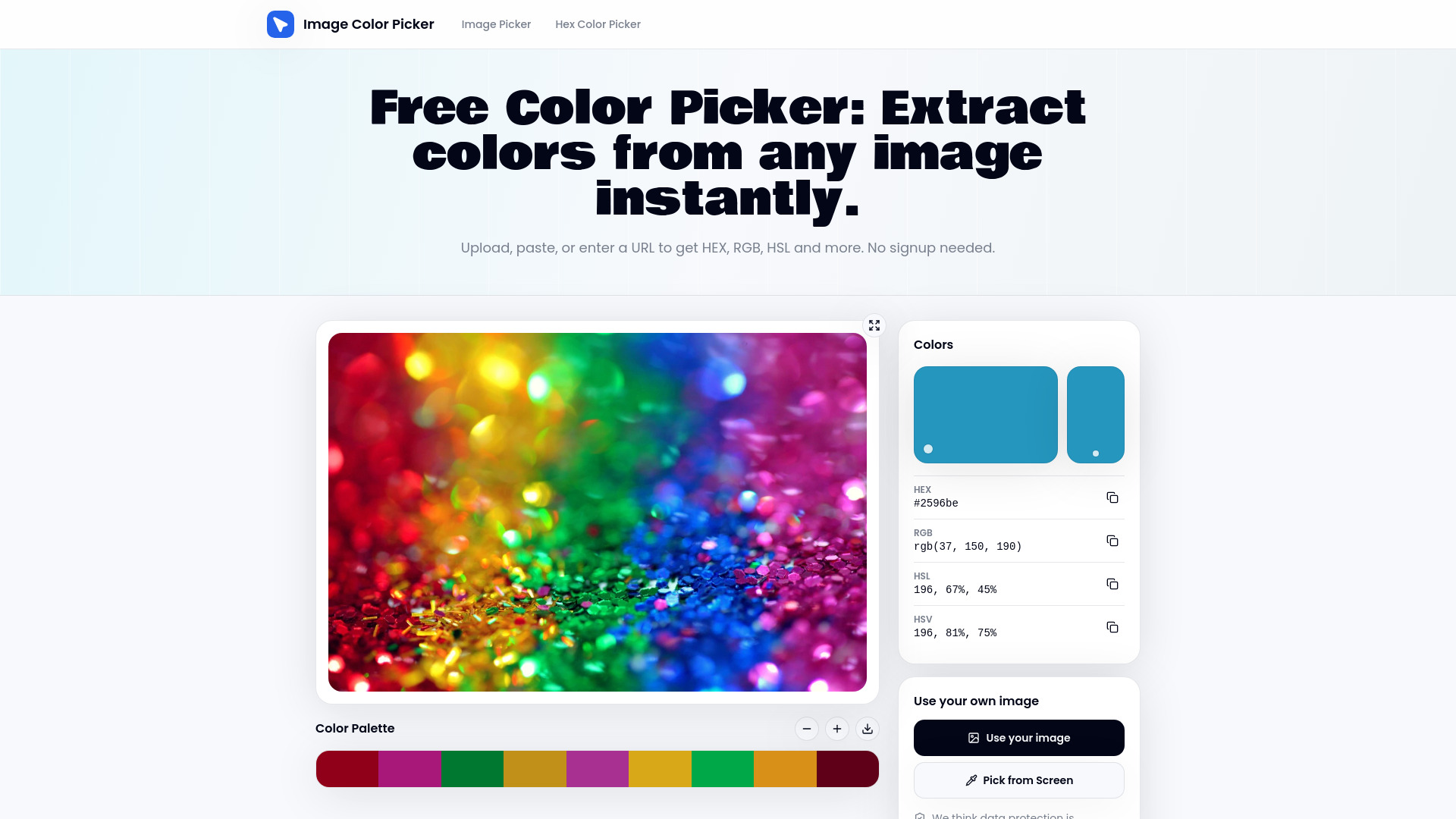
Imagecolorpicker is a free, browser-based tool that lets you extract color codes from any image. It supports HEX, RGB, HSL, and HSV formats, and works entirely in your browser without requiring signup or uploading images to a server.
Imagecolorpicker is completely free to use. There is no signup required and no upload limits.
What is a color picker from image? A tool that lets you upload an image and click on any pixel to get its color code in formats like HEX, RGB, HSL, and HSV.
How do I use this image color picker? Load an image via upload, paste, or URL, then click on the canvas to sample colors. Copy the code or save the palette as needed.
What color is this? How can I identify an exact color code? Upload the image, hover to preview colors in real time, and click to lock the reading. The tool shows the exact HEX, RGB, and HSL values.
Does the color detector work with screenshots and website images? Yes, you can paste screenshots from your clipboard or enter a website URL to load and sample images remotely.
Can I extract a full color palette from an image? Yes, you can add sampled colors to a palette strip and export or save it for later use.
Is this color finder free, and does it store my images? Yes, it's free. Local files stay in your browser and are not uploaded to any server.
Can I use this as a color dropper without installing anything? Yes, it works entirely in your browser with no installation required.
What formats does the colour extractor return? It returns HEX, RGB, HSL, and HSV values.