What is kepo.ai
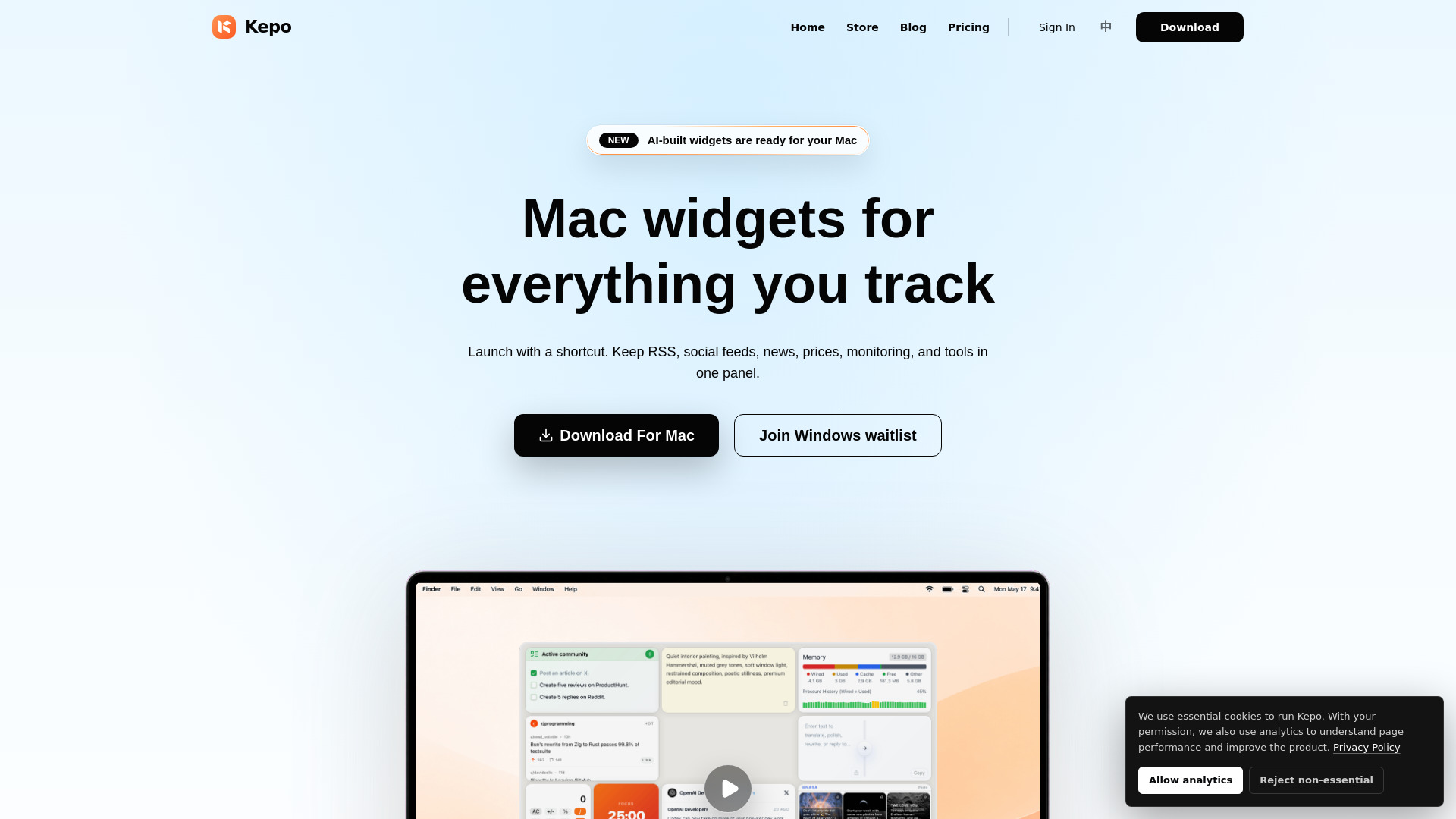
Kepo is an AI-powered Mac desktop widget app that transforms web pages, feeds, GitHub releases, Reddit threads, Product Hunt launches, status pages, and small tools into live desktop widgets. It allows users to create custom Mac desktop widgets with AI for RSS, social media, market data, most web pages, internal pages, and small tools, all within a shortcut-ready panel.
How to use kepo.ai
- Download the Kepo Mac app.
- Add widgets to your panel.
- Open widgets with a shortcut.
Features of kepo.ai
- AI-powered widget creation.
- Turns web pages, feeds, GitHub releases, Reddit threads, Product Hunt launches, and status pages into widgets.
- Supports internal pages and small tools.
- Widgets can be opened with a shortcut.
- Customizable widgets.
- Cloud Widgets.
- Custom Themes.
- AI widget creation and editing.
- Widgets can access Kepo AI.
Use Cases of kepo.ai
- Monitoring RSS feeds, social media, and market data.
- Keeping track of GitHub releases and Product Hunt launches.
- Displaying information from status pages.
- Integrating small tools and internal systems.
- Creating custom widgets for specific needs.
Pricing
- Free: Forever, includes core features, ability to create plugins with SKILL, hundreds of plugins, 200 KepoAI points, and developer tools.
- Pro: $4.95/month or $59.40/year. Includes 5,000 Monthly AI Points, Cloud Widgets, Advanced Models, Priority Support, Cloud Sync, Custom Themes, AI widget creation, AI widget editing, and widgets can access Kepo AI.
- Angel Investor (Limited Time Offer): $99.99 Forever. Includes Lifetime Pro Access, exclusive "Angel" Profile Badge, Direct Access to Founders, Early Beta Features Access.
- Enterprise: Custom pricing for companies with higher usage needs. Includes higher AI usage limits, dedicated support and onboarding, custom widgets and internal integrations, and security, compliance, and procurement support.
FAQ
- How is Kepo different from macOS desktop widgets? macOS widgets usually come from installed apps. Kepo uses AI to turn web pages, RSS, APIs, tools, and widget ideas into standalone desktop widgets for information native widgets do not cover.
- Do I need to code to create a widget? The webpage content implies that AI can be used to create widgets, suggesting coding may not be required for all widget creation.
- What can Kepo widgets track? Kepo widgets can track RSS, social media, market data, news, prices, monitoring information, and tools.
- Can Kepo work with websites that require login or internal systems? Yes, Kepo can work with internal pages and systems.
- Can I change widget size and layout? The webpage content does not explicitly detail widget resizing or layout customization, but implies custom widgets can be created.
- Is Kepo free to try? Yes, Kepo offers a Free plan.