What is Knovari
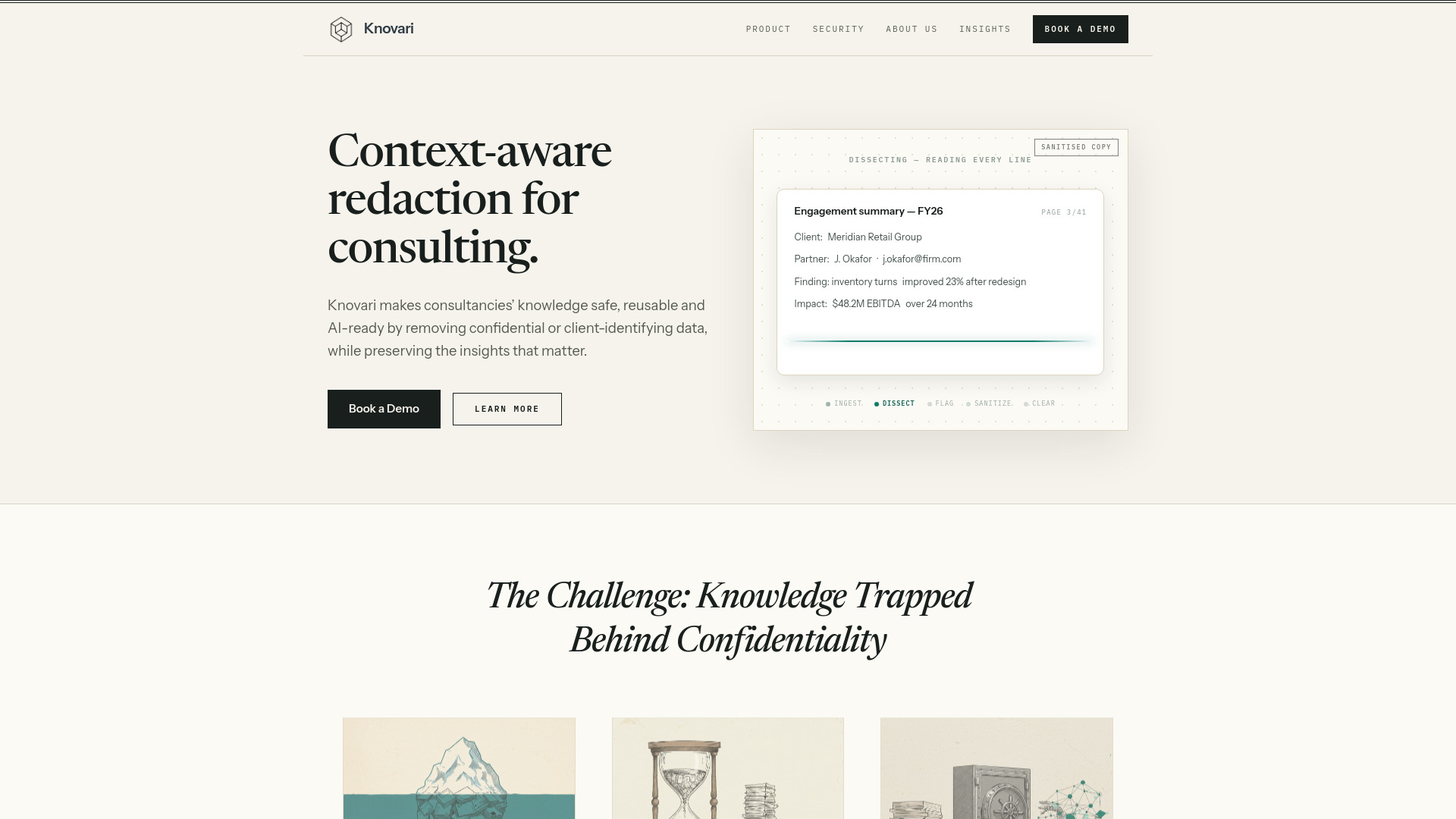
Knovari is a context-aware redaction tool designed specifically for consulting firms. It automatically detects and removes confidential or client-identifying data from PowerPoint decks while preserving the insights that matter. This makes consultancies' knowledge safe, reusable, and AI-ready.
How to use Knovari
- Ingest: Upload your PowerPoint deck to Knovari.
- Dissect: Knovari analyzes the content, understanding context beyond simple keyword matching.
- Flag: The tool identifies sensitive information such as client names, partner names, email addresses, financial figures, and indirect identifiers.
- Sanitize: Knovari surgically removes or replaces flagged content at the word, clause, sentence, or chart level.
- Review: Every modification is shown with clear rationale. You can review, adjust, or override any change.
- Clear: The sanitized deck is ready for reuse or AI training.
Features of Knovari
- Context-aware redaction: Understands indirect identifiers (e.g., "client is #2 in the beverage industry") that reveal identity.
- Surgical editing: Removes only the necessary content—word, clause, sentence, or chart—maximizing insight retention.
- Transparent and auditable: Every change is displayed with rationale; users can review and override.
- True XML cleansing: Redacts hidden data in PowerPoint XML, including client logos and other embedded files.
- Enterprise-grade security: SOC 2 Type II (in observation), penetration tested, and supports private cloud deployment.
Use Cases of Knovari
- Knowledge reuse: Unlock 4-10x more reusable IP by sanitizing proposals and project documents for future use.
- AI training: Safely ground AI platforms and agents on a firm's full knowledge base without exposing confidential data.
- Time savings: Reduce manual redaction from up to 8 hours per deck to minutes, improving billability and margins.
FAQ
How is Knovari different from standard redaction tools?
Standard tools use keyword matching (e.g., finding "ACME Corp"). Knovari understands context, so it can detect indirect references that still reveal client identity.
Does Knovari only work with text?
No. It also handles images and embedded files in PowerPoint XML, such as client logos that may be hidden even after deletion.
Can I review changes before finalizing?
Yes. Knovari shows every modification with a clear rationale, and you can adjust or override any change.
Is Knovari secure for enterprise use?
Yes. It is SOC 2 Type II compliant (in observation), independently penetration tested, and offers private cloud deployment options.