What is kuku
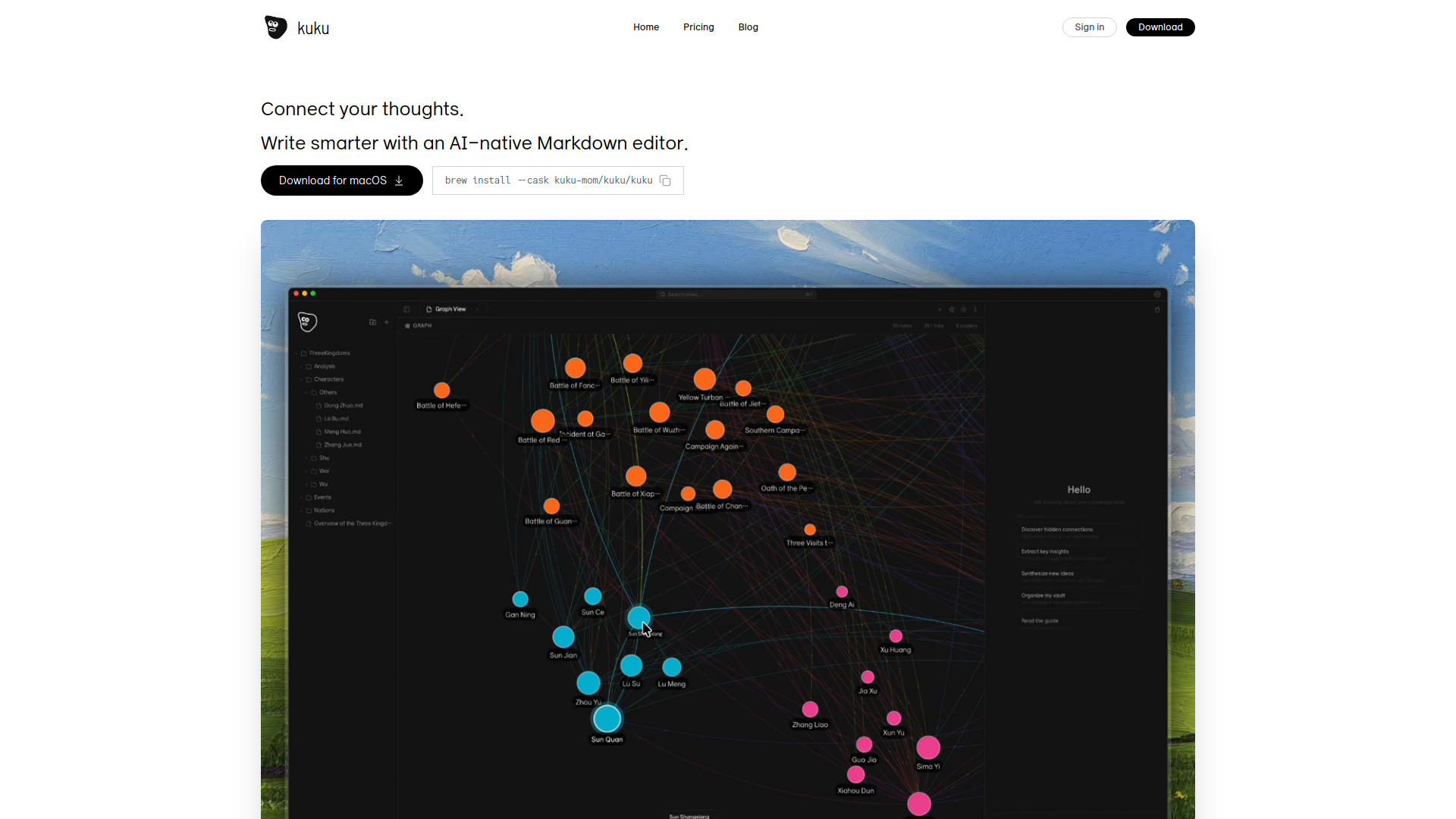
kuku is a native, local-first macOS Markdown editor that integrates AI capabilities for enhanced writing. It offers features like tool-calling AI, diff previews, bidirectional links, and a graph view for visualizing document connections.
How to use kuku
To use kuku, you can download it directly for macOS. The installation can also be done via Homebrew by running brew install --cask kuku-mom/kuku/kuku.
Features of kuku
- Local-first Markdown Editor: Files are stored as
.mdon your disk, ensuring no vendor lock-in and compatibility with other tools like Obsidian, Vim, and Git. - AI-Native: Integrates AI (Gemini with tool calling) for tasks like searching your vault, reading files, and creating documents.
- Bidirectional Links: Supports
[[wikilink]]syntax for easy navigation and backlinking. - Graph View: Visualizes document connections with a force-directed graph.
- Cursor-style Edit Preview: AI edits are shown as diffs, allowing you to accept or reject changes.
- Local Whisper STT: Includes offline speech-to-text functionality using Whisper.cpp.
- Full-text Search: Utilizes SQLite FTS5 with BM25 ranking, supporting Korean tokenization.
- Performance: Built with Tauri and Rust, resulting in a small bundle size and low memory usage.
Use Cases of kuku
- Writing and organizing notes with AI assistance.
- Connecting ideas and documents through bidirectional links and graph visualization.
- Leveraging AI for tasks like summarizing information or creating new documents directly within your notes.
- Using speech-to-text for note-taking without an internet connection.
- Managing projects and research with a local-first Markdown editor.
Pricing
kuku is available for free.
FAQ
- Can I use my existing Obsidian vault?
Yes. You can open the same folder, and the
[[wikilink]]syntax is compatible. - Does the AI learn from my documents? No. Only context needed for the current conversation is sent to the Gemini API, and it is not used for training per Google's ToS.
- Can I use it offline? Everything except AI chat works offline. Voice recognition uses local Whisper, so it functions without internet.
- Why Tauri instead of Electron? Tauri uses the system WebView, leading to a smaller bundle size (1/10th) and lower memory usage (1/3rd) compared to Electron, offering Safari-level performance on macOS.