What is Logo Animation AI
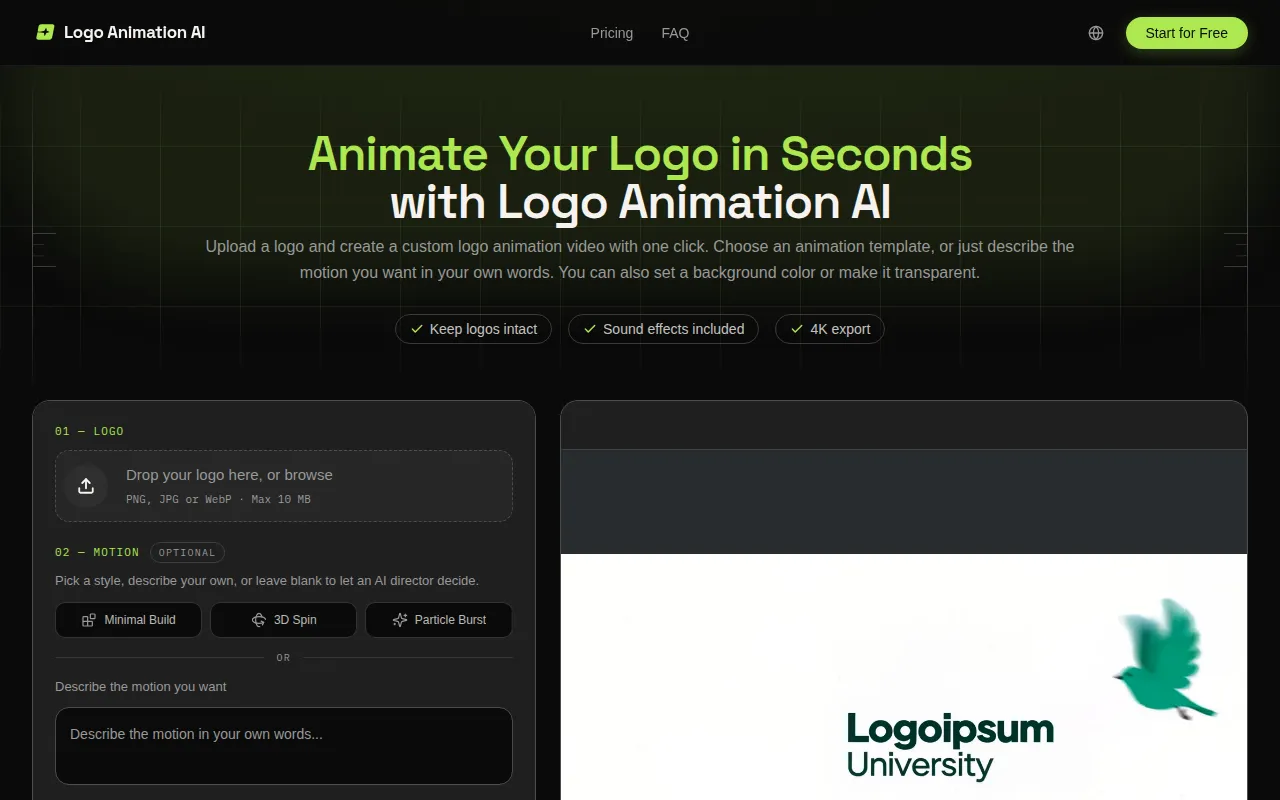
Logo Animation AI is a service that allows users to transform static logos into animated logo videos. It offers custom motion, synchronized sound effects, transparent backgrounds, and 4K export capabilities.
How to use Logo Animation AI
- Upload Your Logo: Upload any PNG, JPG, or WebP image file (up to 10 MB). Transparent backgrounds are recommended for the best results.
- Choose a Style or Describe It: Select a pre-designed animation template or describe the desired motion in text. Users can also set a background color or opt for a transparent background.
- Download and Ready to Use: Export the finished animated video in MP4 format for direct sharing or as transparent WebM files for use in editing software.
Features of Logo Animation AI
- Watermark-Free Export: Animations are delivered without watermarks.
- Custom Motion: Users can select templates or describe custom motion.
- Synchronized Sound Effects: Animations include matching sound effects.
- Transparent Backgrounds: Export videos with transparent alpha channels for easy overlay.
- 4K Export: Renders are available in high resolution up to 4K.
- Multiple Aspect Ratios: Supports various aspect ratios for different platforms.
- No Design Skills Required: Accessible for users without design or prompt-writing experience.
- Fast Rendering: Animations are typically ready in 30-50 seconds.
- Cloud-Based: Runs on cloud GPUs, requiring no powerful local hardware.
- Commercial Rights: Users own full commercial rights to generated animations.
Use Cases of Logo Animation AI
- Creating YouTube intros.
- Adding motion to logos for social media campaigns.
- Producing animated logos for website hero banners.
- Generating professional logo reveals for client deliverables.
- Enhancing brand identity with dynamic visuals.
FAQ
- Is Logo Animation AI free to use? Yes, signing up provides free credits for initial animations. Additional credits can be purchased or accessed via subscription.
- Do exported logo animations have watermarks? No, animations are watermark-free. Free generations may be featured in a public gallery, while paid plans offer private generation.
- What logo file formats can I upload? PNG, JPG, or WebP files up to 10 MB are supported.
- What export formats are supported, and can I get transparency? MP4 and transparent WebM files are supported. GIF and MOV are in development.
- Do I need design skills or prompt-writing experience? No, users can select templates, describe motion, or let the AI decide.
- Are sound effects included with the animation? Yes, synchronized sound effects are included and can be muted if preferred.
- Can I use the animated logo commercially and on YouTube? Yes, users own full commercial rights to generated animations.
- How long does rendering take, and do I need a powerful PC? Rendering takes 30-50 seconds and runs on cloud GPUs, requiring no powerful local hardware.
- What if I am not satisfied with the generated animation? Users can tweak descriptions or select different templates to regenerate animations.
- Is my uploaded logo safe, and do you use it for training? Uploaded assets are secure and not used for training public AI models. Paid members have private generation, and files can be deleted.