What is looot
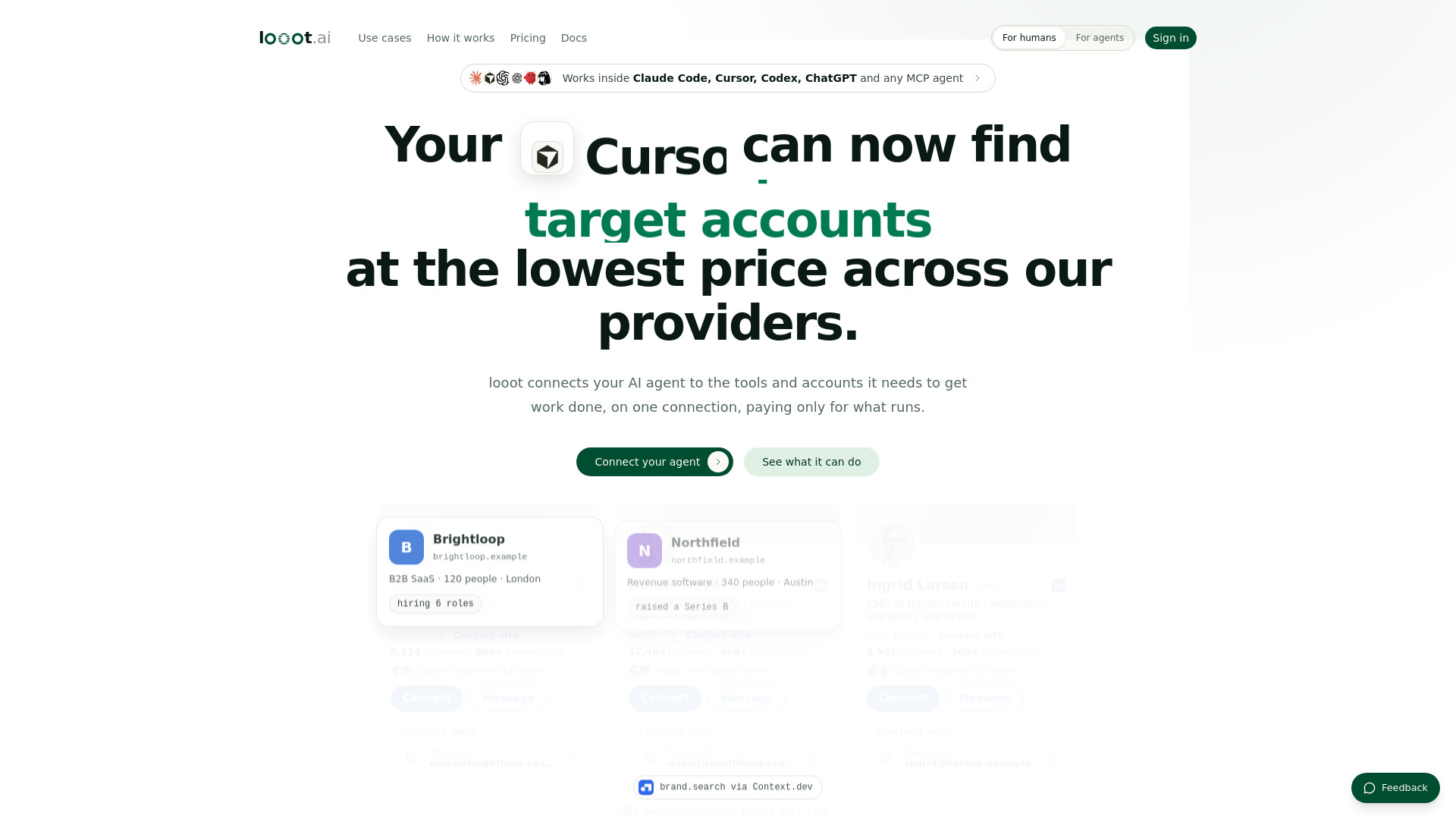
looot is a platform that provides one key and one prepaid balance for accessing 2,600+ data APIs from 90+ providers. It connects AI agents to tools and accounts needed to get work done, allowing them to call APIs over MCP (Model Context Protocol) or CLI. The platform covers a wide range of data services including SEO, enrichment, social media, and more. Your agent sees the price before every call and pays only for what runs.
How to use looot
- Connect your agent: Use the command
set up looot - https://looot.ai/skill.md to integrate looot with your AI agent. Supported agents include Claude Code, Cursor, Claude Desktop, Codex, Gemini CLI, Windsurf, Cline, OpenClaw, Hermes Agent, ChatGPT, and any other MCP-compatible agent or the CLI directly.
- Add funds: Add funds to your workspace balance from the dashboard. There is no recurring charge and no auto top-up unless you enable one.
- Run calls: Your agent can then call any of the 2,600+ data APIs. The price for each call is shown before execution, and you pay only for successful runs.
Features of looot
- One key and one balance: Access 2,600+ data APIs from 90+ providers with a single key and prepaid balance.
- Price transparency: Your agent sees the price before every call.
- Pay per call: No subscription, no monthly plan, no seat fee. You pay only for the calls you actually run.
- Bring your own key: Connect your own credentials from the catalog's "Bring your own key" option and run operations at the provider's own cost, with no looot markup.
- Failed call handling: A run reserves funds before it starts, never charges up front. A completed run settles the reservation; a failed one releases or refunds it. If the outcome is unclear, the run holds in a reconciliation-pending state instead of guessing, and it's never silently retried.
- Wide agent compatibility: Works with Claude Code, Cursor, Claude Desktop, Codex, Gemini CLI, Windsurf, Cline, OpenClaw, Hermes Agent, ChatGPT, and any other MCP-compatible agent or the CLI directly.
- 16 tools: The same 16 tools are available regardless of which agent you connect.
Use Cases of looot
- Finding LinkedIn profiles: Your AI can find LinkedIn profiles at the lowest price across providers.
- Target account discovery: Identify target accounts and companies.
- Work email finding: Find and verify work emails.
- SEO rankings: Track SEO rankings and keyword positions.
- TikTok trends: Discover TikTok trends and download videos.
- Lead generation: Build verified leads without seats.
- AI visibility dashboards: Monitor how often AI answers mention your brand.
- Creator CRM: Find fitness creators with specific follower ranges.
- Changelog videos: Create launch videos from changelogs.
- Ad swipe files: Collect the best ads.
- Local leads: Find local leads with phone numbers.
Pricing
- No subscription: There is no monthly plan and no seat fee.
- Prepaid balance: Add funds to your workspace balance, then pay only for the calls you actually run. An unused balance stays yours.
- Pay per call: Each call has a price shown before execution. You pay only for what runs.
- No minimum or contract: No contract and no monthly fee. You top up before your first run (the minimum shows at checkout), then pay per call.
- Bring your own key: Operations run at the provider's own cost with no looot markup. Platform-key operations carry a disclosed, versioned fee on top.
- No trial credit: Runs need a funded balance; there is no trial credit.
FAQ
Do I need a subscription?
No. There's no monthly plan and no seat fee. Add funds to your workspace balance, then pay only for the calls you actually run -- an unused balance stays yours.
What happens when a call fails?
A run reserves funds before it starts, never charges up front. A completed run settles the reservation; a failed one releases or refunds it. If the outcome is genuinely unclear, the run holds in a reconciliation-pending state instead of guessing, and it's never silently retried.
Can I use my own provider key?
Yes. Connect your own credentials from the catalog's "Bring your own key" option and that operation runs at the provider's own cost, with no looot markup. Platform-key operations carry a disclosed, versioned fee on top instead.
Which agents work with looot?
Claude Code, Cursor, Claude Desktop, Codex, Gemini CLI, Windsurf, Cline, OpenClaw, Hermes Agent, ChatGPT, and any other MCP-compatible agent or the CLI directly -- the same 16 tools regardless of which one you connect.
How do I add credit?
Add funds to your workspace balance from the dashboard whenever you like. There's no recurring charge and no auto top-up unless you turn one on -- what you add is what you have. Runs need a funded balance; there is no trial credit.
Is there a minimum or a contract?
No contract and no monthly fee. You top up before your first run (the minimum shows at checkout), then pay per call. A workspace can run a single call and stop, or scale up, on the same terms either way.