What is MagicVio
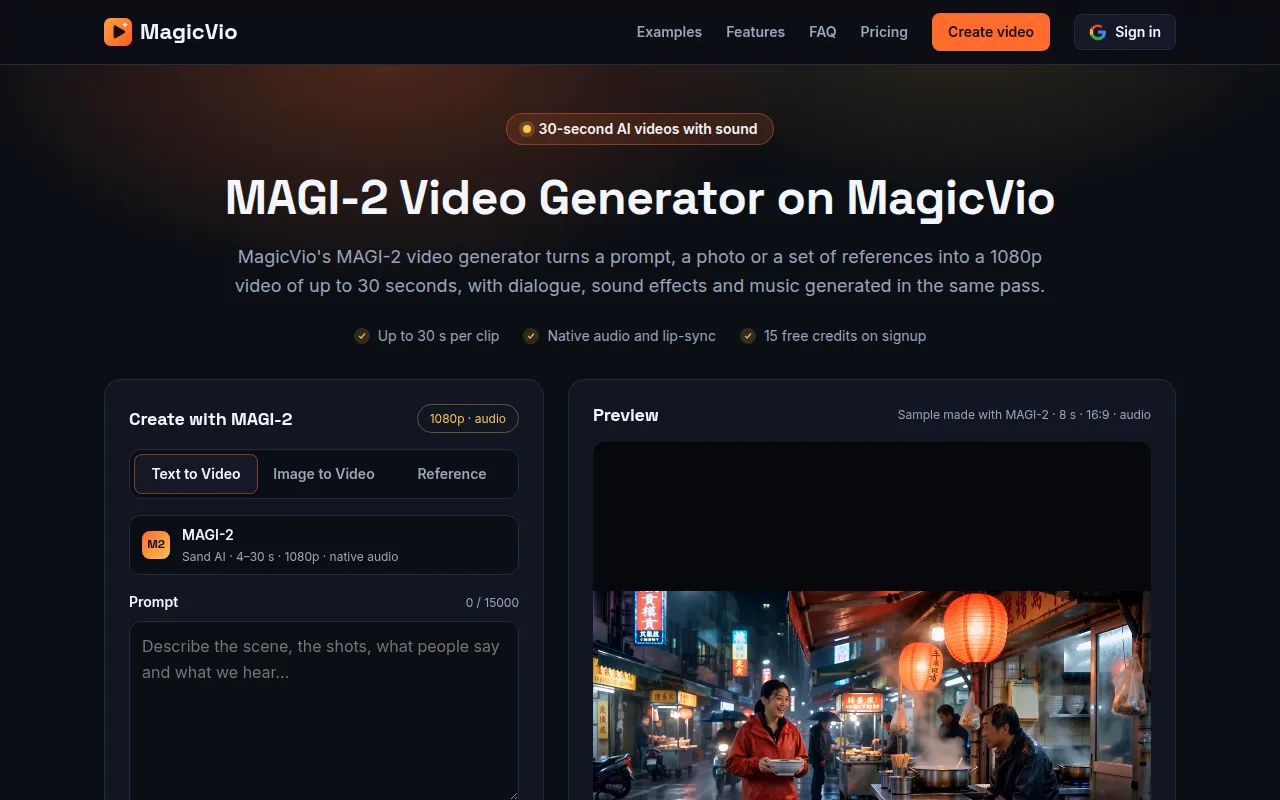
MagicVio is a platform that offers the MAGI-2 AI video generator. It allows users to transform text prompts, photos, or reference images into 1080p videos up to 30 seconds in length, complete with generated dialogue, effects, and music.
How to use MagicVio
- Choose a mode: Select from Text to Video, Image to Video (using a first and optionally a last frame), or Reference to Video (using up to 10 reference images).
- Describe shots and sound: Write a detailed prompt describing the scene, shots in order, and any dialogue (in quotes) or sound effects. For reference mode, tag uploaded images as @Image1, @Image2, etc.
- Set parameters and generate: Choose the video duration (4 to 30 seconds), aspect ratio, and whether to generate audio. Press "Generate video" to create the clip. The cost in credits is displayed before generation.
Features of MagicVio
- Video Generation: Creates 1080p videos up to 30 seconds long from text, photos, or reference images.
- Native Audio: Generates lip-synced dialogue, sound effects, ambience, and music within the same pass.
- Multiple Modes: Supports Text to Video, Image to Video (with first and optional last frame), and Reference to Video.
- Reference Images: Allows up to 10 reference images per video to maintain character or product consistency.
- Aspect Ratios: Supports 16:9, 9:16, 1:1, 4:3, 3:4, and 21:9 (image-to-video mode adopts the aspect ratio of the first frame).
- Prompt Length: Accepts prompts up to 15,000 characters.
- Free Credits: New accounts receive 15 free credits upon signup.
- No Watermark: Free and paid videos are generated without watermarks.
- Commercial Use: Videos can be used commercially.
- Cross-Platform: Accessible via web browser on desktops and mobile phones.
Use Cases of MagicVio
- Product Ads: Create vertical ads from product shots with camera movements, voiceovers, and music.
- Creator and Social Clips: Generate talking-head hooks, recipe teasers, and social media content while maintaining character consistency.
- Short Films and Previsualization: Block out scenes with multiple shots, dialogue, and scores to test ideas before full production.
Pricing
- Videos cost 3 credits per second.
- New accounts receive 15 free credits upon signup, sufficient for a 5-second clip with sound.
- Credits can be purchased through monthly plans or credit packs.
- Detailed pricing information is available on the pricing page.
FAQ
- What is MAGI-2? MAGI-2 is a video generation model from Sand AI that creates 4 to 30-second 1080p clips with synchronized audio from text, images, or references.
- How long can a MAGI-2 video be? Each generation can be from 4 to 30 seconds. Longer clips benefit from prompts describing multiple shots in sequence.
- Does MAGI-2 generate sound? Yes, it creates lip-synced dialogue, sound effects, ambience, and music. Audio can be turned off for silent clips.
- Which aspect ratios does MAGI-2 support? Text and reference modes support 16:9, 9:16, 1:1, 4:3, 3:4, and 21:9. Image-to-video mode uses the aspect ratio of the first frame.
- How many references can I use? Up to 10 reference images (JPG, PNG, WEBP) can be used per video on MagicVio.
- Are the example videos real MAGI-2 outputs? Yes, all examples are real MAGI-2 outputs, shown with their exact prompts.
- Is MAGI-2 open source? The full MAGI-2 model is not yet open source; an earlier preview version is available.
- What happens to uploaded photos? Uploaded images are used only for the current video generation and are deleted automatically within 24 hours.
- Is there a free version of MAGI-2? Yes, new accounts get 15 free credits. These credits do not expire and can be used for 1080p videos with no watermark and commercial use rights.
- How much does a MAGI-2 video cost? It costs 3 credits per second of video.
- Where can I use MAGI-2 online? It can be used in the browser on MagicVio, on Sand AI's platform, or through hosted API providers.
- Do I need to install anything to run MAGI-2? No, generation happens on servers; no software installation is required.
- Can I use MAGI-2 on my phone? Yes, the generator runs in the browser and is mobile-friendly.
- Is there a daily limit on the free version? There is no daily limit; generation consumes credits based on video length.