LogoTopAIHubs
icon of MeetAssist

MeetAssist

Real-time AI interview assistant with phone sync for discrete suggestions and coding help.

Introduction

What is MeetAssist

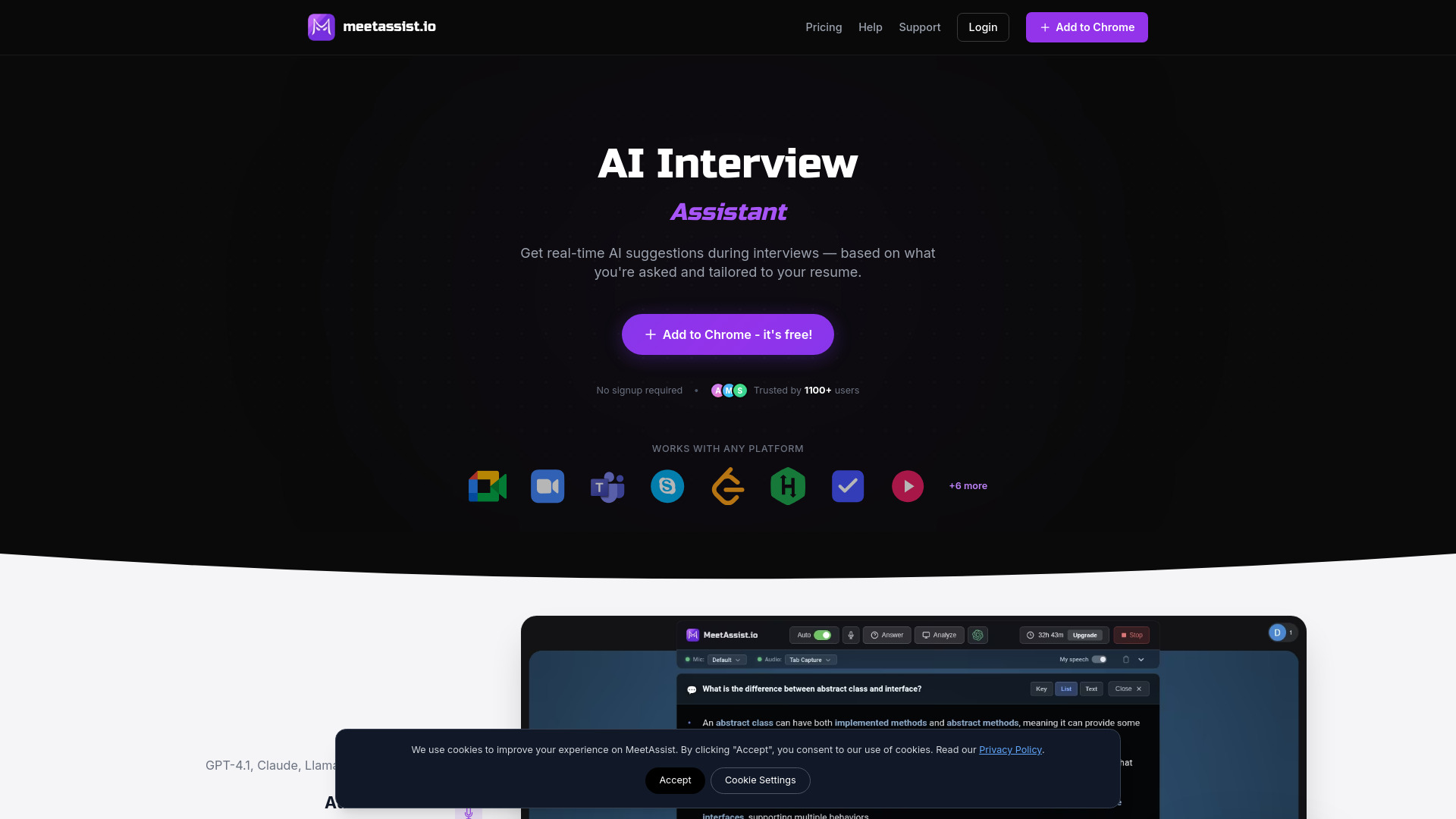
MeetAssist is a real-time AI interview assistant designed to help users during video interviews. It provides discrete suggestions and coding assistance directly within the interview environment.

How to use MeetAssist
  1. Install the Extension: Add MeetAssist to Chrome from the Web Store. This is a one-click process and requires no account.
  2. Join Any Web Meeting: Open your preferred video meeting platform (Google Meet, Zoom, Microsoft Teams, etc.) in Chrome.
  3. Click Start: Open the MeetAssist extension and click 'Start'. The AI will listen to questions and provide real-time suggestions.
Features of MeetAssist
  • AI Suggestions: Provides real-time suggestions for behavioral and technical interview questions.
  • Phone Mode: Syncs transcripts and AI suggestions to your phone for a clean meeting screen.
  • Live Transcript Sync: Real-time transcripts and AI suggestions stream directly to your phone.
  • Analyze Any Tab: Capture and analyze content from any active Chrome tab, including coding challenges on platforms like LeetCode and HackerRank.
  • Custom Prompts: Tailor AI suggestions using custom instructions and by uploading your resume for personalized responses.
  • Multiple AI Models: Choose from various AI models including GPT-4.1, Claude, Llama, and Cerebras.
  • Auto Detection: Detects questions in real time.
  • Suggestion Formats: Offers keywords, details with explanations, or full sentences for suggestions.
  • Multi-language Support: Supports 41 languages for transcription and AI responses.
  • Privacy Focused: Audio is streamed for real-time transcription only and never stored. Connections are encrypted, and data can be deleted anytime.
Use Cases of MeetAssist
  • Receiving real-time AI suggestions during behavioral and technical interview rounds.
  • Getting step-by-step suggestions and explanations for coding challenges.
  • Analyzing coding problems from platforms like LeetCode and HackerRank directly on your phone.
  • Keeping the meeting screen clean by viewing transcripts and suggestions on a phone via Phone Mode.
  • Tailoring AI responses to match personal style or resume background using custom prompts.
Pricing
  • Free Trial: Offers 20 minutes of real interview assistance, AI bot practice interviews, screen analysis for coding challenges, full functionality, and no subscription. No card is required.
  • Pro Pass: A one-time payment of $9 for 180 minutes of real interview assistance, AI bot practice interviews, screen analysis for coding challenges, all premium features, and no subscription.
  • Unlimited Month: A one-time payment of $29 for unlimited minutes for 30 days, screen analysis for coding challenges, all premium features, and no auto-renewal. This plan is ideal for active job searching.
FAQ
  • Can the interviewer tell I'm using MeetAssist? No, MeetAssist runs in the browser and does not join the meeting or notify anyone.
  • Can I turn it off during the interview? Yes, you can toggle MeetAssist on or off by pressing the "H" key.
  • Does it answer all questions for me? It detects technical and behavioral questions and provides hints or suggestions when appropriate.
  • What video platforms are supported? Google Meet and Microsoft Teams are supported. Zoom support is planned.
  • Does MeetAssist work in other languages? Yes, you can switch the transcription and AI response language. AI answers will respond in the selected language.
  • Do you record audio or video? No, audio/video is not recorded or stored. MeetAssist captures real-time captions from Google Meet.

Newsletter

Join the Community

Subscribe to our newsletter for the latest news and updates