What is Mejorar Calidad de Imagen
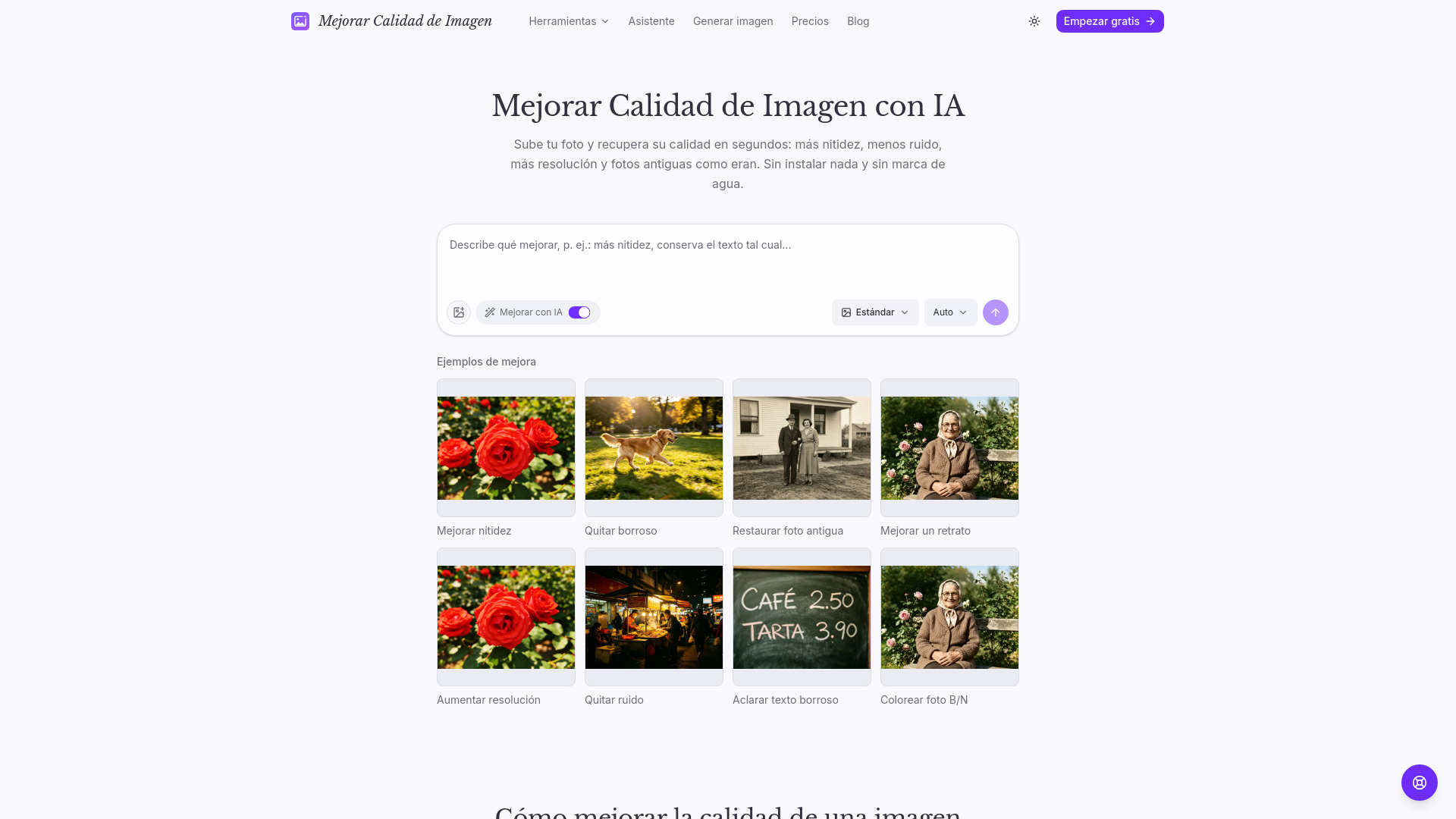
Mejorar Calidad de Imagen is an online AI-powered photo enhancement tool that allows users to improve the quality of their images. It offers seven specialized tools to address different image issues, including sharpening blurry photos, restoring old or damaged photos, increasing resolution, removing noise, clarifying blurry text, and colorizing black-and-white photos. The service is available in Spanish and provides results in seconds without watermarks.
How to use Mejorar Calidad de Imagen
- Upload your image: Add a photo, scan, or screenshot in JPG, PNG, or WebP format (up to 10MB).
- Indicate what to improve: Write a direct instruction, such as "improve sharpness and keep the text as is." Mention what should not change.
- Generate, compare, and download: Process the image, compare it with the original, and download the result. If needed, adjust the instruction and try again.
Features of Mejorar Calidad de Imagen
- Seven specialized tools: Each tool is tailored for a specific problem (e.g., sharpening, deblurring, restoration, resolution increase, noise removal, text clarification, colorization).
- Preserves original content: The enhancement aims to recover the image without altering composition, framing, or people.
- Fast results: Images are processed in seconds.
- No watermark: Downloads are free of watermarks.
- Free credits: Users receive free credits upon registration to try the service.
- Privacy: Uploaded photos and results are private to the user's account and are not used for training models.
- Commercial license: The service includes a commercial use license.
Use Cases of Mejorar Calidad de Imagen
- Improving sharpness: Enhance the focus of blurry or motion-blurred photos.
- Restoring old photos: Repair scratches, stains, and fading in scanned or printed photos.
- Increasing resolution: Upscale images for printing or publishing while maintaining detail clarity.
- Removing noise: Clean up grain in low-light photos without a plastic effect.
- Clarifying blurry text: Make text in documents, posters, or screenshots more legible.
- Colorizing black-and-white photos: Add realistic period-appropriate colors to historical or family photos.
FAQ
How can I improve the quality of an image online? Upload your photo, indicate what you want to improve (sharpness, resolution, restoration), and process the image. In seconds you get a higher-quality version that you can compare with the original and download.
How is it different from other AI enhancers? Most enhancers apply a single generic process to any photo. Here you choose the tool according to the real problem—blur, physical damage, noise, resolution, color—and each has instructions tuned for that task, aimed at preserving the original content.
Is it free to improve an image? Yes. Upon registration you receive free credits, and before each enhancement you see how many credits it costs. You can use them to try the result without paying anything.
Will the enhanced image look like the original? That is the goal: the enhancement starts from your photo and recovers sharpness, color, and detail without recomposing the scene. However, all generative AI reconstructs pixels and may introduce small changes, so always compare the result with your original before using it.
What types of photos can I improve? Blurry or motion-blurred photos, low-resolution images, old scanned photos with damage, captures with illegible text, dark or noisy photos, and black-and-white photos you want to colorize.
What formats are accepted and what happens to my photos? You can upload JPG, PNG, or WebP up to 10MB. Your photos and results are private to your account: they are used only to process the enhancement and are not used to train models.