

gen.new
AI Music Generator
An AI workspace for chat, image, video, audio, and 3D creation.
Check pricingVisit site
AI Video Generator
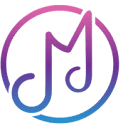
Melodious AI turns a finished song into a music video. An AI director listens to your track, plans every shot with you in a chat, and shows you the storyboard and its price before anything is made. You get a video synced to your song, with lip sync on the sung lines and the same singer in every scene.
Explore other tools in related categories.
AI Music Generator
An AI workspace for chat, image, video, audio, and 3D creation.

AI Music Generator
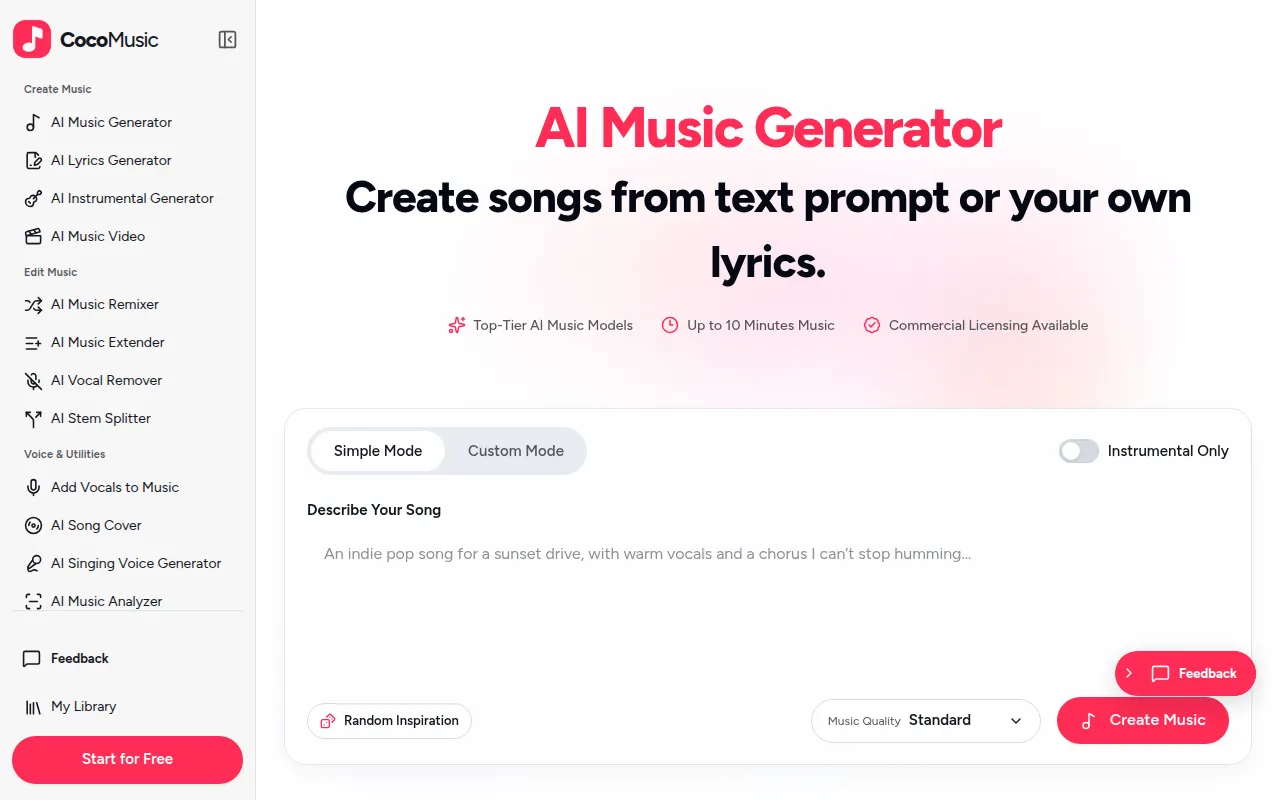
Turn prompts, lyrics, or images into vocal songs and instrumentals, then remix, extend, or prepare tracks for videos.

AI Music Generator
Generate videos, images, and music from prompts or references in one workspace using shared credits and a centralized asset library.
Melodious AI is an AI music video generator for musicians. It turns a finished song into a music video by having an AI director listen to your track, plan every shot with you in a chat, and show you the storyboard and its price before anything is made. The result is a video synced to your song, with lip sync on the sung lines and the same singer in every scene.
Melodious AI offers monthly subscription plans:
Annual plans save 20% (billed yearly, credits added monthly). Bigger plans up to $1,497/month are available. A 3-day trial is offered for new accounts on any plan: nothing to pay today and 1,000 credits to try it. Lip sync starts when your plan does. Your plan's first charge comes after 3 days unless you cancel.
What is Melodious?
Melodious is an AI music video maker for musicians. You upload a song, an AI director plans the video shot by shot, and Melodious makes the music video, synced to your song.
How does Melodious work?
Upload your song and talk the idea through with the AI director in a chat. It suggests ideas, you pick one, and it plans the video as a storyboard. You approve the storyboard, then Melodious makes the video. You can ask for changes in plain words along the way.
Do I approve the storyboard before the video is made?
Yes, by default. The director shows you the storyboard before the video is made, and you can ask for a change to any shot first. By default each paid step shows its exact price on a card and waits for your tap before it starts.
What song can I use?
Any song you own or have the rights to. Upload an MP3, WAV, M4A, AAC, OGG or FLAC file, up to 50 MB. A video can cover up to five minutes of it.
Does Melodious do lip sync?
Yes. If your song has a singer, you can keep lip sync on or turn it off when you read the plan. It applies to the shots where the singer sings to camera, and the video's price card includes it if you kept it on.
Is it actually good enough to post?
Everything on the page is unedited output: the videos behind the headline and every storyboard frame. The real test is your own song.
What if I don't like the result?
AI results vary with your song and what you ask for, so we can't promise how a video will turn out. You see the storyboard before the video is made, and you can ask the director to change any shot in plain words. Each change shows its price on a card first, and a step that fails on our side returns its credits.
Can I get a refund?
Credits you have spent are never refunded. If you haven't used any of the credits from a payment, ask within 7 days of paying and we refund that payment in full. If a render fails on our side, the credits come back to your account automatically. You can cancel anytime. To ask, email hello@melodious.ai from the address on your account.
Is there a free trial?
There's a 3-day trial for new accounts on Starter, Artist or Label: nothing to pay today and 1,000 credits to try it. Lip sync starts when your plan does. Your plan's first charge comes after 3 days unless you cancel. Every plan is paid, because generating video costs real money for every second, and you see the price before you pay.
Do I own the video?
Yes. Full commercial rights, no watermark, no attribution. Post it, pitch it, run ads with it.
Will the same person appear in every shot?
Upload a reference photo and yes: your character is locked to it across every shot. Without one, likeness can drift between shots, so the studio asks for a photo where it matters.
How long does it take?
The ideas and the plan take a little while, the storyboard a few minutes and the video several minutes. You can leave the page while the video is made; it is waiting in your project when you come back.
Can I cancel anytime?
Yes, from your billing page. You keep every video you make, and your plan runs to the end of the billing month.
Landscape or vertical?
Both. Your video is made in 16:9 for YouTube. When it is finished, one button makes the 9:16 file for TikTok, Reels and Shorts, and you download either.
How is this different from other AI video tools?
Two things: by default the storyboard and the video each show their exact price on a card before anything is spent on them; and the timing comes from your song's own vocal, not a model's guess.