What is MelodySeek
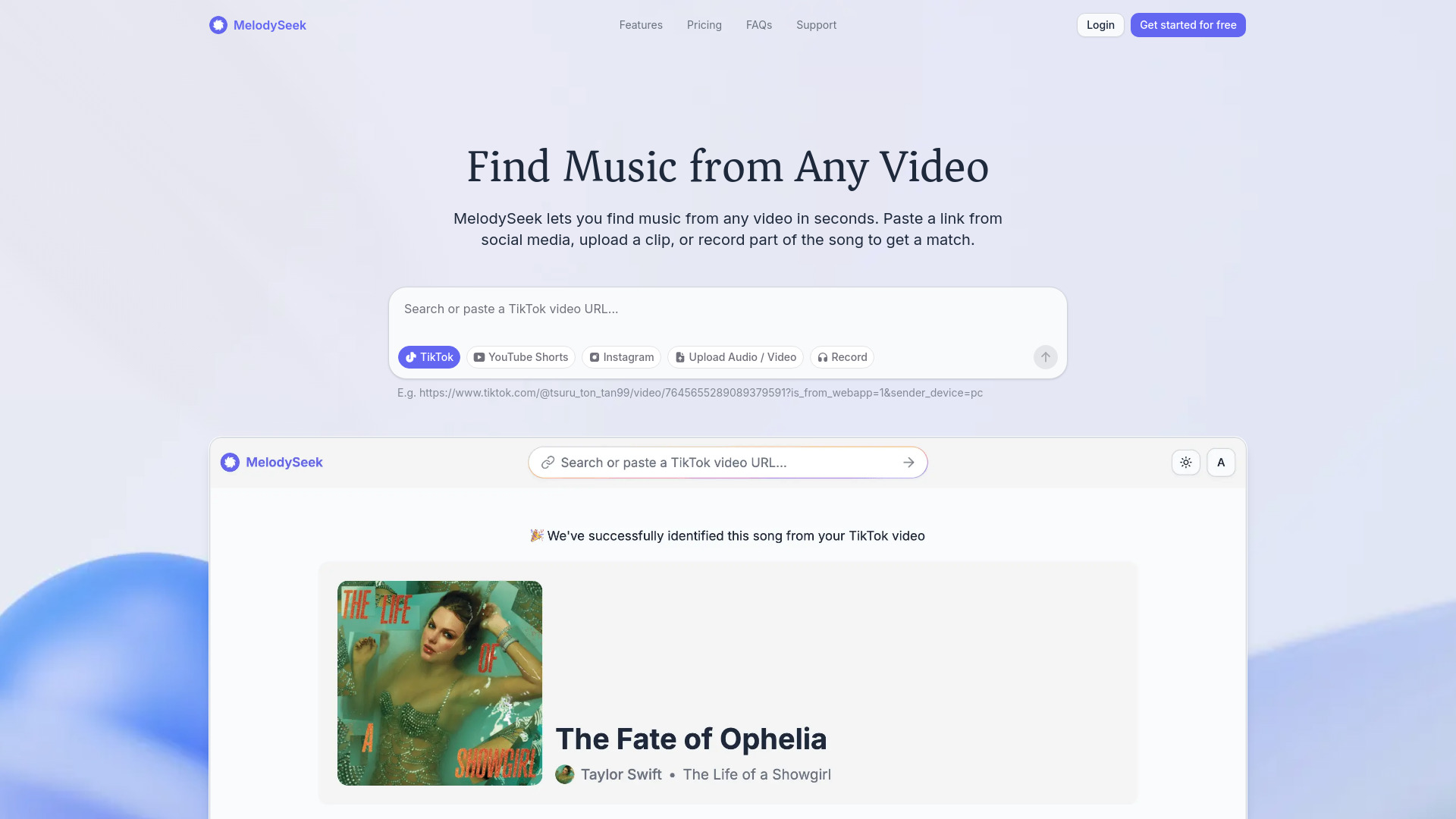
MelodySeek is a web-based tool that identifies songs from any video or audio source. It works with social media links (TikTok, Instagram Reels, YouTube Shorts, Facebook Reels), file uploads (MP3, OGG, WAV, MP4, MKV, AVI), or live recordings. Recognition typically takes under 10 seconds, and once a song is found, you can open it on YouTube, Spotify, or Apple Music.
How to use MelodySeek
- Paste a link – Copy a URL from TikTok, Instagram, YouTube Shorts, or Facebook Reels and paste it into the input box.
- Or upload a file – Drag and drop an audio or video file (MP3, OGG, WAV, MP4, MKV, AVI) or click to select one.
- Or record – Use the built-in recorder to capture a short clip of the song (requires microphone access).
- Click Identify – MelodySeek analyzes the audio and returns the song name in seconds.
- Listen – Open the identified song directly on YouTube, Spotify, or Apple Music.
Features of MelodySeek
- Works with any social video link – Supports TikTok, Instagram Reels, YouTube Shorts, Facebook Reels, and more.
- Upload your own recordings – Upload audio or video files from your phone or desktop.
- Record a song – Use the microphone to record a snippet for identification.
- Accurate and fast – Recognition usually takes less than 10 seconds, even on short clips or low-quality recordings.
- Get streaming links – After identification, open the song on YouTube, Spotify, or Apple Music.
- No ads before recognition – No need to watch ads or click through extra pages.
- Save history – All identified songs are saved to your account (private and visible only to you).
- Share results – Copy a link to share the identified song with others.
- Trim tool – Paid plans include a built-in trim tool to select a specific part of a video for identification.
Use Cases of MelodySeek
- Heard a song you can't name? – Identify background music from any video.
- Use the song everyone's obsessed with – Find viral songs for your own content.
- Find the right track for your edit – Save music references for video editing projects.
Pricing
MelodySeek offers a free tier and three paid monthly plans:
| Plan | Price | Credits per month |
|---|---|---|
| Free | $0 | 5 credits |
| Essential | $6.99 | 300 credits |
| Growth | $9.99 | 1000 credits |
| Pro | $14.99 | 3000 credits |
All paid plans include identification from social media videos, file uploads, recording, save history, and priority support. Annual billing offers 50% off.
FAQ
How can I recognize a song? Paste a link from TikTok, Instagram, YouTube Shorts, or other supported platforms. You can also upload a video or audio file, or record the song directly.
Do I need to install an app? No. MelodySeek works entirely in your browser.
Which platforms are supported? Currently TikTok, Instagram Reels, YouTube Shorts, and Facebook Reels.
How long does recognition take? Most songs are identified in under 10 seconds.
How accurate is it? MelodySeek uses AI-based audio recognition. If you get a wrong result, you can submit a support ticket.
Can I trim a video before identifying? Yes, the built-in trim tool is available on paid plans.
How does record to recognize work? Open the record feature, allow microphone access, and record the song. Works on phones, tablets, and desktops.
Can I view my recognition history? Yes, all identified songs are saved to your account on the History page. You can delete entries anytime.
Can I share my song result? Yes, a shareable link is provided after identification.
How do credits work? Each recognition uses one credit. Some additional features may require more than one credit per use.