LogoTopAIHubs
icon of Meoo (秒悟)

Meoo (秒悟)

AI platform converting files and ideas into interactive web applications and visualizations.

Introduction

What is Meoo (秒悟)

Meoo (秒悟) is an AI platform designed to transform files and ideas into interactive web applications and visualizations. It aims to bridge the gap between raw data or concepts and functional, engaging online experiences.

How to use Meoo (秒悟)

Meoo offers a variety of pre-defined use cases that users can leverage:
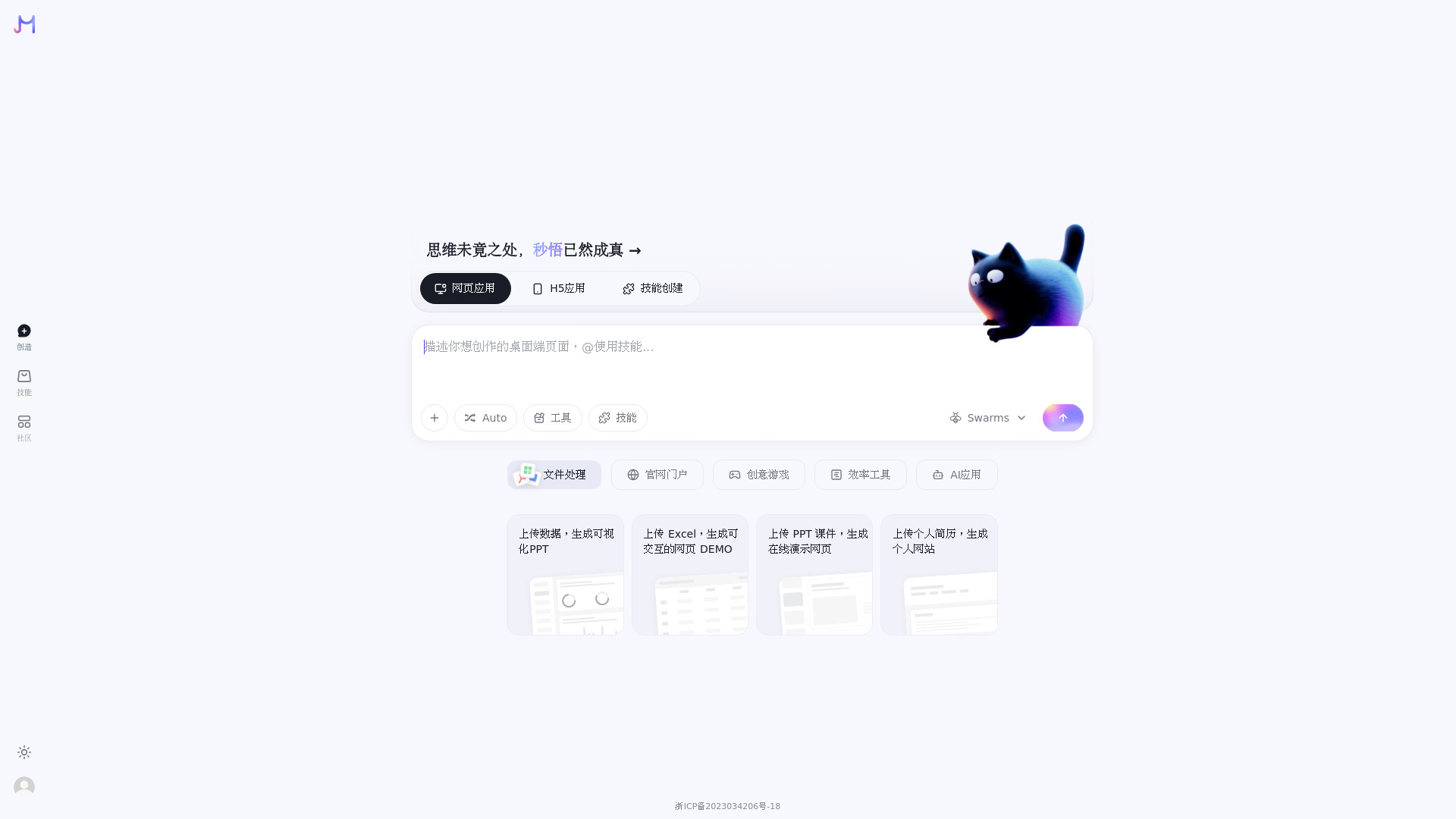
  1. File Conversion & Visualization: Upload files like charts (CSV/Excel), presentations (PPT), or resumes (PDF) to generate interactive web pages, online presentations, or personal websites.
  2. SaaS Product Landing Pages: Create minimalist, conversion-focused landing pages for SaaS products, or design visually striking personal portfolios and restaurant brand websites.
  3. Interactive Applications & Games: Build web-based applications such as an AI piano hall with accompaniment, a real-time lottery interactive live room, or a collaborative pixel canvas.
  4. Productivity Tools: Develop personal task management boards, time-tracking dashboards, or AI-powered presentation generators.
  5. AI-Powered Content Creation: Generate custom wallpapers based on text descriptions, create children's story illustrations from simple prompts, or build AI dialogue assistants.
Features of Meoo (秒悟)
  • File to Web App Conversion: Transforms various file types (charts, PPTs, resumes) into interactive web applications.
  • Template-Driven Creation: Offers a wide range of templates for different types of web applications, from SaaS landing pages to games and AI tools.
  • AI Integration: Leverages AI for tasks like image generation, text-based content creation, and data visualization.
  • Interactive Elements: Focuses on creating engaging user experiences with features like animations, interactive charts, and real-time collaboration.
  • Customizable Prompts: Allows users to define specific prompts and requirements for the generated applications.
  • Responsive Design: Many templates are designed with mobile-first or responsive layouts.
  • Theme Support: Supports system, light, and dark themes for a personalized user experience.
Use Cases of Meoo (秒悟)
  • Data Visualization: Generate interactive charts and data-driven PPTs from uploaded data files.
  • Personal Branding: Create a personal website or online portfolio from a resume.
  • Product Demos: Quickly build interactive web demos from Excel files.
  • Marketing Websites: Design landing pages for SaaS products, restaurants, or personal brands.
  • Creative Projects: Develop unique web experiences like AI piano applications, collaborative drawing tools, or interactive story H5s.
  • Content Generation: Produce custom wallpapers and children's story illustrations using AI.
  • Productivity Enhancement: Build personal task management boards and time-tracking tools.
FAQ
  • What is Meoo's primary function? Meoo converts files and ideas into interactive web applications and visualizations.
  • What kind of files can Meoo process? Meoo can process charts (CSV/Excel), presentations (PPT), and resumes (PDF) to generate web applications.
  • Does Meoo support AI-powered features? Yes, Meoo integrates AI for tasks like image generation, content creation, and data analysis.
  • Are the generated applications mobile-friendly? Many of the templates and use cases are designed with mobile responsiveness or are specifically for mobile H5 experiences.

Newsletter

Join the Community

Subscribe to our newsletter for the latest news and updates