What is Muse Image
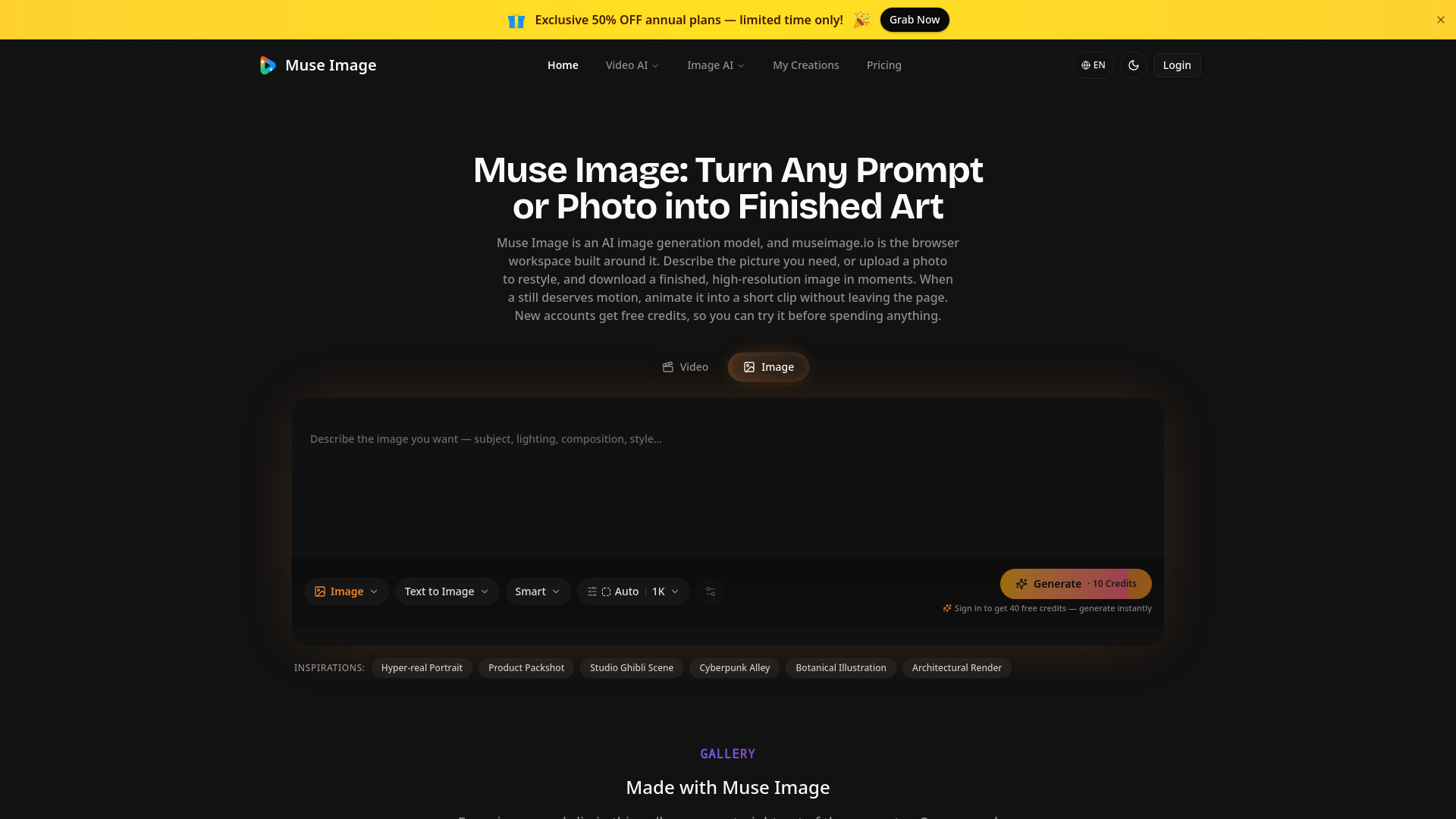
Muse Image is an AI image generation model that turns text prompts or uploaded photos into finished, high-resolution pictures. The browser workspace at museimage.io lets you describe an image, upload a photo to restyle, or animate a still into a short video clip. New accounts receive free credits to try the service before purchasing.
How to use Muse Image
- Sign in with Google or email to receive free credits.
- Choose a mode: Text to Image (describe your desired image) or Image to Image (upload a photo to restyle).
- Enter a prompt describing subject, lighting, composition, and style (up to 20,000 characters).
- Adjust settings such as aspect ratio (e.g., 1:1) and resolution (e.g., 1K).
- Click Generate – the credit cost is shown before you confirm.
- Download the high-resolution image or animate it into a 4–15 second clip at up to 1080p.
Features of Muse Image
- Text to Image: Generate images from detailed descriptions.
- Image to Image: Upload a photo and change background, lighting, or style.
- Image to Video: Animate stills into short clips without leaving the workspace.
- Pay per render: Each generation shows its credit price upfront; no monthly subscription required.
- Free credits: New accounts get free credits to start.
- Commercial use: Renders on paid plans can be used in client work, ads, and monetized channels.
- No installation: Runs entirely in the browser; no API keys or developer setup needed.
- Multi-language support: Interface available in Arabic, German, English, Spanish, Chinese, French, Italian, Japanese, Korean, Dutch, Portuguese, and Turkish.
Use Cases of Muse Image
- Product shots: Upload a plain product photo and generate lifestyle scenes, seasonal variants, or different backgrounds.
- Thumbnails and channel art: Generate bold, on-brand thumbnails from a one-line prompt.
- Social graphics: Create quote cards, carousel slides, story backdrops, and header art in various sizes.
- Illustrations for posts and courses: Produce blog headers, slide art, concept diagrams, and course visuals.
- Concept art and mood boards: Render style studies for pitches, games, or interiors.
- Consistent character series: Write a style brief once and reuse it across prompts for episodic content or multi-part campaigns.
- Ad creative testing: Generate multiple ad variations quickly for A/B testing.
- Real estate visuals: Render furnished versions of empty rooms or twilight exteriors for listings.
Pricing
- Credit-based system: Each render costs a set number of credits (image renders start at 10 credits).
- No monthly minimum: Buy a credit pack when needed and spend at your own pace.
- Free credits: New accounts receive free credits at signup.
- Paid plans: Commercial use rights are included on paid plans.
FAQ
Q: Do I need to install anything?
A: No. Muse Image runs entirely in the browser. Sign in with Google or email and start generating.
Q: Can I use the images commercially?
A: Yes, renders created on a paid plan can be used in client work, ads, listings, and monetized channels without attribution.
Q: How much does it cost?
A: Each generation shows its credit price before you click. Image renders start at 10 credits. There is no monthly subscription – buy a pack when you need it.
Q: Can I animate a still image?
A: Yes. After generating an image, you can animate it into a 4–15 second clip at up to 1080p.
Q: What formats and sizes are supported?
A: The generator supports various aspect ratios (e.g., 1:1) and resolutions (e.g., 1K). Output is high-resolution.