What is Muse Video - 3
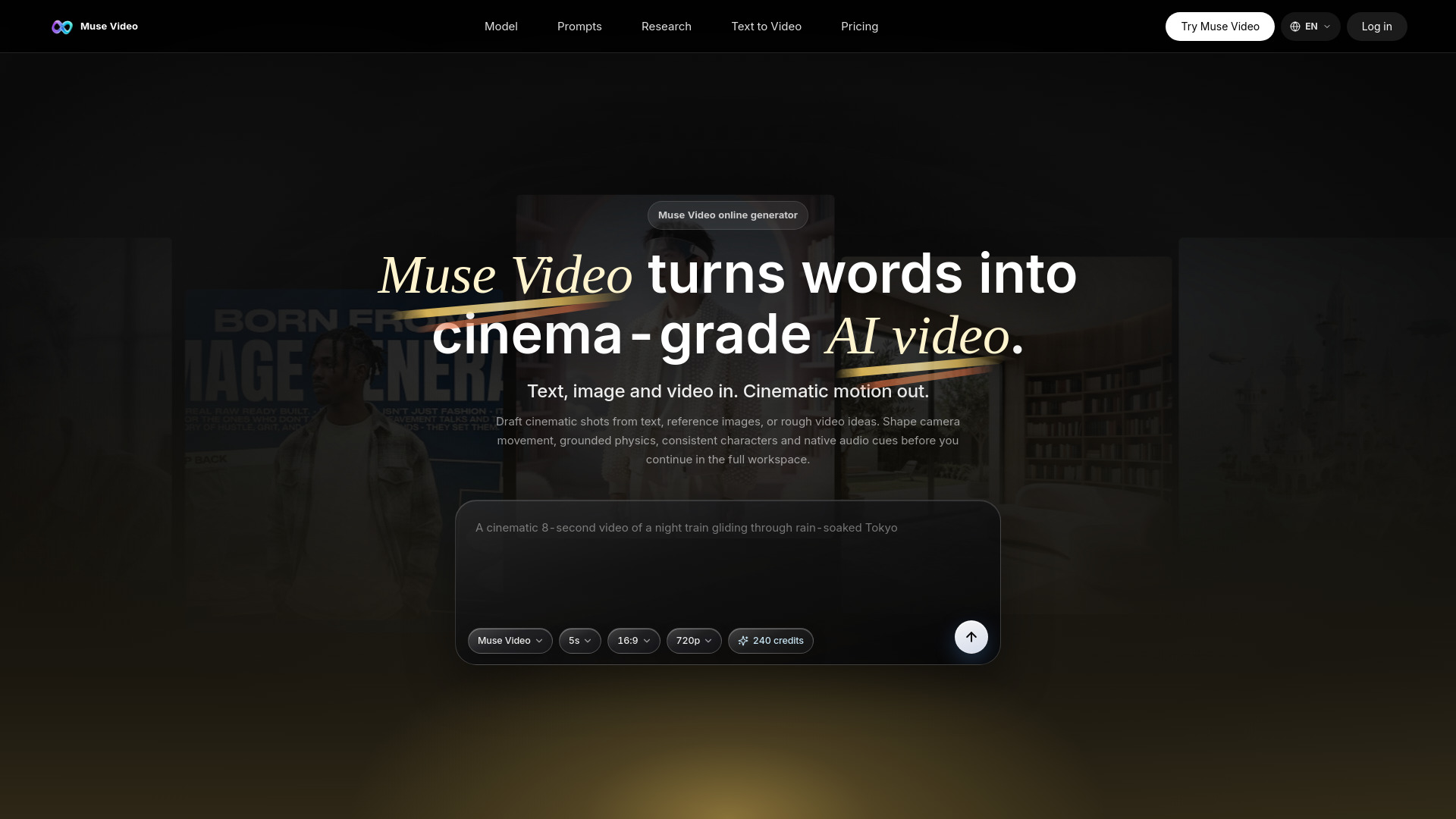
Muse Video is Meta's early-preview AI video generation model from Meta Superintelligence Labs. It transforms text prompts, reference images, and rough video ideas into high-fidelity cinematic clips with native audio support. The online generator at mues.video provides a focused experience for users to draft short videos directly in the browser without requiring a GPU.
How to use Muse Video - 3
- Open the Muse Video generator in your browser.
- Write a scene prompt describing the subject, setting, motion, camera angle, lighting, pacing, style, and audio direction.
- Optionally upload a reference image to guide subjects, style, and composition.
- Choose video settings: model (e.g., Muse Video), duration (e.g., 5s), aspect ratio (e.g., 16:9, 9:16, 1:1), and resolution (e.g., 720p).
- Click the generate button to create a short AI video draft.
- Review the output and refine your prompt or settings as needed.
Features of Muse Video - 3
- Text, image, and video inputs: Generate clips from text prompts, reference images, or rough video ideas.
- Cinematic style generation: Produces high-fidelity, cinematic-quality video drafts.
- Native audio support: Synchronized audio cues can be directed via prompts.
- Temporal consistency: Maintains frame-to-frame consistency across short generations.
- Directable camera work: Control camera movement, angles, and motion.
- Grounded physics: Realistic motion and physics in generated scenes.
- Consistent characters: Maintains character appearance across frames.
- Online workspace: No local setup or GPU required; runs entirely in the browser.
- Multiple aspect ratios: Supports 16:9, 9:16, 1:1, and more.
- Prompt examples: Pre-built cinematic prompts for product clips, storyboards, social videos, and character shots.
Use Cases of Muse Video - 3
- Cinematic storytelling: Create moody camera moves for film-style narratives, e.g., a night train gliding through rain-soaked Tokyo streets.
- Product motion ads: Generate smooth commercial motion for brand assets, e.g., a premium skincare bottle rotating with light trails.
- Character close-ups: Produce human emotion and subtle camera drift, e.g., an astronaut removing a helmet in a glowing lab.
- Social motion loops: Create compact animations for feeds and launch teasers, e.g., paper cutout planets unfolding into a solar system.
- Storyboarding: Draft visual concepts for ads, films, or projects.
- Social media content: Generate short video clips for posts and campaigns.
Pricing
The webpage mentions a credit system: the generator displays "240 credits" available. Specific pricing plans or tiers are not detailed on the page, but a pricing page is linked in the navigation.
FAQ
What is Muse Video? Muse Video is Meta's early-preview AI video generation model from Meta Superintelligence Labs. It focuses on visual fidelity, prompt adherence, temporal consistency, and native audio support.
Is Muse Video officially available today? Meta announced Muse Video as coming soon to creators and Meta AI. mues.video is an independent online generator experience for users searching for this style of AI video workflow.
Can I generate clips from text? Yes. Open the Muse Video generator, write a scene prompt, choose video settings, and generate a short AI video draft in the browser.
Does it support reference images? The workspace supports text prompts and optional reference images to guide subjects, style, and composition more precisely.
What should a good prompt include? Describe the subject, setting, motion, camera angle, lighting, pacing, style, and audio direction. Specific prompts usually produce more controllable video drafts.
How is Muse Video different from Muse Image? Muse Image focuses on agentic image generation and editing. Muse Video extends the Muse media family into temporal video generation with native audio support and frame-to-frame consistency.