What is Neonjelly
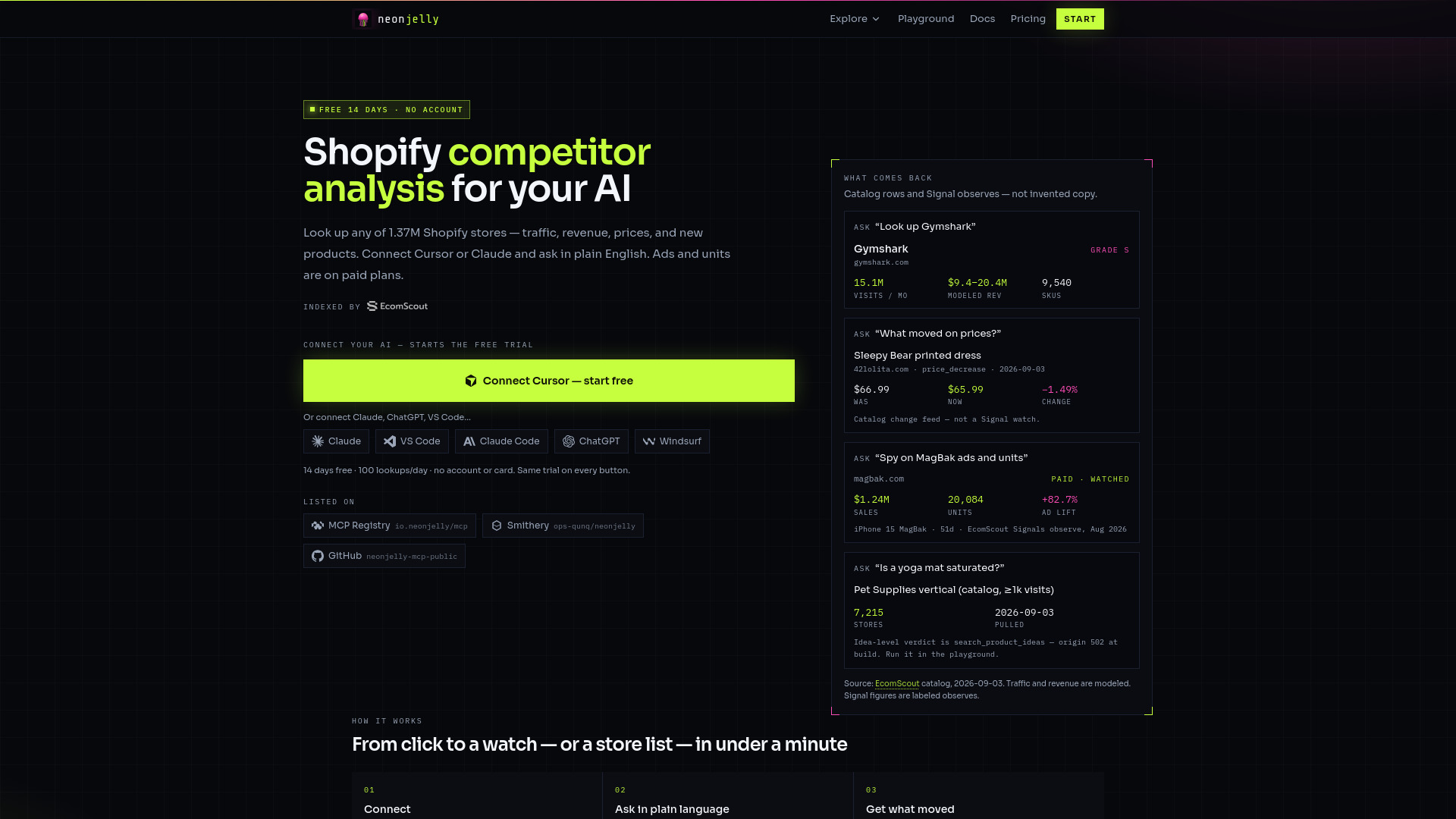
Neonjelly is an AI-powered Shopify competitor research and store tracking platform. It provides access to data on 1.37 million Shopify stores, including traffic, revenue, prices, and new products. It integrates with AI assistants like Cursor and Claude, allowing users to query the data using natural language.
How to use Neonjelly
- Click "Connect Cursor" (or Claude) on the homepage to start a 14-day free trial. No account or credit card is required.
- Once connected, ask questions in plain English within your AI assistant, such as "Look up Gymshark" or "What moved on prices?"
- The AI will use Neonjelly's tools to fetch and present the relevant data.
- For testing without an AI, use the /playground page to run sample queries.
Features of Neonjelly
- Store Lookup: Retrieve detailed information on any of 1.37 million Shopify stores, including traffic, revenue, and product counts.
- Change Tracking: Monitor catalog changes such as price drops, new products, and store updates.
- Signals (Paid): Watch competitors for ads, daily units, inventory, and social activity.
- Product Idea Research: Search for product ideas and get saturation verdicts (UNTAPPED to SATURATED) along with seller counts.
- Store Lists and Emails: Filter stores by country or niche and obtain contact emails.
- 59 MCP Tools: A wide range of tools accessible via AI assistants.
- Playground: Test API calls without using trial quota.
Use Cases of Neonjelly
- Competitor Analysis: Track a competitor's traffic, revenue, and product changes.
- Product Research: Determine if a product idea is saturated before entering the market.
- Store List Building: Generate lists of stores by country or niche for outreach.
- Price Intelligence: Monitor price changes across millions of stores to stay competitive.
- Ad and Unit Monitoring: On paid plans, watch competitors' ad performance and daily unit sales.
Pricing
- Trial: Free for 14 days, includes 100 lookups/day, no account required.
- Explorer: $29/month – 2,000 calls/day, 30/min, includes 8 Signal watches.
- Operator: $79/month – 15,000 calls/day, 90/min, includes 20 Signal watches.
- Scale: $199/month – 50,000 calls/day, 180/min, includes 40 Signal watches.
- Code LAUNCH offers 50% off the first 3 months (expires 31 Oct 2026).
FAQ
What is Neonjelly? Shopify competitor analysis for your AI. Query traffic, revenue, prices, and new products across 1.37M stores. Paid Signals watches add ads and units. Cursor or Claude calls the tools and reads the rows back.
How do you track a store? Two layers. Catalog change feeds (change_tracker, price_watch, store history/traffic) work on any catalog domain. Signals (create_signal, paid plans only) watch a competitor for ads, daily units, inventory, and social — only if that domain is already on Signals, or after EcomScout accepts the watch.
Can I see if a product idea is saturated? Yes. search_product_ideas or niche_research on a name or category. You get seller count, a UNTAPPED→SATURATED verdict, and list_product_sellers for who sells it. Do not invent those numbers — run the tool.
I just need store lists and emails. Do I need to be a developer? No. Click Connect Cursor, accept the prompt, then type what you want: “20 US skincare stores with emails.” The AI picks the tool. If you don’t use Cursor, Claude and ChatGPT work the same way.
Can I filter by country? Yes. Country is a query filter, not a login region. Pull a US list from anywhere, or open a local cut — India, Pakistan, Mexico, Brazil, and others are on /markets.
How do I start? Click Connect Cursor on the homepage. A 14-day trial starts (100 lookups/day, no account). Then ask in chat. /playground lets you test a lookup without an AI.
Do I need a user account? No. The trial is one per device and AI client (live reuse also matches your IP). Paid plans check out on Stripe and land on /dash with your install URL and key.
What does it cost? Trial is free for 14 days (100 lookups/day). Explorer $29, Operator $79, Scale $199 per month. Code LAUNCH is 50% off the first 3 months (expires 31 Oct 2026).
What's my quota? Ask Cursor that after install. The whoami MCP tool returns plan, used today, remaining, rate limit, and expiry. Same facts as GET /v1/whoami. Neither call counts against the daily cap.