What is Nodlume
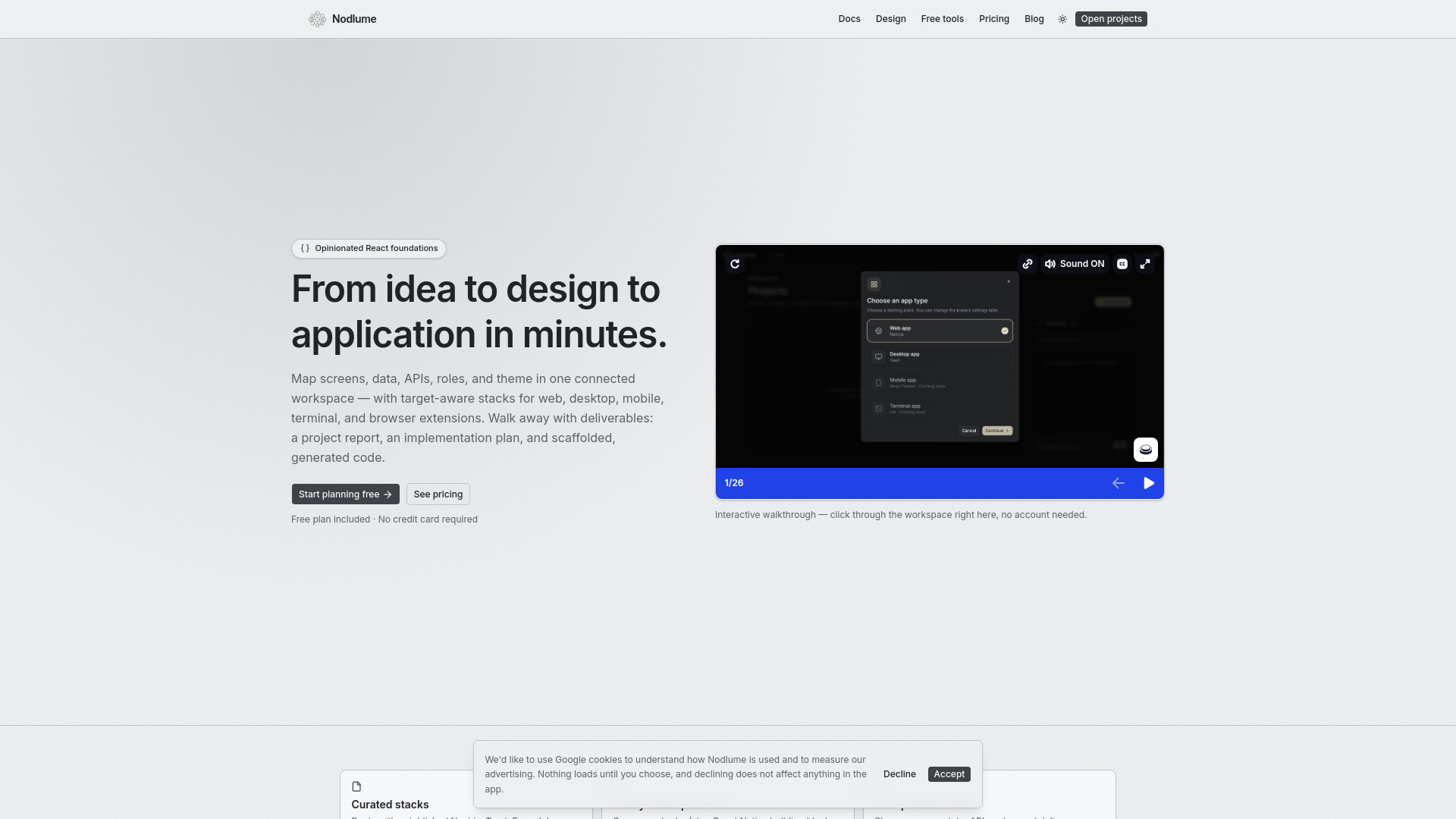
Nodlume is a visual planning workspace for React applications. It brings product context, data models, routes, components, APIs, access rules, traceability, themes, and project documentation into one connected plan. It supports multiple application targets including Next.js web apps, Tauri desktop apps, Expo and React Native mobile apps, Ink terminal apps, and Manifest V3 browser extensions.
How to use Nodlume
- Start a new project from the Nodlume dashboard.
- Use the workspace tabs to define your application: Domain for product context, Data and Structure for data models and organization, Backend for API surface, Security and Traceability for review, and Theme, Misc, and Export for documentation and scaffolding preview.
- Compose screens, data, APIs, roles, and theme in a connected visual canvas.
- Generate project scaffolding and code based on your plan.
- Export a project report and implementation plan, or share read-only view links for feedback.
Features of Nodlume
- Visual planning canvas: Map screens, data, APIs, roles, and theme in one connected workspace.
- Target-aware stacks: Adapts to Next.js, Tauri, Expo/React Native, Ink, and Manifest V3.
- Curated stacks: Begin with established conventions for each target.
- Ready-made primitives: Compose shadcn/ui or React Native building blocks.
- Product model: Shape screens, state, APIs, roles, and delivery as one connected system.
- Design reference tools: Free tools for color, typography, scale, depth, and dark mode.
- Sharing and export: Create read-only view links, invite collaborators, inspect file-tree scaffolding, and export project reports.
- AI-assisted actions: Use credits for suggestions and multi-step generations.
Use Cases of Nodlume
- Planning a new React web application from idea to implementation.
- Designing a mobile app with React Native or Expo.
- Scaffolding a desktop application with Tauri.
- Creating a browser extension with Manifest V3.
- Building a terminal application with Ink.
- Collaborating with team members on application architecture and documentation.
Pricing
Nodlume offers a free plan with a monthly allowance of AI credits. Plus members can purchase additional credit packs when needed. No credit card is required for the free plan.
FAQ
What is Nodlume? Nodlume is a visual planning workspace for React applications. It brings product context, data models, routes, components, APIs, access rules, traceability, themes, and project documentation into one connected plan.
How do the workspace tabs work together? Domain defines the product context. Data and Structure model what the application knows and how it is organized. Backend defines the API surface, Security and Traceability review the plan, and Theme, Misc, and Export prepare the final documentation and scaffolding preview.
Do I need to know how to code? You can plan an application without writing code. Familiarity with product flows and application concepts helps, while the workspace keeps technical relationships visible for developers who will implement the plan.
Which application targets are supported? Projects can target Next.js web apps, Tauri desktop apps, Expo and React Native mobile apps, Ink terminal apps, and Manifest V3 browser extensions. The canvas, component catalog, permissions, and generated files adapt to the selected target.
What can I share or export? You can create read-only view links for feedback, invite people to shared documents, inspect the planned file-tree scaffolding, and export a project report containing the decisions made across the workspace.
Does Nodlume host or deploy my application? No. Nodlume is a planning and code-generation workspace, not a hosting platform. It produces the plan, the project scaffolding, and the documentation for your application, which you download and take into your own repository, editor, and toolchain. Building, running, and deploying the application happens wherever you choose to host it.
How do AI credits work? AI-assisted actions use credits. Most suggestions cost one credit, larger multi-step generations can cost more, and each plan includes a monthly allowance. Plus members can purchase additional credit packs when needed.