What is Noteithub
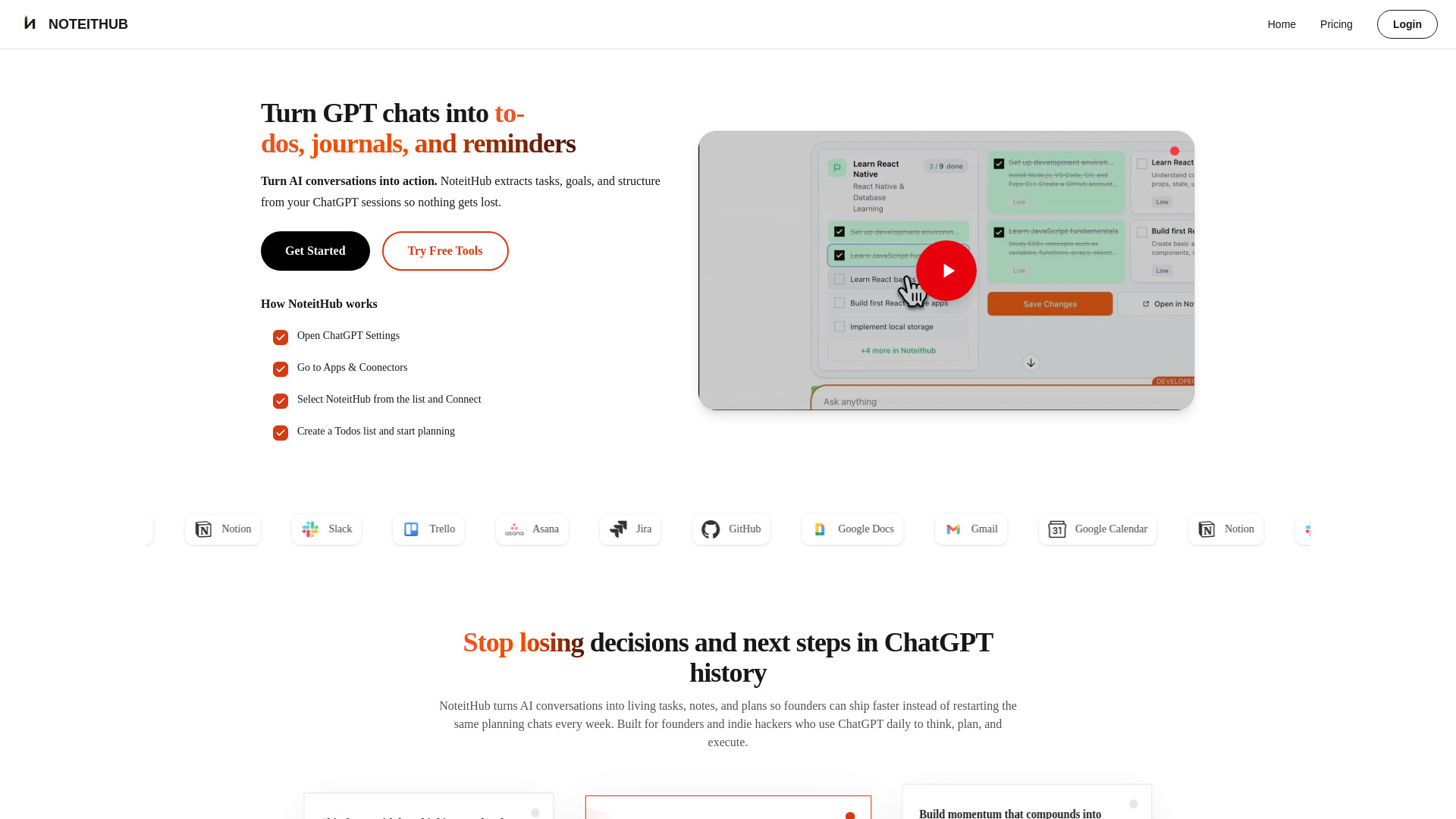
NoteitHub is a service that transforms ChatGPT conversations into organized, trackable to-do lists, journals, and reminders. It helps users to auto-save AI chats, generate tasks, and compound progress over time, ensuring that important AI advice is never lost.
How to use Noteithub
- Open ChatGPT Settings.
- Go to Apps & Connectors.
- Select NoteitHub from the list and Connect.
- Create a To-Do list and start planning.
Features of Noteithub
- Convert AI conversations to to-do lists
- Auto-save ChatGPT chats
- Searchable AI journal
- Task tracking and progress monitoring
- Calendar sync
- Multi-user support
- Export and save summaries
- Access saved conversations from the dashboard
- Continue conversations from where you left off
- Journalize insights instantly with title, summary, tags, and goal
- Turn AI advice into shipped features
- Build momentum that compounds into revenue
Use Cases of Noteithub
- Work: Create project plans, manage meeting actions, develop SOPs & checklists, maintain decision history.
- Students: Use for AI journaling and to-do lists for understanding concepts, exam preparation, and assignment planning.
- Founders: Leverage for AI memory for strategy, product decisions, pricing, and go-to-market planning.
- Developers: Save debugging sessions, technical decisions, and code refactoring notes.
- Marketing: Turn ChatGPT plans into executable campaigns, content ideas, and social media strategies.
Pricing
- Personal: $4 / 12 tokens per day. Includes 30 summaries per day, ad-free experience, and email support.
- Professional: $9 / 30 tokens per day. Includes unlimited summaries, advanced search, export & save summaries, and custom summary settings.
- Enterprise: $11 / 50 tokens per day. Includes multiple team accounts, priority support, API access, and advanced security.
FAQ
- How does NoteitHub work with ChatGPT? NoteitHub connects to your ChatGPT workflow and turns conversations into structured, reusable outputs—like to-do lists, reminders, journal entries, and task plans. It saves and organizes everything by topic so you can keep updating progress over time.
- Can ChatGPT create a to-do list that updates later? ChatGPT can generate a list once, but it doesn’t remember or update it. NoteitHub creates a living to-do list that stays connected to the topic and can be updated when you return to the same subject later.
- How are reminders different from tasks? Tasks are things you need to do. Reminders are things you don’t want to forget. NoteitHub extracts both from ChatGPT conversations, keeps them organized, and helps you schedule them so follow-ups, deadlines, and routines actually happen.
- Can I add ChatGPT tasks and reminders to my calendar? Yes. After NoteitHub turns your conversation into tasks or reminders, you can send items to your calendar as time blocks, deadlines, or recurring routines—so AI advice becomes scheduled time.
- Where do I manage everything? All your lists live in one NoteitHub dashboard. You can track what’s done, what’s pending, and what you intentionally skipped—organized by topic so you don’t need to reread old conversations.
- What happens if I start a new ChatGPT conversation on the same topic? If a new conversation is related to an existing topic, NoteitHub can update the same list instead of creating duplicates. If it’s a new goal, it creates a new list—either way your progress stays intact.
- Can I save ChatGPT conversations for later? Yes. NoteitHub saves conversations in a structured way so you can reuse them later and extract tasks, reminders, or journal entries—rather than losing them in chat history.
- Is NoteitHub just a ChatGPT summary tool? No. Summaries help you remember. NoteitHub helps you execute by turning conversations into systems you can track, update, and reuse—not static summaries you read once and forget.
- Can I use NoteitHub as a ChatGPT journal? Yes. Many users turn reflective or planning conversations into journal entries they can revisit later. This is helpful for learning, habit building, and long-term goals where continuity matters.
- What kinds of conversations work best? Plans with steps work best: study plans, fitness routines, meeting follow-ups, project planning, content calendars, and personal goals. If a conversation matters beyond today, it probably belongs in NoteitHub.
- Who is NoteitHub for? NoteitHub is for people who use ChatGPT seriously—builders, students, founders, and knowledge workers—anyone tired of rebuilding the same plans across new chats.