What is Nudgile
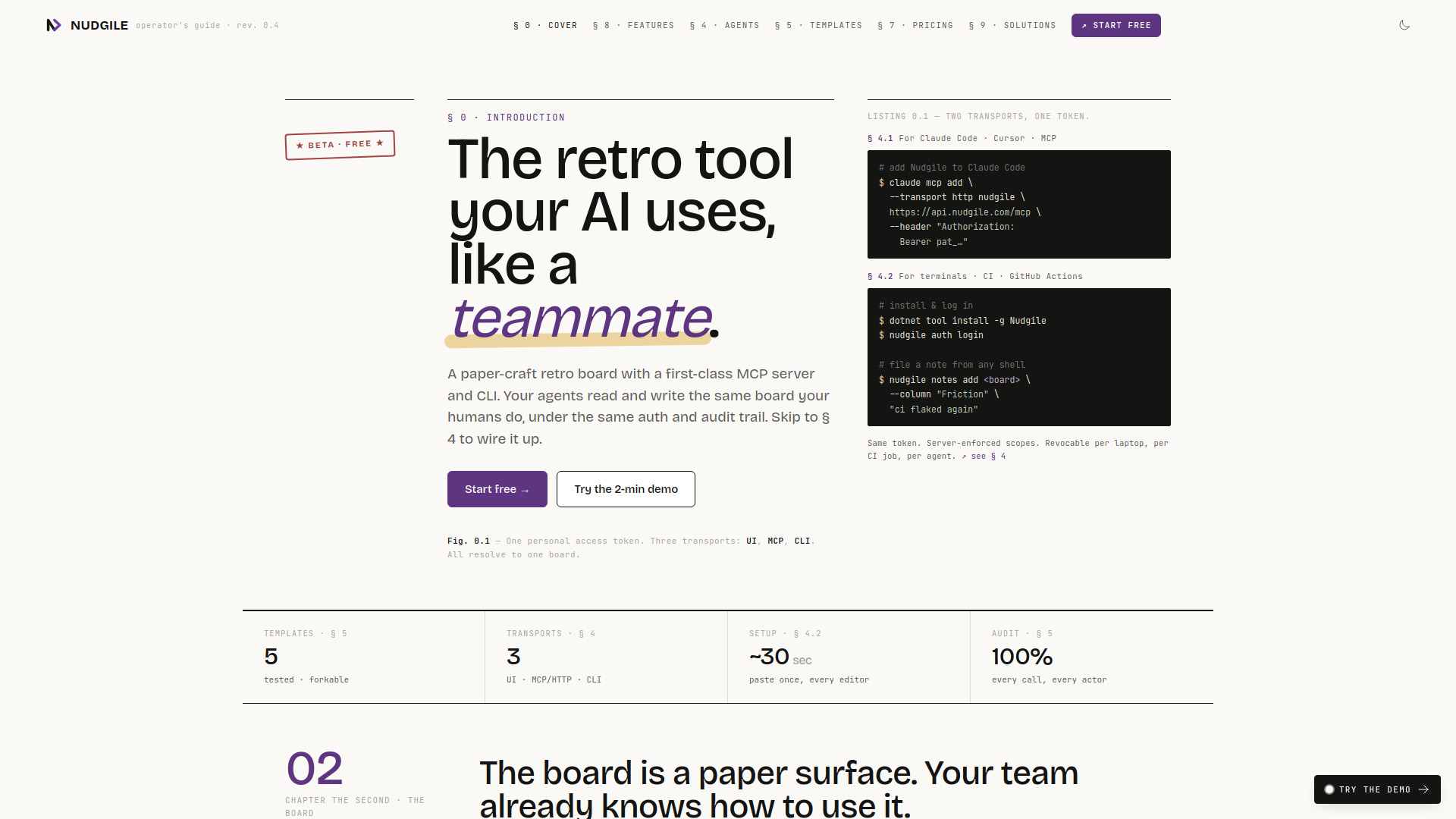
Nudgile is a collaborative sprint retrospective board designed for agile teams. It features real-time voting, action item tracking, and AI-powered insights. Uniquely, it includes a built-in MCP (Model Context Protocol) server and a CLI, allowing AI agents to read and write the same board as human team members, under the same authentication and audit trail.
How to use Nudgile
- Create a board – Choose from five tested retro templates (Classic, Sailboat, Mad·Sad·Glad, Starfish, 4 L's) or start from scratch. Each board has columns, a phase, and a membership.
- Run the retro – Phases proceed in order: brainstorm → vote → discuss → close. Notes are anonymous during brainstorming, then attributed once discussion opens.
- Add action items – Action items are first-class objects with owner, due-by, and source note. They can sync to Jira or Linear.
- Connect AI agents – Generate a personal access token (scoped to
read or read,write). Use the MCP/HTTP transport for Claude Code or Cursor, or the nudgile CLI for terminals and CI.
- Review insights – After each retro, the AI coach analyzes the board and surfaces recurring themes, sentiment trends over time, and stale action items.
Features of Nudgile
- Real-time collaboration – No refresh needed; changes sync via a single WebSocket.
- Phase-driven anonymity – Notes are anonymous during brainstorming, attributed when discussion opens.
- First-class action items – Owner, due-by, source note, and sync to Jira/Linear.
- AI-powered insights – The coach reads every board and detects patterns across sprint history: recurring themes, sentiment trends, and stale action items.
- Three transports, one token – UI for humans, MCP/HTTP for AI editors, CLI for terminals and CI. All use the same scoped, revocable token.
- Token leak detection – Tokens committed to public GitHub repos are auto-revoked within 60 seconds via secret-scanning partner programme.
- Five tested templates – Classic, Sailboat, Mad·Sad·Glad, Starfish, and 4 L's, all forkable from the first run.
- 100% audit trail – Every call and every actor is logged.
Use Cases of Nudgile
- Sprint retrospectives – Run structured, real-time retros with distributed or co-located teams.
- AI-assisted retro analysis – Let AI agents (e.g., Claude) read the board and summarize patterns, or write notes directly via MCP.
- CI/CD integration – Use the CLI in GitHub Actions or other CI pipelines to file notes or action items automatically.
- Cross-team pattern detection – On the Business plan, aggregate insights across multiple teams for org-wide trend analysis.
Pricing
- Free during beta – No credit card required. Per-team insights included.
- Business plan – Unlocks cross-team rollups and org-wide pattern detection. (Specific pricing not detailed on the page.)
FAQ
Q: How do I connect my AI agent?
A: Generate a personal access token from your account settings. Then configure your MCP client (e.g., Claude Code) with the endpoint https://api.nudgile.com/mcp and the token as a Bearer authorization header. For the CLI, install the Nudgile dotnet tool and run nudgile auth login.
Q: What scopes are available for tokens?
A: Tokens can be scoped to read (watch-and-summarise) or read,write (full teammate behaviour). They are revocable per laptop, per CI job, or per agent.
Q: Are notes anonymous?
A: Yes, during the brainstorm phase notes are anonymous. They become attributed once the discussion phase opens.
Q: Can I sync action items to other tools?
A: Yes, action items can be synced to Jira and Linear.
Q: Is there a demo?
A: Yes, a 2-minute interactive demo is available on the website.