What is Object Remover
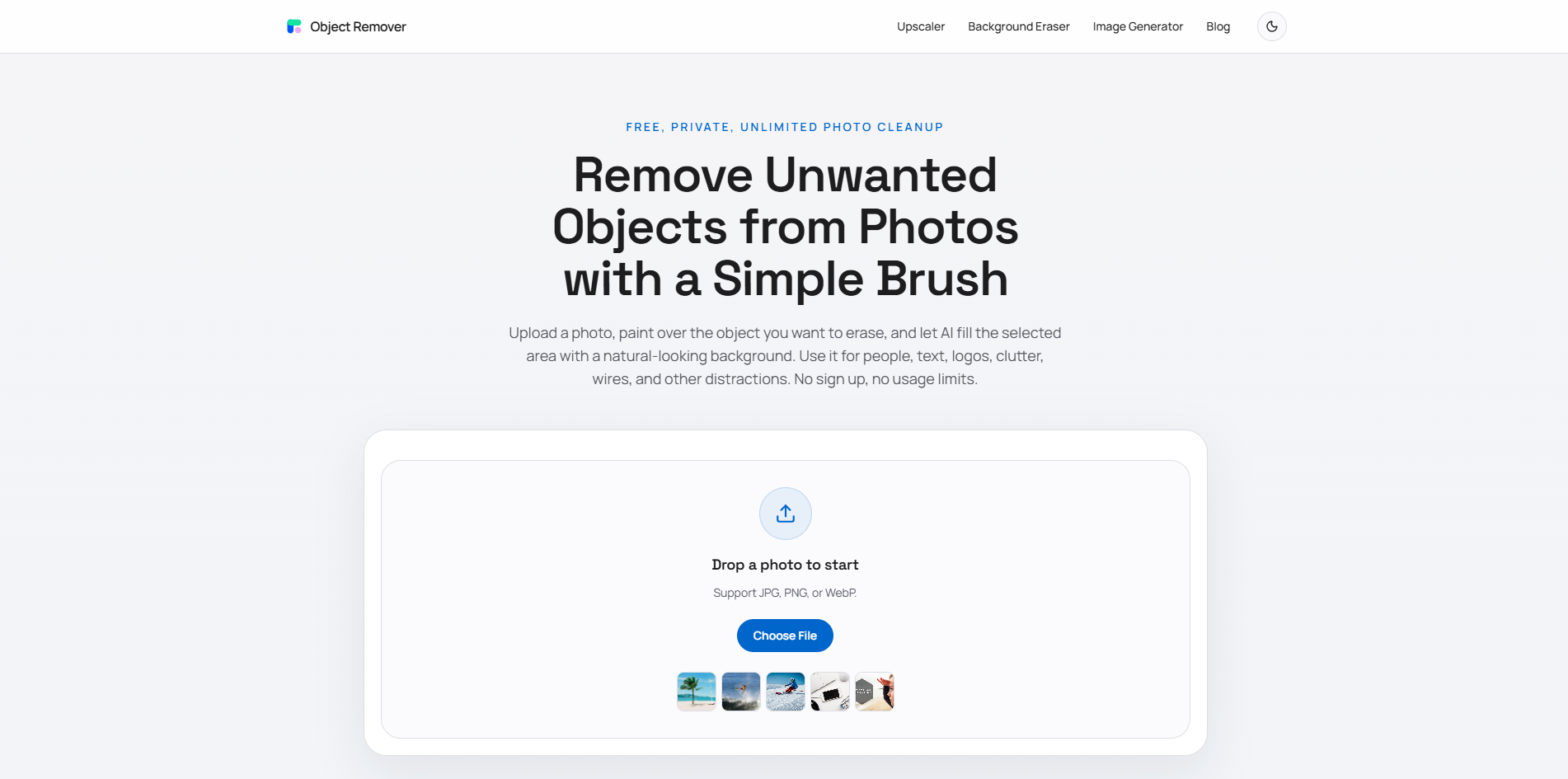
Object Remover is a free AI-powered tool designed to erase unwanted objects from photographs. It utilizes a brush tool for precise selection and AI inpainting to seamlessly clean up the selected areas.
How to use Object Remover
- Upload Your Photo: Choose a JPG, PNG, or WebP image from your device and open it in the cleanup editor.
- Brush Over the Object: Paint over the person, text, logo, shadow, cable, or background distraction you want to remove.
- Let AI Rebuild the Area: AI inpainting analyzes the surrounding pixels, fills the masked area, and provides a downloadable cleanup result.
Features of Object Remover
- Free and Unlimited: No credits, subscriptions, or hidden trial limits. Unlimited edits are available.
- No Sign Up Required: Start editing immediately without creating an account.
- Privacy-First: Uploaded images and generated results are automatically removed within 2 hours.
- Precise Brush Control: Allows users to mark unwanted objects with a brush tool.
- Natural AI Inpainting: AI rebuilds the area based on surrounding texture, color, lighting, and scene structure.
- Supports Common Formats: Works with JPG, PNG, and WebP image files.
Use Cases of Object Remover
- Travel Photo Cleanup: Remove tourists, cars, signs, or background clutter.
- Product Photo Cleanup: Erase props, dust, reflections, and table clutter for eCommerce listings.
- Real Estate Image Cleanup: Remove cords, bins, wall marks, and messy room details.
- Social Media Photo Cleanup: Quickly erase accidental objects before posting.
- Portrait Retouching: Remove photobombers or background objects.
- Marketing Creative Cleanup: Remove text, logos, or props that compete with the main subject.
- Food Photo Cleanup: Erase crumbs, stains, utensils, and table distractions.
- Screenshot Cleanup: Remove private information, labels, or annotations.
Pricing
Object Remover is a free tool with no usage limits and no registration required.
FAQ
Is this AI object remover really free? Yes. The object remover is free to use, does not require registration, and does not place usage limits on normal editing.
Do I need editing skills to remove objects? No. You only need to upload a photo, brush over the object you want to remove, and generate the cleanup result.
Can I remove people and text from photos? Yes. You can brush over people, text, logos, captions, signs, cables, clutter, and other unwanted details in a photo.
Does it have limits on usage? No. The product is designed to be free and unlimited, so you can run multiple object removal edits without buying credits.
What image formats are supported? The cleanup workflow is intended for common web image formats such as JPG, PNG, and WebP.
Are my uploaded photos safe? Yes. Uploaded images and generated results are automatically removed within 2 hours. The product does not require an account, so you can edit without linking files to a user profile.
How do I get the best object removal result? Brush over the entire object and include a small edge around it. If the object touches complex details, try a slightly tighter mask or run another pass on the remaining area.
Will the background look natural after removal? AI inpainting uses nearby pixels to rebuild the masked area. Results are strongest on backgrounds with repeatable texture, open space, walls, sky, grass, fabric, or simple surfaces.
Can I use it on product and commercial photos? Yes. You can use it to clean product photos, marketing images, listing photos, and other commercial visuals, as long as you have the rights to edit and use the original image.
Is this the same as a background remover? No. A background remover separates the main subject from the entire background. This object remover keeps the photo and only erases the brushed area.