What is Photo AI Video Generator
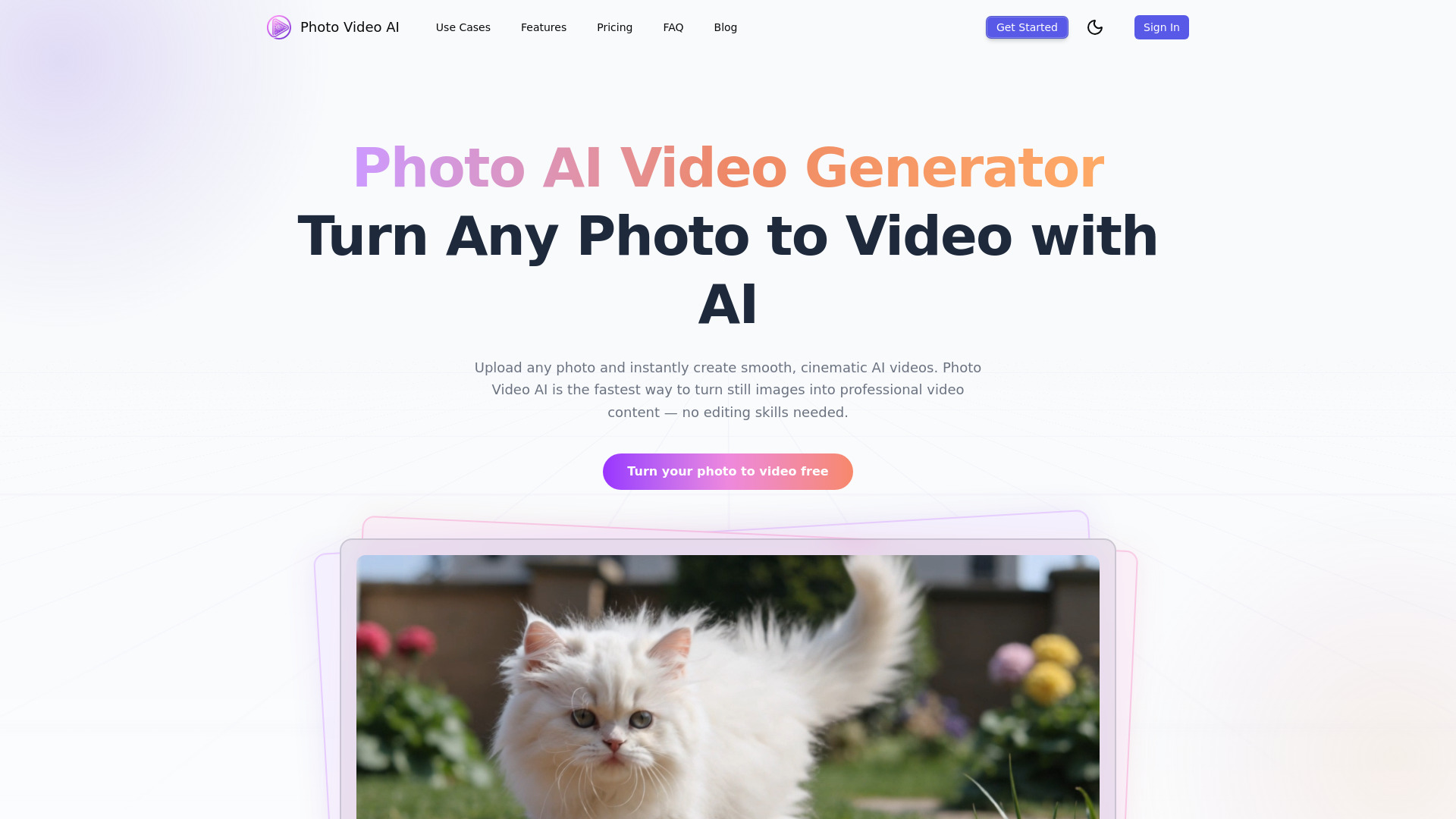
Photo AI Video Generator is an AI tool that transforms static photos into professional cinematic videos in seconds. It is powered by Kling 3.0, Sora 2, and Veo 3.1, and offers a free tier for users to try out its capabilities.
How to use Photo AI Video Generator
- Upload Your Photo: Drag and drop any image (JPG, PNG, WebP up to 20MB). The AI analyzes depth, lighting, and composition.
- Add a Prompt (Optional): Describe the desired motion or scene, or let the AI choose automatically.
- Choose Duration & Aspect Ratio: Select video length (5s, 10s, or 15s) and aspect ratio (16:9, 9:16, or 1:1).
- Generate & Download Your AI Video: Click generate to create the video in 1-3 minutes. Preview and download as MP4 in up to 4K resolution.
Features of Photo AI Video Generator
- AI Video Generation: Transforms photos into cinematic videos.
- Kling 3.0, Sora 2, Veo 3.1 Powered: Utilizes advanced AI models for video creation.
- Image-to-Video, Text-to-Video, Video-to-Video: Supports multiple generation modes.
- No Software Required: Operates entirely in the browser.
- Multi-Photo Storyboards: Combine multiple photos into a seamless video with AI transitions.
- AI Motion Control: Control zoom, pan, rotate, and camera style.
- AI Style Transfer: Apply visual styles like anime, film noir, or watercolor.
- AI Voice & Music: Add voiceover narration and background music.
- 4K Video Export: Download creations in up to 4K resolution.
- Commercial Use: Generated videos can be used for personal or commercial purposes.
Use Cases of Photo AI Video Generator
- Creating scroll-stopping video content from product photos.
- Generating video ads for social media platforms like Instagram and TikTok.
- Producing short video clips for marketing campaigns.
- Turning lesson images into educational videos.
- Creating dynamic video content for social media reels, product demos, and storytelling.
- Transforming live photos into polished AI videos with smooth camera movement and parallax effects.
Pricing
- Starter (Yearly): $16.58/month (Billed $199/year), includes 1,600 Credits/month, Kling 3.0 720P/1080P, Sora 2 Stable, Veo 3.1 Quality, Veo 3.1 1080P/4K upgrades, Standard generation queue, up to 8 Kling 3.0 720P 10s videos, up to 5 Kling 3.0 1080P 10s videos, up to 40 Sora 2 Stable 15s videos, up to 6 Veo 3.1 Quality videos.
- Creator (Yearly): $33.25/month (Billed $399/year), includes 3,200 Credits/month, Kling 3.0 720P/1080P, Sora 2 Stable, Veo 3.1 Quality, Veo 3.1 1080P/4K upgrades, Faster generation queue, up to 16 Kling 3.0 720P 10s videos, up to 11 Kling 3.0 1080P 10s videos, up to 80 Sora 2 Stable 15s videos, up to 12 Veo 3.1 Quality videos.
- Pro (Yearly): $66.58/month (Billed $799/year), includes 6,400 Credits/month, Kling 3.0 720P/1080P, Sora 2 Stable, Veo 3.1 Quality, Veo 3.1 1080P/4K upgrades, Priority generation queue, up to 32 Kling 3.0 720P 10s videos, up to 23 Kling 3.0 1080P 10s videos, up to 160 Sora 2 Stable 15s videos, up to 25 Veo 3.1 Quality videos.
- Credit Packs: Available with no expiry.
- Free Tier: 20 free credits upon signup.
FAQ
- What is Photo Video AI? Photo Video AI is a photo AI video generator with a free tier that turns photos into professional-quality AI videos. Powered by Kling 3.0, it supports image-to-video, text-to-video, and video-to-video generation in your browser.
- How does the photo to video AI conversion work? Upload a photo, and the AI analyzes its depth, lighting, and composition to generate natural camera movement and smooth animation, creating a cinematic video.
- What is the best AI to make video from photos? Photo Video AI is highlighted as one of the best, using Kling 3.0 for natural motion, cinematic camera work, and consistent character rendering.
- How to make a video from photos?
- Upload your photo. 2. Add an optional text prompt. 3. Choose duration and aspect ratio. 4. Click generate.
- Is the photo to video AI generator free? Yes, it's free to start with 20 free credits upon signup. Additional credits are available through pricing plans.
- Can I create AI video from photo for free online? Yes, Photo Video AI allows free online photo-to-video AI conversion without downloads or installations.
- What video formats and durations are supported? Videos are exported as MP4. Photo-to-video and text-to-video support 3–15 second clips. Video-to-video supports up to 30 seconds. Aspect ratios 16:9, 9:16, or 1:1 are supported.
- How many credits does each photo to video generation cost? Credit costs vary by model, resolution, and duration. Standard photo-to-video generation starts from around 40 credits. Failed generations are not charged. New users get 20 free credits.
- Can I use the AI videos from photos commercially? Yes, all AI videos generated are yours to use for personal or commercial purposes.
- What makes this photo AI video generator different from other tools? It uses Kling 3.0 AI, offers multi-photo storyboards, AI motion control, style transfer, and text-to-video capabilities, delivering natural camera movement and cinematic quality.
- Can I add voiceover or music to AI videos from photos? Yes, Photo Video AI includes AI Voice & Music tools to add narration and background music.