What is Photo Colorizer
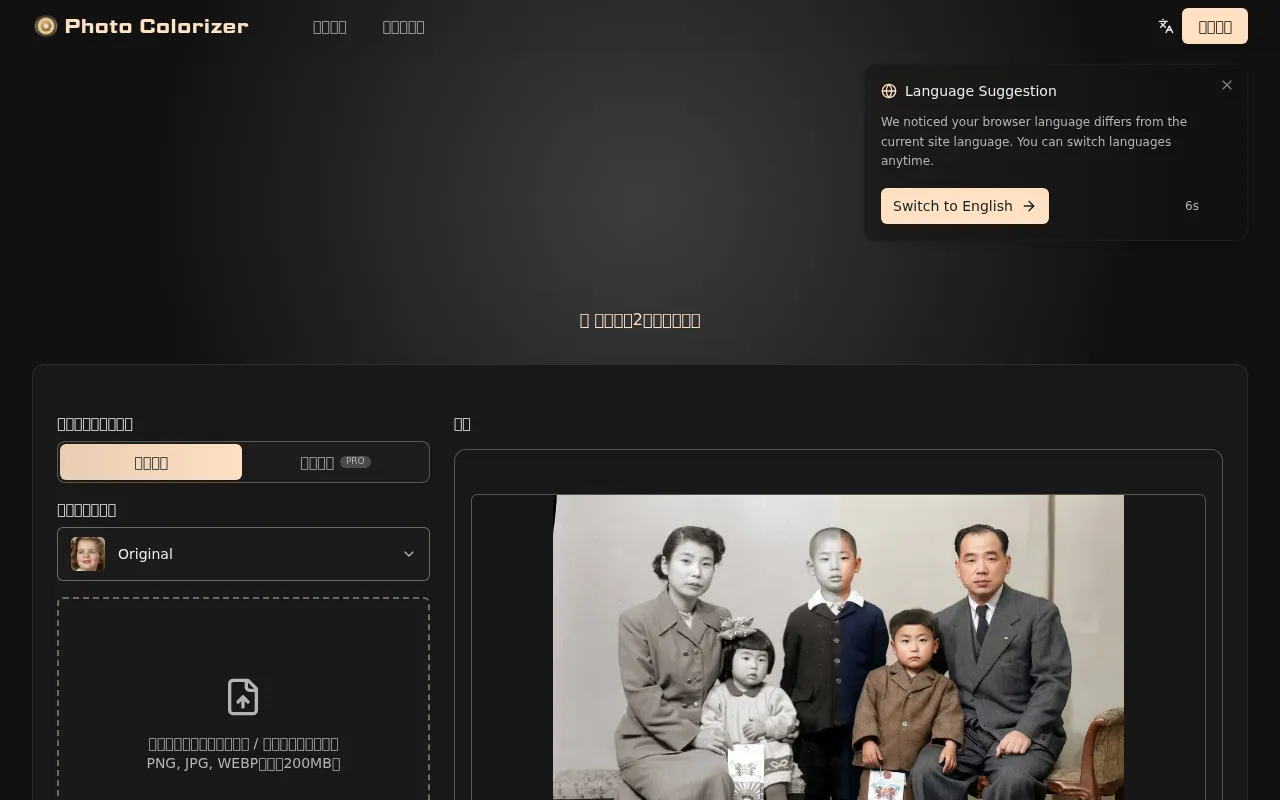
Photo Colorizer is a web-based tool that automatically converts black-and-white images into natural color. It also repairs imperfections such as scratches, stains, tears, and folds.
How to use Photo Colorizer
- Upload your black-and-white photo by clicking or dragging and dropping it into the designated area.
- Select a style (e.g., Original).
- Choose the desired output quality (Standard or High Quality).
- Optionally, toggle the watermark setting.
- Click the "Colorize Photo" button.
- Download the colorized result.
Features of Photo Colorizer
- Converts black-and-white images to natural color.
- Automatically repairs scratches, stains, tears, and folds.
- Utilizes advanced AI for colorization and restoration.
- Supports various image formats like PNG, JPG, and WEBP (up to 200MB).
- Offers different output quality options.
- Provides sample images for trying out the service.
- Includes an AI repair function alongside colorization.
- Supports batch processing for PRO users.
Use Cases of Photo Colorizer
- Restoring old family photos to preserve memories.
- Colorizing historical and archival images for better understanding.
- Enhancing black-and-white artwork, illustrations, and manga.
- Improving business documents and presentations with colorized visuals.
- Creating engaging content for social media and personal projects.
Pricing
Photo Colorizer offers various plans, including monthly, annual, and one-time payment options. The annual plans provide significant savings.
- Annual Plan (Popular): Starts at $6/month, billed annually. Includes 90 credits/month, up to 3000px resolution, and up to 8x faster processing. Supports batch processing.
- Annual Plan (Premium): Starts at $13/month, billed annually. Includes 240 credits/month, up to 3000px resolution, and up to 10x faster processing. Supports batch processing.
- Monthly Plan: Starts at $4/month. Includes 50 credits/month, up to 3000px resolution, and up to 5x faster processing.
- One-Time Payment: Available for specific packages.
FAQ
-
How can I colorize black-and-white photos? Use AI-powered online tools like Photo Colorizer. Upload your photo, and the AI will automatically convert it into a natural color photo within seconds.
-
What are the best free black-and-white photo colorization sites? Photo Colorizer is recommended for its ease of use and AI-driven results. It allows you to try colorization for free directly in your browser.
-
What are the methods for colorizing black-and-white photos? Methods include AI online tools, smartphone apps, and image editing software like Photoshop. AI tools are the most convenient and provide natural-looking results quickly.
-
Are there free black-and-white photo colorization software? While free software exists, they often require installation and can be complex. Online AI colorization tools like Photo Colorizer can be used directly in a browser without installation.
-
What types of black-and-white photos are best for colorization? Photos with clear faces, good contrast, and outdoor settings generally yield the best results. High-resolution scans of old photos also improve colorization quality.
-
Are there tips to improve colorization accuracy? Use high-resolution images with minimal damage. For best results, use Photo Colorizer's AI repair feature alongside colorization.
-
Are there limitations to free usage? Free usage may have limitations on resolution and download counts, but it's sufficient for previewing results. Paid plans offer higher quality and more features.
-
What about the copyright and usage rights of colorized photos? The copyright remains with the original owner. Colorized images can be used for personal and commercial purposes, provided you comply with terms of service and copyright laws.