What is PhotoEditor AI
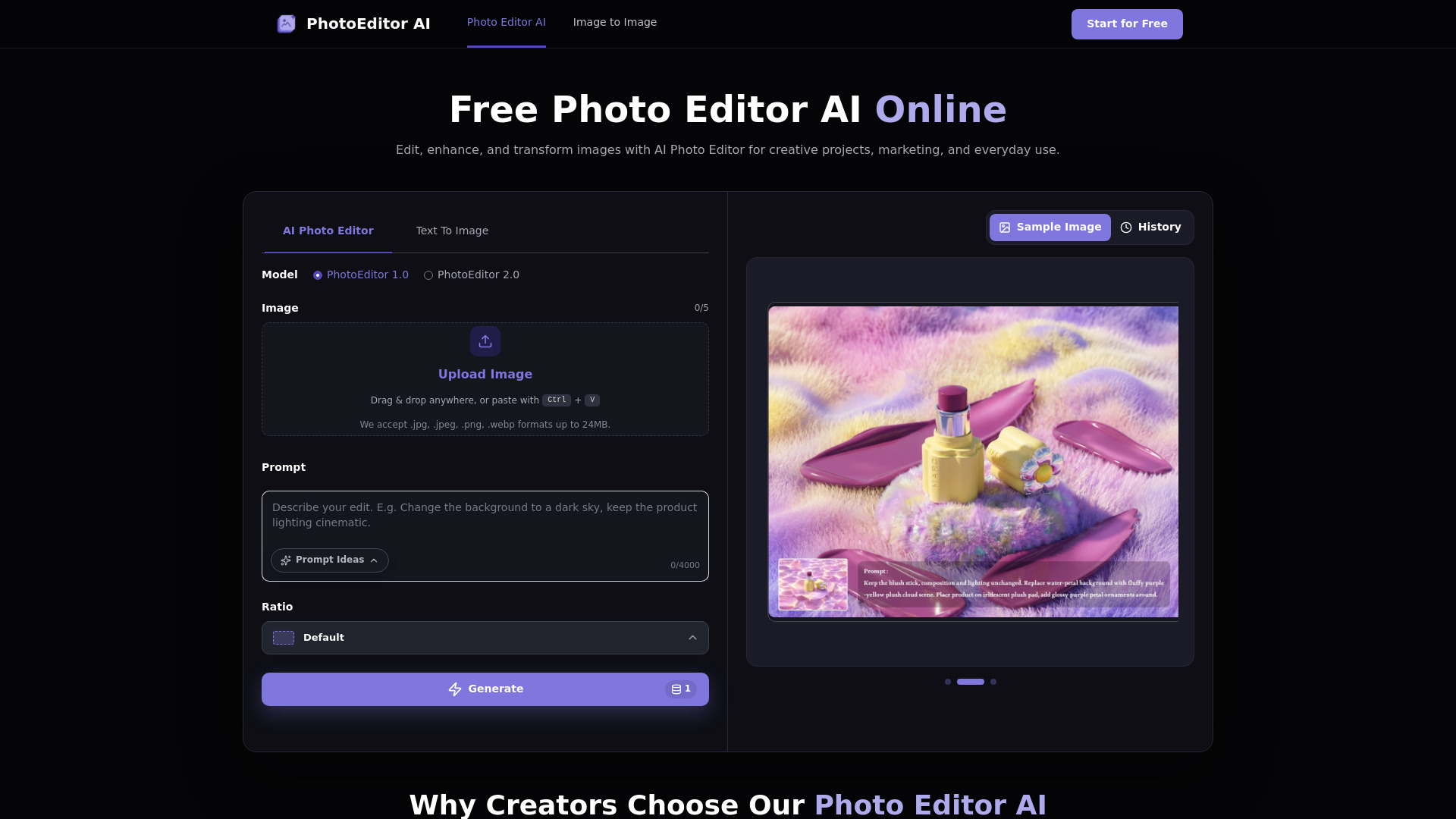
PhotoEditor AI is a free online photo editor that uses AI to simplify and automate photo editing. It allows users to edit, enhance, and transform images using simple text prompts, without requiring sign-up. The tool supports editing backgrounds, objects, clothing, lighting, and more, and is suitable for creative projects, marketing, and everyday use.
How to use PhotoEditor AI
- Upload Your Image: Upload a JPG, PNG, JPEG, or WebP image (up to 24MB) by dragging and dropping, pasting with Ctrl+V, or clicking to upload.
- Edit with Your Prompt: Describe the changes you want in natural language (e.g., "Change the background to a dark sky, keep the product lighting cinematic"). You can also select a model (PhotoEditor 1.0 or 2.0) and choose an aspect ratio.
- Refine or Download: Generate the edited image, then refine further or download the result in high quality without watermarks.
Features of PhotoEditor AI
- AI-Powered Editing: Edit images using simple text prompts, no manual adjustments needed.
- No Sign-Up Required: Start editing immediately without creating an account.
- High-Quality, Watermark-Free Results: Download polished images in HD without watermarks.
- Privacy Protection: Images are handled with privacy in mind.
- Free Credits: Get 5 free credits daily, which refresh automatically.
- Multiple Models: Choose between PhotoEditor 1.0 and PhotoEditor 2.0.
- Aspect Ratio Selection: Pick from various aspect ratios for your output.
- Reference Image Support: Upload a reference image to guide colors, materials, lighting, clothing, or style.
- Preserves Faces and Details: Maintains facial features, subject details, proportions, and composition while applying edits.
- Product Photo Enhancement: Refine lighting, replace backgrounds, improve textures, and add natural-looking shadows.
Use Cases of PhotoEditor AI
- E-commerce Product Photos: Replace distracting backgrounds, improve lighting, and create consistent visual styles for online stores and catalogs.
- Social Media Content: Refresh outdated backgrounds and dull lighting to create cohesive visuals for campaigns.
- Marketing and Promotions: Quickly generate promotional images with suitable backgrounds for sales and campaigns.
- Freelance and Client Work: Remove distracting objects from lifestyle photos while keeping the rest of the scene unchanged.
- Brand Design: Use reference images to guide the visual direction of an edit, matching client-desired colors and lighting.
- Everyday Photo Editing: Enhance personal photos by removing unwanted objects, changing clothing, adjusting colors, or replacing backgrounds.
Pricing
PhotoEditor AI is free to use. It offers 5 free credits every day, which automatically refresh the next day, allowing continued free use of available features.
FAQ
What can I do with a Photo Editor AI?
You can edit existing images with simple text prompts: remove unwanted objects, replace backgrounds, change clothing, adjust colors and lighting, refine details, or transform specific visual elements without rebuilding the entire image.
Can I use Photo Editor AI without signing up?
Yes. You can edit images without signing up. Simply upload your photo, describe the changes you want, and generate your edited image directly.
Is There a Free AI Photo Editor Online?
Yes. The free AI photo editor online gives you 5 free credits every day. Once used, credits automatically refresh the next day.
Can AI replace the background without changing my subject?
Yes. You can describe the background you want while keeping the main subject as the focus. The editor blends the new background with the existing subject, including lighting, colors, shadows, and surrounding details.
Can I use a reference image when editing a photo?
Yes. Upload a reference image to guide the visual direction of your edit, influencing colors, materials, clothing, lighting, style, or mood while keeping the main subject recognizable.
Can AI make product photos look more professional?
Yes. Product photos can be improved by replacing distracting backgrounds, refining lighting, enhancing visible details, and creating more natural shadows.
What image formats and file sizes does the AI Photo Editor support?
You can upload JPEG, JPG, PNG, and WebP images up to 24MB. After editing, you can download the result in high quality without a watermark.