
What is PixBulk
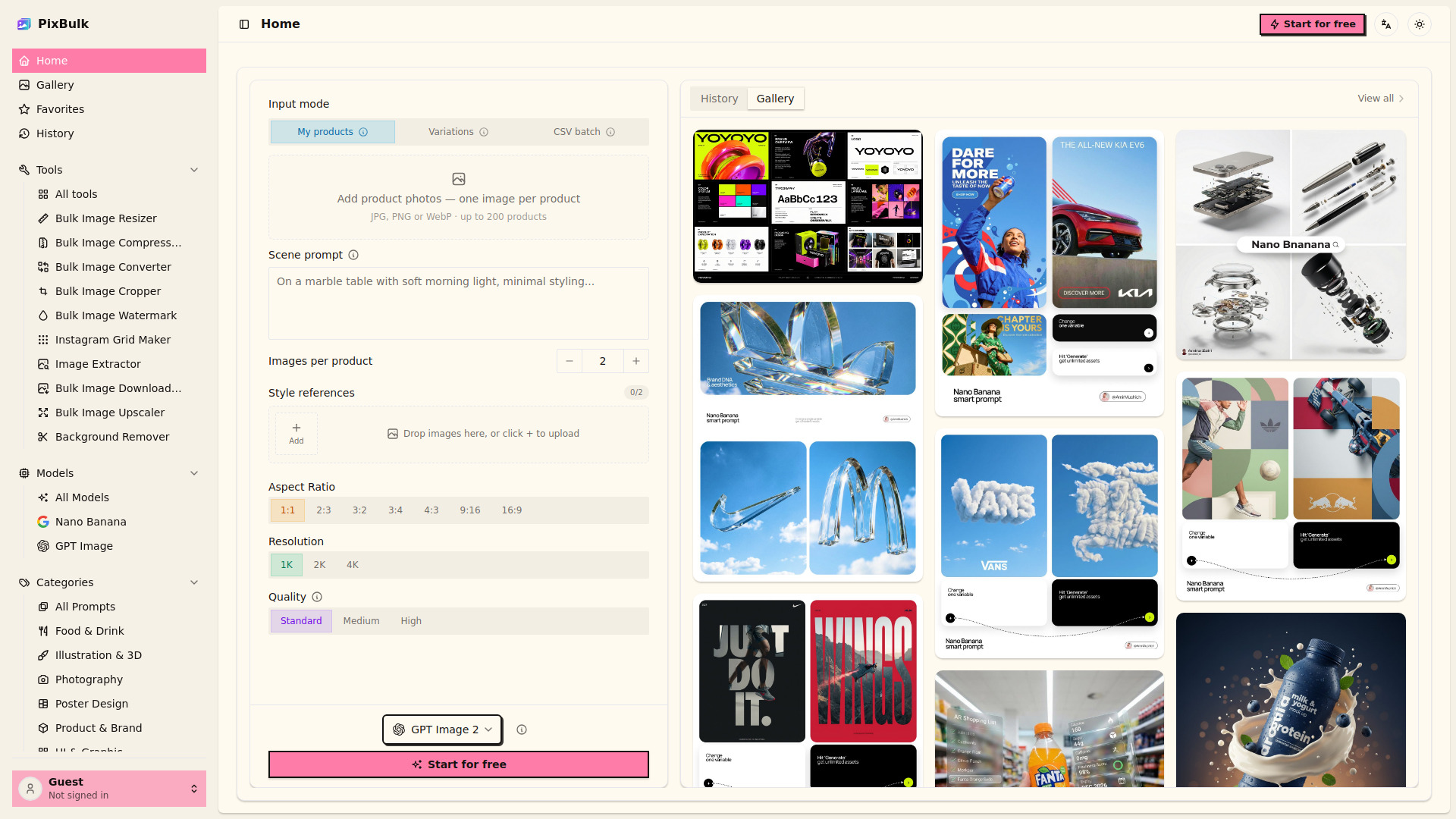
PixBulk is an AI-powered bulk product image generator designed for ecommerce sellers. It turns a CSV of SKUs into hundreds of AI-generated product images in minutes, allowing users to pick a style and download a ZIP file ready for Shopify, Etsy, Amazon, and eBay listings.
How to use PixBulk
- Upload a CSV – Drop in a sheet of SKUs and prompts, or write a single prompt.
- Pick your style – Choose a model, aspect ratio, and reference image once.
- Download a ZIP – Get every product image back at once, bulk-optimized for your store.
Features of PixBulk
- Bulk generation – Generate up to 200 product images per batch.
- CSV import/export – Import a CSV of prompts and SKU columns; export results as a single ZIP of high-resolution images.
- Variations mode – Generate multiple images per SKU.
- Reference images – Upload up to 5 reference images to match existing brand style.
- Commercial license – Images generated on a paid plan come with a commercial usage license.
- Free starter credits – New accounts get free daily credits to test the workflow.
- No cost for failed generations – Credits are refunded automatically if an image fails.
Use Cases of PixBulk
- Shopify & DTC stores – Launch imagery for every new drop without booking a photo shoot.
- Etsy & print-on-demand – Dozens of design mockups and thumbnail variations per listing.
- Amazon FBA sellers – White-background hero shots that fit marketplace image rules.
- Dropshipping & resellers – Turn supplier photos into consistent, on-brand product images in bulk.
Pricing
- From $0.02 per image – Bulk generation pricing.
- Free tier – New accounts get free starter credits that refresh daily.
- Paid plans – Include commercial usage license.
FAQ
- Can I sell the product images commercially? Yes. Images generated on a paid plan come with a commercial usage license.
- Do failed generations cost credits? No. Credits are refunded automatically.
- How many images can I generate in bulk at once? Up to 200 product images per batch.
- What formats can I import and export? Import CSV; export as ZIP of high-resolution images.
- What does the CSV need to look like? A column of prompts under a "prompt" header, plus any SKU or filename columns.
- Can I generate several images for one SKU? Yes, using variations mode or repeating the SKU row.
- Can I match my existing product or brand style? Yes, upload up to 5 reference images.
- Are AI-generated images allowed on Shopify, Etsy, and Amazon? Generally yes for product and marketing imagery; follow each marketplace's policies.
- Is there a free tier? Yes, new accounts get free starter credits that refresh daily.
- How are exported files named? Images download as a ZIP; CSV columns like SKU can be used to name files.