What is PixEditor AI
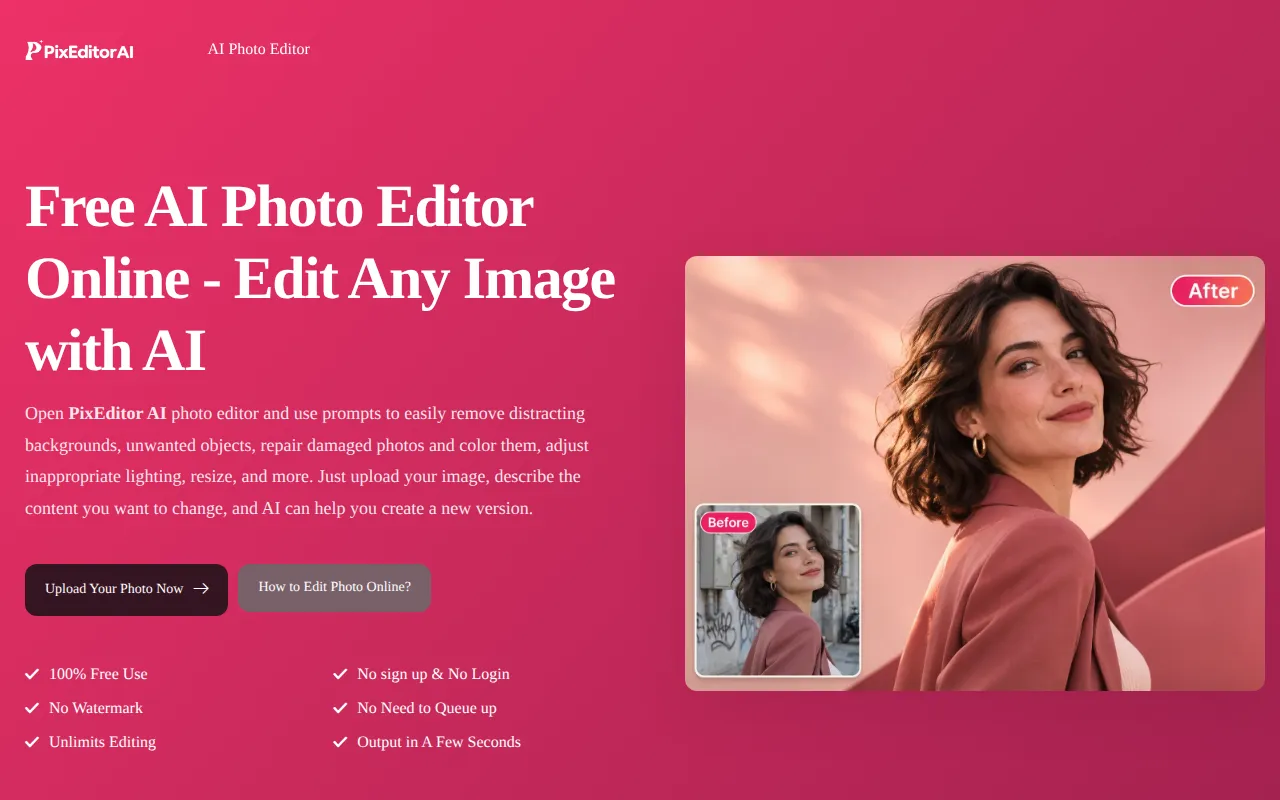
PixEditor AI is a free online photo editor that allows users to edit images by describing desired changes in text. It leverages artificial intelligence to modify photos, offering a range of editing capabilities without requiring sign-up or login.
How to use PixEditor AI
- Upload Your Photo: Choose the photo you wish to edit and open the AI photo editor.
- Describe the Change: Write a clear prompt detailing what you want to change, what to keep, and the desired outcome. For complex edits, specify object positions or important details.
- Review and Download: Examine the edited photo, checking for details like edges, faces, text, or logos. Adjust your instructions if necessary, then download the final version.
Features of PixEditor AI
- Edit photos by describing changes in text.
- Background replacement.
- Object removal.
- Lighting adjustments.
- Style changes.
- Photo reconstruction and enhancement.
- Watermark removal.
- Free to use with no sign-up required.
- No watermarks on output.
- Unlimited editing.
- Fast processing (output in seconds).
Use Cases of PixEditor AI
- Store Product Photo Editing: Resetting backgrounds for product photos to match brand marketing.
- Enhance Image Quality: Improving details in blurry or low-quality photos.
- Creating Interesting Portraits: Changing photo styles, hairstyles, or virtual try-ons for clothing.
- Editing Social Posts: Creating accompanying images for social media content.
- Removing Distracting Objects: Cleaning up unwanted elements like strangers, signs, wires, or clutter from photos.
- Background Manipulation: Removing existing backgrounds, creating transparent or solid color backgrounds, or adding custom backgrounds.
- Adjusting Lighting and Color: Modifying the lighting, color tones, or atmosphere of a photo.
- Restoring Old Photos: Reconstructing and enhancing damaged or old photographs.
- Removing Watermarks: Erasing watermarks from images.
FAQ
- What is an AI photo editor? PixEditor AI photo editor is an online tool based on AI to help modify existing photos. Just enter the prompt to edit.
- Is it a free AI photo editor? Yes, it is 100% free to use without any restrictions.
- How to use photo editor AI? Upload your photo, describe the changes you want, and generate an edit. View the results, optimize the prompts as needed, and then download the final version.
- Can I use local language prompts to edit photos? Yes. AI can recognize everyday language normally.
- Do I need an account? No need, simply open the browser on any device and enter the domain name to use.
- Will AI change other parts of my photos? It may alter other parts of the photo. Therefore, include saving instructions in the prompt and carefully examine the results, especially facial, text, logo, and product features.
- What photo formats are supported? Supports formats including but not limited to JPG, PNG, and WEBP.
- Can I use edited photos for commercial purposes? Sure, please ensure that you have photo editing permission before editing photos.
- Is the photo I uploaded private and secure? Don't worry, it will be permanently deleted after 24 hours and will not be used for third-party purposes.