What is Polar: AI Browser
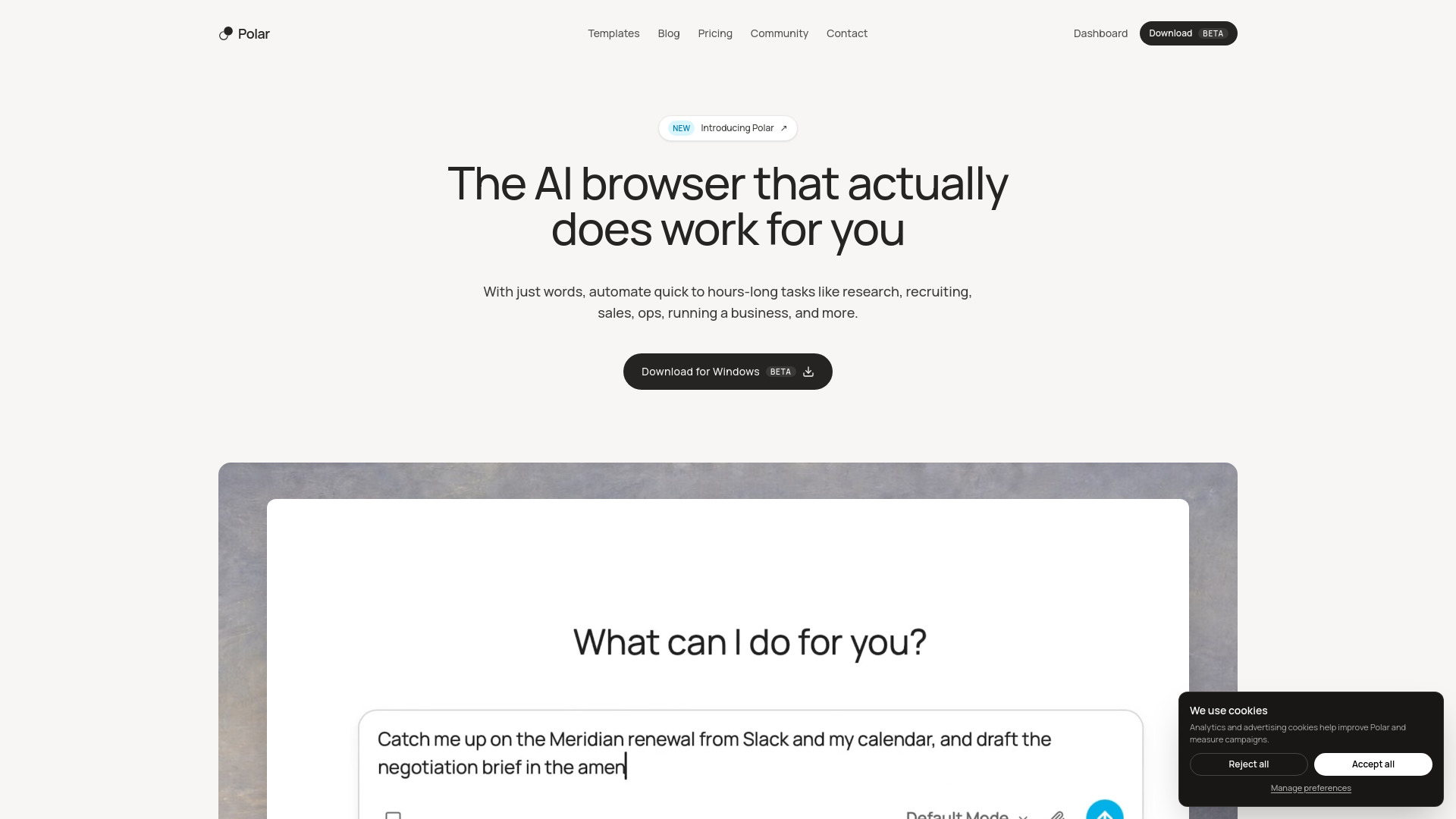
Polar is an AI-powered browser designed to automate a wide range of internet-based tasks. It can handle everything from quick questions to hours-long workflows, operating within your existing accounts and sessions. Built on Chromium, it works with the tools you already use and can autonomously perform tasks like research, recruiting, sales, operations, and more.
How to use Polar: AI Browser
- Download and install Polar for macOS from the official website.
- Set Polar as your main browser (recommended) to have the most up-to-date context on your work.
- Type what you want done in natural language. Polar will interpret your request and execute it using websites and tools.
- Monitor progress as Polar works, with the ability to follow along and take over anytime.
- Schedule workflows for recurring tasks, such as daily email summaries or LinkedIn outreach, and re-run them as needed.
Features of Polar: AI Browser
- Natural language automation: Describe tasks in words, and Polar executes them.
- Operates within existing accounts: Works inside your logged-in sessions and tools.
- Autonomous long-running tasks: Can work for hours without supervision.
- Scheduled workflows: Save prompts as workflows and run them on hourly, daily, weekly, or custom schedules.
- Context retention: Carries the same context into every run.
- Use in any tab: Hand off tasks from any tab while working, using the current page as context.
- Transparency and control: Watch what Polar is doing, take over anytime, and guardrails prevent high-risk actions.
- Benchmark performance: Scores 98.0 on the Odysseys benchmark, outperforming other browser agents.
Use Cases of Polar: AI Browser
- Research & Analysis: Market mapping, competitor readouts, vendor ranking, and turning messy public sources into decisions.
- Sales: Automating account research, ICP fit analysis, and LinkedIn execution.
- Recruiting: Streamlining candidate sourcing and outreach.
- Operations: Inventory checks, order tracking, follow-ups, and stock monitoring.
- Business: Automating daily tasks like email summaries and CRM updates.
- Personal: Handling quick questions and tasks across the web.
FAQ
Will I need to switch my main browser? Polar works best when it's your main browser because it will have the most up-to-date context on your work. However, you can still get value without fully switching.
Does Polar work with my existing accounts? Yes. Polar is built on Chromium, so it can work inside the tools and accounts you already use.
How does security work? Polar is built around control: you can watch what it is doing, take over anytime, and keep sensitive decisions in your hands. Guardrails prevent the agent from independently taking high-risk actions. SOC 2 compliance is in progress.
Can Polar run longer tasks? Yes. Polar can handle quick asks and longer browser work that requires multiple sites, context, and follow-through.