What is Rankly
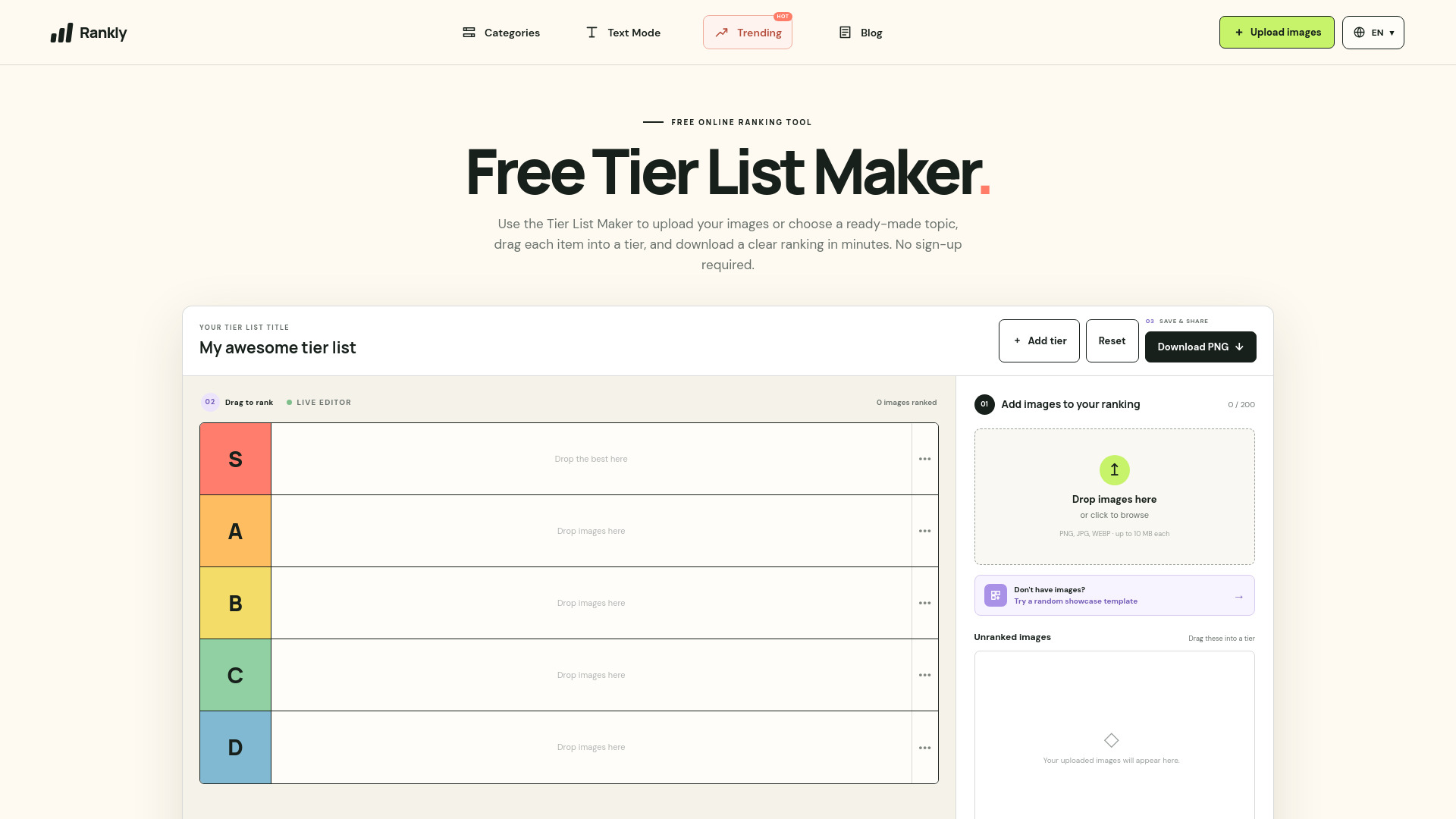
Rankly is a free, browser-based tier list maker that lets you create custom image rankings. You can upload your own images or choose from ready-made templates, drag items into customizable tiers, and download the final result as a PNG image. No sign-up is required, and images are processed locally in your browser.
How to use Rankly
- Upload images: Click the "Upload images" button or drag and drop images into the upload panel. You can upload up to 200 images (PNG, JPG, WEBP, GIF) with a maximum size of 10 MB each.
- Arrange into tiers: Drag each image from the "Unranked images" area into one of the tier rows (S, A, B, C, D by default). You can add more tiers or rename existing ones by clicking on the tier label.
- Customize tiers: Click a tier label to rename it or change its color. Use the "Add tier" button to create additional rows.
- Download your ranking: Once you're satisfied with the arrangement, click "Download PNG" to export your tier list as a high-quality image.
Features of Rankly
- Free to use: No account or payment required.
- Image upload: Supports JPG, PNG, WEBP, and GIF formats, up to 10 MB each.
- Drag-and-drop ranking: Intuitive interface for moving images between tiers.
- Customizable tiers: Rename tiers, change colors, and add or remove rows.
- PNG export: Download your finished tier list as a crisp image.
- Templates: Start with pre-made templates for popular topics like games, movies, and more.
- Local processing: Images are handled in your browser, so they are not uploaded to a server.
- Multi-language support: Available in multiple languages (English, Spanish, French, Polish, Thai, German, Vietnamese, Russian, Chinese).
Use Cases of Rankly
- Gaming: Rank characters, weapons, maps, or bosses from your favorite games.
- Movies and TV: Compare movies, characters, villains, or episodes.
- Music: Rank albums, songs, or artists.
- Sports: Rank teams, players, or memorable moments.
- Food: Rank snacks, dishes, or restaurants.
- Everyday choices: Create rankings for books, travel destinations, or products.
Pricing
Rankly is completely free to use. There are no paid plans or hidden costs.
FAQ
Is this Tier List Maker free? Yes. You can upload images, arrange them in tiers, and download the result without creating an account.
Are my images uploaded to a server? No. This version processes the images locally in your browser.
Can I customize tier names? Yes. Select a tier label to rename it or change its color, and add or remove rows as needed.
How do I download my ranking? After arranging your images, select Download PNG to save the completed board as an image.